> ## Documentation Index
> Fetch the complete documentation index at: https://docs.cubic.dev/llms.txt
> Use this file to discover all available pages before exploring further.
# Changelog
> Keep up with cubic's latest features, improvements, and fixes.
### Request incremental reviews from GitHub comments
Manual reruns normally reviewed the full pull request, even when you only wanted feedback on new
commits. You can now ask cubic to review only the changes since its last completed review.
* Comment `@cubic-dev-ai incremental review` or
`@cubic-dev-ai review changes since the last review`
* Keep full reruns available with `@cubic-dev-ai review this PR`
* Get a clear explanation instead of a silent full review when cubic cannot establish a safe
incremental range
Learn more in [Interactive comments](/ai-review/interactive-comments).
### Customize cubic's low-risk auto-approval criteria
cubic's default low-risk criteria were previously hidden. You can now view and edit those criteria when you select `Custom` in the auto-approve settings.
### Restrict auto-approval to trusted directories
Testing auto-approval in one low-risk part of a repository previously required maintaining a large exclusion list. You can now define the exact file and directory globs that are eligible for auto-approval.
* Require every changed path to match an allowed glob, such as `docs/**`
* Keep mixed pull requests out of auto-approval when any changed path falls outside the allowlist
* Configure the allowlist in AI review settings or with `auto_approve_rules.only_files` in `cubic.yaml`
### Choose your flex capacity top-up size
Your cubic plan includes a set number of lines reviewed each month. If you need more, flex capacity automatically adds extra lines so your reviews can continue without interruption.
Previously, each top-up added a fixed 10,000 lines. You can now choose how many lines to add with each top-up, giving you more control over your usage and spend.
Learn more in the [flex capacity docs](/account/flex-capacity).
### Get cubic review results in Slack
cubic now sends you a message on Slack as soon as it finishes reviewing your PR.
* See how many issues cubic found
* Copy a prompt to fix issues in your coding agent
* Or use the cubic coding agent to fix them
Check if you have [Slack integration enabled](https://www.cubic.dev/settings?tab=integrations\&integration=slack).
### Decide exactly which PRs auto-approval can touch
Auto-approval can now filter on who opened a PR and where it is headed, not just which files
changed.
* Block auto-approval by author, head or base branch, PR label, or title — for example, skip
anything labeled `do-not-auto-approve` or titled `WIP:*`
* Restrict auto-approval to an allowlist, such as only `renovate[bot]` and `dependabot[bot]` PRs
that target `main`
* Configure the rules in [AI review settings](https://www.cubic.dev/ai-review?tab=auto-approve) or
version-control them in [`cubic.yaml`](/configure/cubic-yaml)
Learn more in the [auto-approval docs](/ai-review/auto-approval).
### Faster, more responsive analytics
We’ve improved how cubic loads and refreshes analytics data, making the main
[**Analytics**](https://www.cubic.dev/analytics) page and larger **Delivery & Effectiveness**
reports faster and more responsive.
* Faster loading when opening the main [**Analytics**](https://www.cubic.dev/analytics) page
* Improved performance for large **Delivery & Effectiveness** reports and longer date ranges,
including **All time**
* More consistent member and team statistics when switching between periods, repositories, and
teams
### Stream live review progress from the cubic CLI
Integrations previously had to wait for `cubic review` to finish before receiving structured output.
You can now use `cubic review --output-format stream-json` to follow review progress as it happens.
* Receive compact NDJSON events for findings, retries, heartbeats, and completion
* Cancel long-running reviews more reliably
* Preserve concurrent file edits when a review retries
Learn more in the [CLI review docs](/ide/cli-review#streaming-json-output).
### Clearer and more reliable settings
cubic now explains when a failed payment is preventing additional Flex capacity and directs
workspace admins to billing settings. We also fixed an issue that could make recently saved AI
review settings appear to reset.
### More accurate pull request status and review comments
Merged and approved pull requests no longer remain incorrectly under **Waiting for review**. We also
fixed cases where valid review findings could be dropped when they referenced a multiline section
of a diff.
### Focus reviews on the decisions that matter
Large pull requests can make it difficult to identify the changes that need the most attention.
cubic now organizes changed files into clearer groups and marks the important decisions reviewers
should make.
* See review decisions beside the relevant changed lines
* Select a decision to discuss it with AI chat
* Navigate large pull requests through smaller, related groups of files
### More reliable CLI reviews with Codex and Claude Code
CLI reviews using a Codex subscription no longer crash on malformed empty stream events. Reviews
using Claude Code now respect your local permission settings instead of requiring bypass mode.
### Reviews now catch \~20% more bugs
cubic's review agents now go deeper and catch more cross-file bugs, surfacing about 20% more
findings per review. Live on every review for all paid workspaces, with nothing to configure.
### Link more repositories for cross-repository context
You can now link up to five repositories to give cubic additional context during reviews, up from
three.
### More reviewed lines and lower Flex pricing
Team plans now include 40,000 reviewed lines per seat each month, while Pro plans include 80,000.
Additional Flex capacity now costs $20 per 10,000 reviewed lines, down from $30.
### Clearer handling for oversized AI reviews
cubic now uses one maximum changed-lines setting for automatic reviews. Repositories use a 50,000
changed-line default unless you configure a different value, and manual `@cubic-dev-ai review`
requests can bypass that repository setting up to cubic's technical review maximum.
When a manually requested review is too large to run, cubic now replies on the pull request with the
reviewable line count, the largest files in the diff, and the next steps for ignoring generated or
fixture files or splitting the change.
### Sync your wiki into your repository
Your wiki lived on cubic.dev, but the people — and coding agents — who need it work in the repository. cubic can now export the wiki as markdown files straight into your repo and keep them up to date through a rolling pull request.
* Turn on **Repo sync** from the wiki card and pick a directory (default `.cubic/wiki`)
* cubic commits one markdown file per page, an `index.md` table of contents, and an `AGENTS.md` entry point so coding agents can use your docs with zero setup
* Every wiki refresh updates the same rolling PR — merge it when you want the repo copy updated, with no PR churn when nothing changed
* Trigger a sync manually with **Sync to repo now** and follow sync status right on the wiki card
Repo sync is available on paid plans and rolling out gradually. Learn more in the [wiki docs](/wiki/ai-wiki#repo-sync).
### Suggestions to lower review sensitivity
When most of cubic's comments on a repository are rarely acted on, the review is likely more sensitive than the team needs. cubic now adds a short note in the review footer inviting you to lower that repository's review sensitivity so it focuses on higher-impact issues.
* Appears only on repositories where review comments are regularly left unaddressed across recent merged pull requests
* Links directly to the sensitivity setting for that repository
* Shown sparingly: once per author, with a cooldown between suggestions
* Stops as soon as you lower sensitivity, and stays quiet for a while if you recently did
* Nothing changes about how reviews run unless you choose to act on it
### Signed commits for the cubic coding agent
Repositories that require signed commits would reject commits the cubic coding agent pushed. The coding agent can now sign its commits, so GitHub marks them as verified.
Go to the [Fix with cubic settings](https://www.cubic.dev/ai-review?tab=background-agents) to enable this.
### Guided PR tours in AI chat
Reviewing an unfamiliar pull request usually starts with the same question: where do I begin? AI chat can now take you through a PR stop by stop, in the order cubic's review plan recommends.
Press **Tour this PR** in the chat sidebar (or just ask for a tour). At each stop, chat navigates the diff to the file, explains what changed and what to verify in a few sentences, and calls out files that need extra attention.
* Move through the tour with the **Next stop** / **End tour** pills above the composer, with a stop counter so you always know where you are
* Ask side questions mid-tour — the tour holds your place and resumes where you left off
* Say "back" to revisit a stop or "skip to" a file or group to jump ahead
* Tour progress lives in the conversation, so you can leave the PR and pick the tour back up later
After regular answers, chat now also suggests follow-ups: a pill that takes you to the next unreviewed risky file, plus a relevant follow-up question.
### Redesigned Usage page
The Usage page in settings now shows where your review quota actually goes — and whether you'll run out before the reset.
* **Pace projection**: see projected usage at your current rate, with a warning when you're on track to exceed your quota
* **Daily chart**: quota lines per day, stacked by repository, with cumulative usage plotted against the steady pace that would exactly use your quota
* **Breakdown lenses**: slice usage by repository, person, pull request, file type, branch, or review mode — and export any lens as CSV
* **Past periods**: look back at up to three previous billing periods with the new period selector
Learn more in the [usage docs](/account/ai-review-usage).
### Request teams as reviewers
The reviewer picker only listed individual collaborators, so teams that route reviews through CODEOWNERS couldn't be requested from cubic. You can now request GitHub teams as reviewers directly from the inbox and PR view.
* Pick teams from the new **Teams** section in the reviewer dropdown
* Remove a pending team request the same way you remove an individual reviewer
* Requested teams now show on PR cards in the inbox and in the PR sidebar
### Ultrareview now uses your reviewed-lines allowance
Ultrareview previously had a separate monthly allowance of 2 runs per paid seat. It now shares the same reviewed-lines allowance as normal reviews, counted at **3× the standard rate** — so there's one limit to think about, and teams that rarely use Ultrareview no longer leave a separate budget unused.
* cubic posts a comment on the pull request when an Ultrareview starts
* Running Ultrareviews are no longer cancelled when new commits are pushed, so long-running deep reviews finish and post their findings
Learn more in the [Ultrareview docs](/ai-review/ultrareview).
### Skip AI descriptions when authors write their own
Teams that already write pull request descriptions can now opt in to skip AI description generation when the author provided a substantive one.
* Enable **Skip when authors write descriptions** from [AI review settings](https://cubic.dev/ai-review?tab=descriptions) → **Descriptions** tab
* Applies to first-time generation on newly opened PRs; existing AI descriptions still refresh on new commits
* Empty or template-only bodies (unfilled headings, checklists, bare issue links) still get an AI description
* Configure per repository in `cubic.yaml` with `skip_if_author_description: true`
Disabled by default.
```yaml theme={null}
pr_descriptions:
skip_if_author_description: true
```
Learn more in the [AI review settings documentation](/ai-review/ai-review-settings#pr-description-settings).
### Use Cursor cloud agents to fix cubic issues
When cubic finds an issue, you can press `Fix with cubic`. It would start a coding agent with a Claude model.
You can now use Cursor cloud agents with a model and configuration of your choice.
Learn more in the [coding agents docs](/ai-review/coding-agents#coding-agent-providers).
### Send highlighted code to AI chat
Asking chat about a specific diff snippet used to require copying code into the composer. You can now highlight code in the review UI and add it to AI chat with the exact selection in context.
Select code in the diff and choose **Add to AI chat**, or use `⌘I` / `Ctrl+I` from the keyboard.
### Resolve scan authors from MCP
Codebase scan automation often needs to notify the engineer who last touched an issue. Agents can now resolve scan authors from GitHub usernames to the contact details cubic already knows for that repository.
* Call `resolve_github_user_contacts` after `get_scan` with `items[].attributedAuthorName`
* Get compact email and Slack mention fields keyed by lowercase GitHub username
* Keep scan responses small by fetching contact details only when an agent needs them
Learn more in the [MCP server docs](/ide/mcp-server).
### cubic is now faster for global teams
We shipped performance and reliability improvements that make cubic feel faster for teams using the product from different regions.
Dashboards and product pages now load about 25% faster, so common navigation feels snappier and more consistent.
Teams in India, Australia, Japan, South Korea, Hong Kong, and Southeast Asia should also see faster page loads and a more responsive experience.
Slower-loading product pages saw similar gains in production.
### Connect Notion Custom Agents to MCP
Notion Custom Agents can now connect to cubic's MCP server through OAuth. This lets agents read cubic review issues, codebase scan results, AI wikis, and team learnings without copying a cubic API key.
* Add cubic as a custom MCP server in a Notion Custom Agent
* Use `https://www.cubic.dev/api/mcp` with OAuth
* Connect other hosted MCP clients that use OAuth and dynamic client registration
Learn more in the [MCP server docs](/ide/mcp-server).
### Auto-add review capacity
Teams that reach the reviewed-line limit sometimes have to pause a review, add capacity, and then retry the pull request. Pro workspaces can now let cubic add review capacity when a review would otherwise be blocked by the monthly reviewed-line limit.
* Enable auto-add from **Settings → Subscription & team** in the code review usage card
* Apply it only when a review is blocked by the workspace's reviewed-line quota
* Recheck the limit after capacity is added so the review can continue when there is enough headroom
### Link repository files to custom agents
You can now link instruction files from your repository to a custom agent.
This means your style guides, review rules, and other team instructions can stay in your repo instead of being copied into cubic.
* Add linked files from the dashboard's **Advanced** section, or by using `file_paths` in `cubic.yaml`
* Combine custom agent instructions with one or more linked files
* The same **10,000 character limit** applies before saving
Learn more in the [custom agents docs](/ai-review/custom-agents).
### Viewer role for team settings
Teams can now assign a **Viewer** role for seated users who should be able to use cubic's review and analytics surfaces without changing workspace configuration.
The default role for new and existing seats remains **Member**.
Viewers can read team settings, subscription status, and role assignments, but cannot change AI review settings, repository configuration, integrations, seats, roles, or billing controls.
### Triage codebase scan issues from MCP
cubic's MCP server can now update a codebase scan issue's triage status by issue ID. Agents can include optional feedback, and cubic uses it in the same learning flow as in-app scan triage.
Learn more in the [MCP server docs](/ide/mcp-server).
### MCP now connects with OAuth
cubic's MCP server now uses OAuth for new connections, so Cursor, Cursor Agent, Claude Code, Codex, Gemini CLI, OpenCode, Droid, Pi, VS Code, and other compatible MCP clients can connect without copying a cubic API key.
Open your agent's MCP settings, add `https://www.cubic.dev/api/mcp`, and complete the browser authorization flow. Cursor and VS Code also support one-click install links from the MCP docs and settings page.
The updated setup keeps existing API-key clients working during the migration window, but new installs should use OAuth.
Learn more in the [MCP server docs](/ide/mcp-server).
### Searchable keyboard shortcuts
cubic now has a compact keyboard shortcuts drawer, so you can see the shortcuts available on the current page without leaving your PR.
 ### Merge status at a glance
The merge button now shows a small color indicator for the current PR's merge status, so you can tell whether it's ready to merge without opening the dropdown.
Green means ready to merge, orange means it needs attention, and red means there's a blocker such as requested changes, failing checks, or merge conflicts.
### Merge status at a glance
The merge button now shows a small color indicator for the current PR's merge status, so you can tell whether it's ready to merge without opening the dropdown.
Green means ready to merge, orange means it needs attention, and red means there's a blocker such as requested changes, failing checks, or merge conflicts.
 ### Create custom agent proposals from PR chat
When a review discussion turns into a repeatable rule, PR chat can now help turn that into a custom agent proposal.
Ask chat to enforce a pattern, flag a recurring issue, or update an existing custom agent. cubic will inspect the repository's current agents, prepare a create or update proposal, and show the exact rule before anything changes.
* Review the title, instructions, enabled state, and file patterns before applying
* Apply or cancel directly from the chat card
* Keep YAML-managed agents read-only from chat
* Avoid duplicate creates when the same proposal was already applied
### Cross-repo reviews (beta)
Some changes span more than one repository, like a backend API change that needs a frontend update. Cross-repo reviews let cubic check related repositories during review and track companion PRs when the matching change ships.
Learn more in [Cross-repo reviews](/ai-review/cross-repo-reviews).
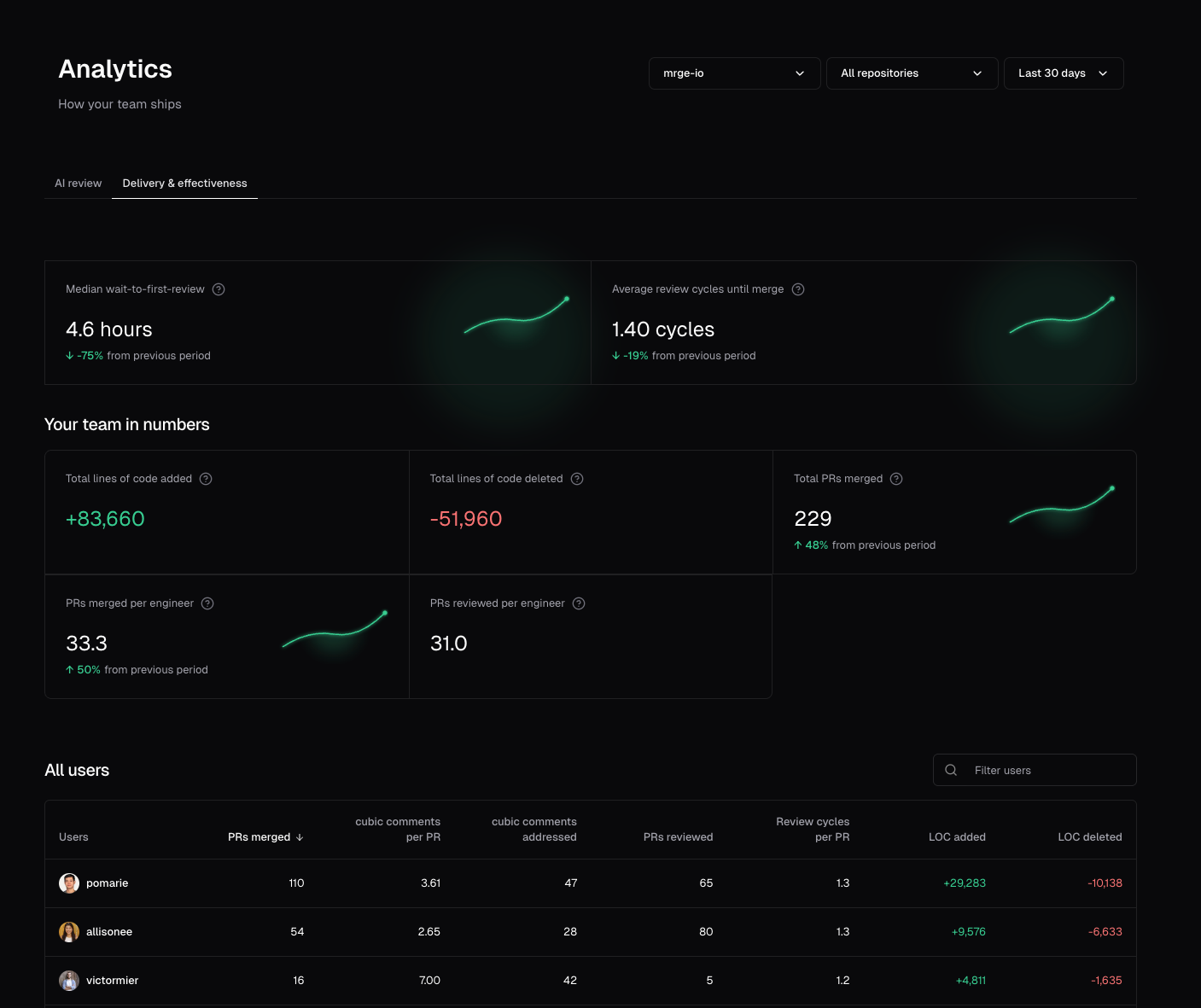
### Team filters for analytics
Analytics showed organization-wide trends, but managers often needed to understand delivery and AI adoption for a specific GitHub team. It's now easier to compare team-level work without exporting data or switching views.
* Filter Analytics by one or more GitHub teams
* Scope Delivery, AI Review, AI Coding, and Recent issues to selected teams
* Group Delivery and AI Coding member tables by team
### Filter team members by GitHub team
The **Team members** table already supports filters for seat status and role, but admins in larger organizations still had to hunt by hand when a group is defined as a GitHub team. You can now narrow the table by one or more GitHub organization teams so only members of those teams remain visible.
Teams are matched from GitHub org team membership on each member. Open [Settings → Team members](https://www.cubic.dev/settings?tab=subscription).
### High sensitivity preserves more thorough feedback
**High** sensitivity is meant to reflect a very thorough review, yet some comments in that spirit could still be discarded before they reached the pull request. cubic now keeps more of that grounded feedback—including specific nits on naming, readability, and small polish—when it stays factual, actionable, and tied to the changed code.
Adjust the setting per repository under [AI review settings](https://www.cubic.dev/settings?tab=ai-review).
### Import learnings from other AI code review tools
You can now bring existing learnings from other code reviewers into cubic by uploading a CSV.
Open the [Learnings Tab](https://www.cubic.dev/ai-review?tab=learnings) and select **Import CSV** from the three-dot menu. cubic will auto-detect column names and import the rows as learnings you can review and edit alongside the ones it generates automatically.
### Pick former team members as senior reviewers
The senior reviewers picker now surfaces former members (historical committers who are no longer in your installation) with a "Former member" badge, so you can keep learning from the review style of people who have since left the team.
As part of this change, the history scan that builds learnings from past reviews now walks up to four years back instead of one, so reviewers whose activity is older still produce useful patterns.
### Recent issues in analytics
You can now open a full Recent issues view from Analytics to search, filter, and sort the issues cubic has flagged across your repositories.
Use it to review what was found, see which issues were addressed, and jump back to the original PR context.
### Analytics API
Analyze cubic adoption with your own tools. Call the Analytics API to get a PR-level data on cubic issues, time to merge, etc.
Learn more in the [Analytics API docs](/analytics/api).
### Bring your ChatGPT or Claude Code subscription to cubic CLI
You can now connect your ChatGPT or Claude Code account and power your local reviews with your favorite models.
* Run `cubic auth setup` to get started
* Switch providers with `Ctrl+P` or models with `m` at any time
* Start running reviews, cubic handles the rest
Learn more in the [CLI review docs](/ide/cli-review#bring-your-coding-subscription).
### Shadow mode for auto-approve
You can now test auto-approve safely before trusting cubic to submit real GitHub approvals. This is useful when you want to tune approval rules, verify what would happen on real PRs, and avoid accidentally bypassing your normal human review process while you roll the feature out.
Auto-approve now has separate behavior and policy controls, so you can decide both when cubic should approve and whether it should actually submit approvals to GitHub.
* Use **Shadow** to simulate auto-approval safely while cubic still leaves a normal review comment
* Switch to **Live** when you're ready for cubic to submit real approvals
* Keep using **Low-risk only**, **Always**, or **Custom** as the approval policy for clean PRs
Learn more in the [AI review settings docs](/ai-review/ai-review-settings).
### Better filtering for team members
Managing subscription seats is now faster. The Team members page now has better filtering, so you can quickly narrow the list by seat status and role without manually scanning the full table.
### Create custom agent proposals from PR chat
When a review discussion turns into a repeatable rule, PR chat can now help turn that into a custom agent proposal.
Ask chat to enforce a pattern, flag a recurring issue, or update an existing custom agent. cubic will inspect the repository's current agents, prepare a create or update proposal, and show the exact rule before anything changes.
* Review the title, instructions, enabled state, and file patterns before applying
* Apply or cancel directly from the chat card
* Keep YAML-managed agents read-only from chat
* Avoid duplicate creates when the same proposal was already applied
### Cross-repo reviews (beta)
Some changes span more than one repository, like a backend API change that needs a frontend update. Cross-repo reviews let cubic check related repositories during review and track companion PRs when the matching change ships.
Learn more in [Cross-repo reviews](/ai-review/cross-repo-reviews).
### Team filters for analytics
Analytics showed organization-wide trends, but managers often needed to understand delivery and AI adoption for a specific GitHub team. It's now easier to compare team-level work without exporting data or switching views.
* Filter Analytics by one or more GitHub teams
* Scope Delivery, AI Review, AI Coding, and Recent issues to selected teams
* Group Delivery and AI Coding member tables by team
### Filter team members by GitHub team
The **Team members** table already supports filters for seat status and role, but admins in larger organizations still had to hunt by hand when a group is defined as a GitHub team. You can now narrow the table by one or more GitHub organization teams so only members of those teams remain visible.
Teams are matched from GitHub org team membership on each member. Open [Settings → Team members](https://www.cubic.dev/settings?tab=subscription).
### High sensitivity preserves more thorough feedback
**High** sensitivity is meant to reflect a very thorough review, yet some comments in that spirit could still be discarded before they reached the pull request. cubic now keeps more of that grounded feedback—including specific nits on naming, readability, and small polish—when it stays factual, actionable, and tied to the changed code.
Adjust the setting per repository under [AI review settings](https://www.cubic.dev/settings?tab=ai-review).
### Import learnings from other AI code review tools
You can now bring existing learnings from other code reviewers into cubic by uploading a CSV.
Open the [Learnings Tab](https://www.cubic.dev/ai-review?tab=learnings) and select **Import CSV** from the three-dot menu. cubic will auto-detect column names and import the rows as learnings you can review and edit alongside the ones it generates automatically.
### Pick former team members as senior reviewers
The senior reviewers picker now surfaces former members (historical committers who are no longer in your installation) with a "Former member" badge, so you can keep learning from the review style of people who have since left the team.
As part of this change, the history scan that builds learnings from past reviews now walks up to four years back instead of one, so reviewers whose activity is older still produce useful patterns.
### Recent issues in analytics
You can now open a full Recent issues view from Analytics to search, filter, and sort the issues cubic has flagged across your repositories.
Use it to review what was found, see which issues were addressed, and jump back to the original PR context.
### Analytics API
Analyze cubic adoption with your own tools. Call the Analytics API to get a PR-level data on cubic issues, time to merge, etc.
Learn more in the [Analytics API docs](/analytics/api).
### Bring your ChatGPT or Claude Code subscription to cubic CLI
You can now connect your ChatGPT or Claude Code account and power your local reviews with your favorite models.
* Run `cubic auth setup` to get started
* Switch providers with `Ctrl+P` or models with `m` at any time
* Start running reviews, cubic handles the rest
Learn more in the [CLI review docs](/ide/cli-review#bring-your-coding-subscription).
### Shadow mode for auto-approve
You can now test auto-approve safely before trusting cubic to submit real GitHub approvals. This is useful when you want to tune approval rules, verify what would happen on real PRs, and avoid accidentally bypassing your normal human review process while you roll the feature out.
Auto-approve now has separate behavior and policy controls, so you can decide both when cubic should approve and whether it should actually submit approvals to GitHub.
* Use **Shadow** to simulate auto-approval safely while cubic still leaves a normal review comment
* Switch to **Live** when you're ready for cubic to submit real approvals
* Keep using **Low-risk only**, **Always**, or **Custom** as the approval policy for clean PRs
Learn more in the [AI review settings docs](/ai-review/ai-review-settings).
### Better filtering for team members
Managing subscription seats is now faster. The Team members page now has better filtering, so you can quickly narrow the list by seat status and role without manually scanning the full table.
 ### Organization-wide YAML configuration
Defining an organization-wide cubic config is now possibile with a `cubic.yaml` file defined in a single central `cubic-config` repository. This way, organizations with many repositories can define a consistent config once instead of having to configure each repository individually.
Create a repository named `cubic-config` in your organization and add a `cubic.yaml` file to its root. cubic applies these settings to every repository that doesn't have its own configuration. The `cubic-config` repository must be added (be visible) to cubic.
Repository-level `cubic.yaml` override organization settings on a per-property basis, and custom agents are combined with repo-level YAML and UI-defined ones. Learn more in the [configuration documentation](/configure/cubic-yaml#organization-configuration).
### Review Onboarding Tips
Review comments now include a small tip to help you learn how to use cubic. Each tip will introduce a new feature or tool.
### New anti-slop custom agent template
The rules library now includes a built-in custom agent for spotting obvious low-quality AI slop in pull requests.
It focuses on concrete signals like fabricated references, placeholder text, patchwork overengineering, debug leftovers, and weak tests, while avoiding false positives on cohesive, well-scoped high-quality PRs.
You can find it in the [rules library](https://www.cubic.dev/rules-library) and apply it like any other shared custom agent.
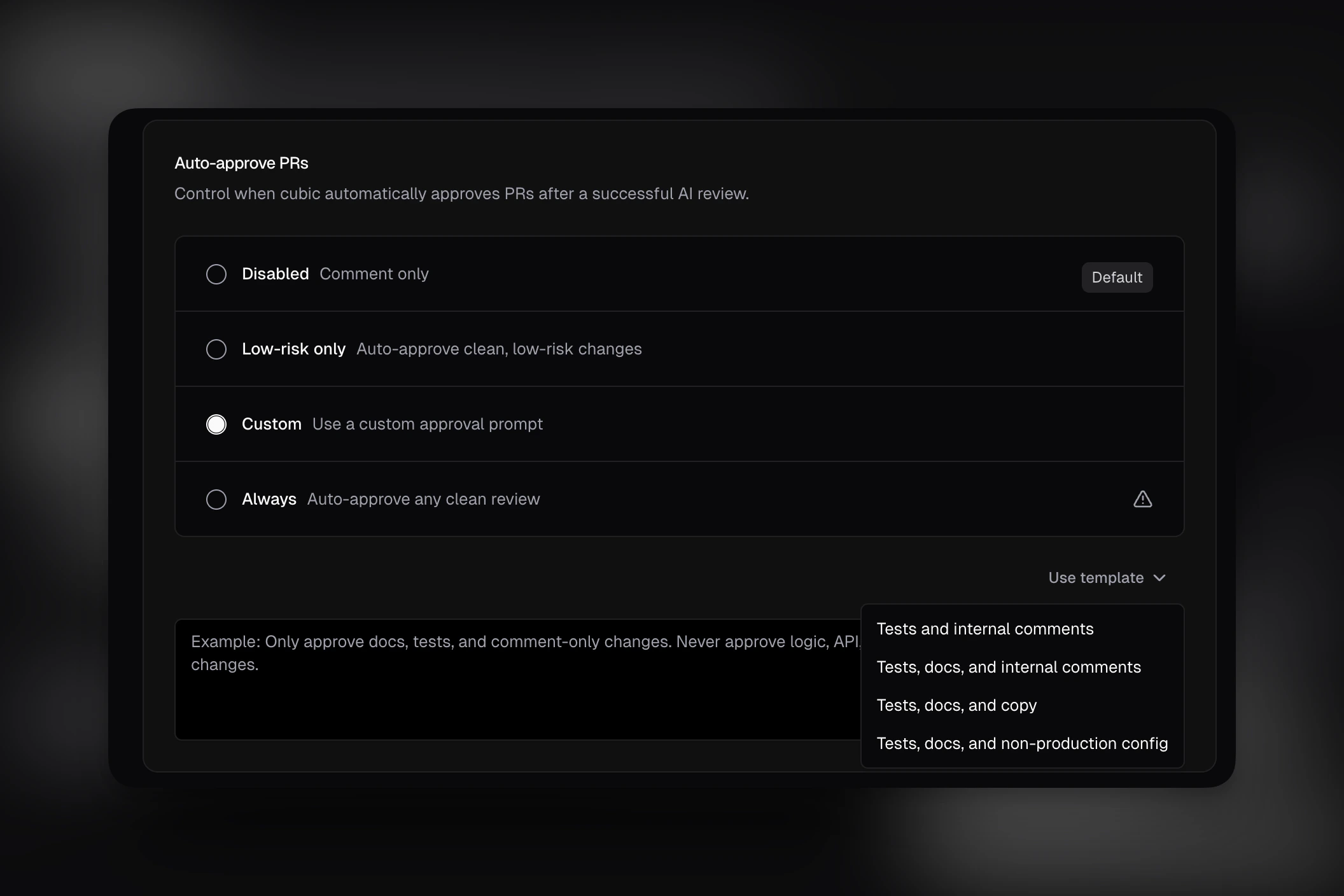
### Auto-approve prompt templates
Writing a custom auto-approve rule from scratch was slower than it needed to be. You can now start from built-in templates directly in AI review settings.
* Insert a template for tests, docs, copy, internal comments, or non-production config changes
* Edit the generated text before saving
* Use the simplified custom prompt UI without the extra setup chrome
### Organization-wide YAML configuration
Defining an organization-wide cubic config is now possibile with a `cubic.yaml` file defined in a single central `cubic-config` repository. This way, organizations with many repositories can define a consistent config once instead of having to configure each repository individually.
Create a repository named `cubic-config` in your organization and add a `cubic.yaml` file to its root. cubic applies these settings to every repository that doesn't have its own configuration. The `cubic-config` repository must be added (be visible) to cubic.
Repository-level `cubic.yaml` override organization settings on a per-property basis, and custom agents are combined with repo-level YAML and UI-defined ones. Learn more in the [configuration documentation](/configure/cubic-yaml#organization-configuration).
### Review Onboarding Tips
Review comments now include a small tip to help you learn how to use cubic. Each tip will introduce a new feature or tool.
### New anti-slop custom agent template
The rules library now includes a built-in custom agent for spotting obvious low-quality AI slop in pull requests.
It focuses on concrete signals like fabricated references, placeholder text, patchwork overengineering, debug leftovers, and weak tests, while avoiding false positives on cohesive, well-scoped high-quality PRs.
You can find it in the [rules library](https://www.cubic.dev/rules-library) and apply it like any other shared custom agent.
### Auto-approve prompt templates
Writing a custom auto-approve rule from scratch was slower than it needed to be. You can now start from built-in templates directly in AI review settings.
* Insert a template for tests, docs, copy, internal comments, or non-production config changes
* Edit the generated text before saving
* Use the simplified custom prompt UI without the extra setup chrome
 ### Experimental: Skip auto-reviews for external contributors
You can now opt into an experimental setting that prevents cubic from automatically reviewing pull requests from external contributors on public repositories.
This is especially useful for large open source projects that receive a high volume of outside contributions and want more control over when those pull requests enter the review flow.
When enabled, cubic will skip automatic reviews for those PRs. A trusted installation member can still trigger a review later by manually commenting `@cubic review this`.
### Link external documentation in custom agent descriptions
Agent descriptions could link to style guides, API docs, or ADRs, but those references weren't used during review. cubic now reads linked pages and applies that context during review.
### Bulk ticket creation for scan findings
Creating tracking tickets for multiple scan findings one by one was slow. It's now easier to triage multiple issues at once with bulk ticket creation.
Select multiple findings in your codebase scan results and create Linear or Jira tickets for all of them in a single action. You can assign them to the same project, issue type, and team in one go.
### More reliable CLI review model
CLI reviews now run on a better, more consistent model. This fixes cases where reviews produced garbled non-English characters instead of actionable feedback.
### Automatic issue creation for codebase scans
Moving codebase scan findings into your team's backlog required manual triage. cubic can now automatically create Linear or Jira tickets for high-risk issues after a scan completes.
* **Risk thresholds:** Only create tickets for issues that meet your minimum risk score
* **Category filtering:** Limit automatic tickets to specific categories like Security or Data Integrity
* **Rate limits:** Set a maximum number of issues created per day to prevent backlog noise
* **Smart routing:** Send issues directly to the relevant Linear team or Jira project
Enable this in your repository's codebase scan configuration. Learn more in the [codebase scan documentation](/codebase-scan/codebase-scans).
### Confluence and Notion integrations
Reviewing code without the original technical specifications leads to missed architectural requirements. You can now connect Confluence and Notion to bring your documentation directly into AI reviews.
When you link a Confluence or Notion page in your PR description, cubic reads it to understand your architecture decisions and requirements.
* **Context-aware reviews:** The AI checks your code against documented specifications and ADRs
* **Smarter PR descriptions:** cubic references relevant documentation when generating PR summaries
* **Automatic linking:** cubic detects Confluence and Notion URLs in your PR and associates them automatically
Connect your workspaces in [integration settings](https://cubic.dev/settings?tab=integrations). Learn more in the [Confluence](/integrations/confluence-integration) and [Notion](/integrations/notion-integration) documentation.
### Per-member filtering in analytics
Understanding how AI coding tools impact individual developer workflows was difficult with only team-wide metrics. You can now filter your analytics dashboard by specific team members.
* **Individual insights:** Track PR velocity, review times, and AI interaction stats for specific developers
* **Multi-select:** Compare metrics across a subset of your team
* **Consistent filtering:** Your member selection applies across all charts, including review effort, time to merge, and violation density
### Fix requests now require explicitly tagging cubic in the current comment
We tightened how cubic interprets GitHub comment threads for code changes.
Questions and feedback can still happen naturally by replying to cubic comments, but cubic will only
generate or push code changes when the current comment explicitly tags cubic, for example with
`@cubic` or `@cubic-dev-ai`.
* Replies in an existing cubic thread without a fresh mention are treated as discussion, feedback, or questions
* Fix requests still work from the **Fix with cubic** button
* This prevents accidental edits when teammates are discussing an issue inside a cubic-started thread
See the updated [interactive comments](/ai-review/interactive-comments) and
[background agents](/ai-review/coding-agents) docs for examples.
### 20% faster code reviews
Waiting for AI reviews to finish added friction to the PR workflow. Reviews now complete 20% faster, delivering feedback sooner on every pull request.
### Control linked issue visibility in PR reviews
Teams using Linear, Jira, or Asana integrations had no way to keep issue details out of public PR comments while still benefiting from issue-aware reviews. You can now control whether the "Linked issue analysis" section appears in review comments.
* New toggle in Settings > Integrations: **Show linked issue analysis in reviews**
* When disabled, issue context still improves AI review quality but is not posted publicly
* Enabled by default — no change for existing users
* Available for Linear, Jira, and Asana integrations
### Friendly commit messages by the cubic coding agent
Now the cubic coding agent writes friendly commit messages. It tells you exactly what it's fixed and why.
### Ability to stop the cubic coding agent
Now you can stop the cubic coding agent. Go to the progress page by clicking on `View progress` in a GitHub comment and press `Stop`.
### Wiki quality improvements
The wiki is now more accurate, more thorough, and better at understanding cross-file dependencies.
We've improved the context used by models when generating the initial file and wiki structure. The system now goes deeper to understand cross-system dependencies, giving you richer insights into how your codebase fits together.
You'll see deeper insights into your codebase, clearer documentation of how components interact, and more comprehensive coverage of code structure and patterns.
### cubic plugin now works with OpenCode, Codex, Cursor, Factory Droid, Pi, and Gemini
The cubic plugin was previously only available in Claude Code. You can now install it in OpenCode, Codex, Cursor, Factory Droid, Pi, and Gemini CLI using a single npx command.
* `npx @cubic-plugin/cubic-plugin install --to ` sets up the MCP server for any supported tool
* Use `--to all` to install across all targets at once
* Uninstall with the same `--to` flag: `npx @cubic-plugin/cubic-plugin uninstall --to `
Claude Code users can still install via the plugin marketplace. Learn more in the [plugin docs](/ai-review/claude-plugin).
### Open any GitHub PR in cubic by swapping the URL
Switching between GitHub and cubic to review a PR required navigating through the dashboard. Replace `github.com` with `cubic.dev` in any GitHub pull request URL to open it directly in cubic.
* Works from any tab on the PR — conversation, commits, or files changed
* Redirects to the cubic PR review view with full context
For example, `github.com/acme/api/pull/42/files` becomes `cubic.dev/acme/api/pull/42/files`.
### cubic plugin for Claude Code
Getting cubic context into Claude Code required switching between your editor and the browser. You can now access review issues, wiki pages, team learnings, and scan results directly in your Claude Code session.
* 5 slash commands: `/cubic:comments`, `/cubic:run-review`, `/cubic:wiki`, `/cubic:scan`, `/cubic:learnings`
* 4 auto-triggered skills that activate contextually, including `env-setup` for automatic API key configuration
* Works on macOS, Linux, and Windows (via Git Bash)
Install via `/plugin marketplace add mrge-io/cubic-claude-plugin` then `/plugin install cubic@cubic`. Requires Claude Code v1.0.33+ and a cubic API key.
Learn more in the [Claude Code plugin docs](/ai-review/claude-plugin). The plugin is [open source](https://github.com/mrge-io/cubic-claude-plugin).
### Sub-agent instructions are now included in PR review prompts
The "copy prompt for AI agents" snippet now includes instructions for coding agents to use sub-agents to investigate and fix issues.
This improves how review tasks are delegated and helps produce more complete, consistent review output across complex pull requests.
### New MCP tool: `get_pr_issues`
We've added a new MCP tool, `get_pr_issues`, for retrieving PR review issues directly.
This provides a standard way to access review issue data and makes it easier to build integrations and workflows around PR issues.
### Skills from more AI coding tools are now auto-ingested
cubic now detects and includes skills from Codex (`.codex/skills/`), OpenCode (`.opencode/skills/`), Windsurf (`.windsurf/skills/`), Gemini (`.gemini/skills/`), and the cross-tool `.agents/skills/` directory, in addition to the existing `.claude/skills/` and `.cursor/skills/` support.
If your team uses skills from these tools to define coding patterns, workflows, or conventions, cubic picks them up automatically during code reviews.
### Add one-off review context from GitHub comments
When you trigger a review from a GitHub comment, cubic now forwards the rest of your message as per-run review context.
This lets you include temporary guidance like focus areas, external docs pages, or an `llms.txt` URL without changing repository-wide settings.
For example:
* `@cubic-dev-ai review this and use https://docs.composio.dev/llms.txt`
* `@cubic-dev-ai rerun and focus on auth edge cases`
### Export team member analytics to CSV
Sharing delivery metrics with stakeholders required manual data collection or screenshots. You can now download per-user delivery stats as a CSV file directly from the analytics dashboard.
* Export includes all visible metrics: cubic reviews, issues flagged and fixed, reviews given, review cycles per PR, and lines of code changed
* CSV respects current filters and time period selection
* File automatically includes the export date in the filename
This makes it easier to create custom reports, track trends over time, or share data with leadership.
### Auto-approving is now generally available
Auto-approve was previously an experimental setting. It now lives in the main [AI review settings](https://www.cubic.dev/ai-review) and allows cubic to approve PRs when certain conditions are met.
* cubic can approve a PR when it determines the change is low risk, or when it matches a custom prompt you define.
* The setting is off by default — enable it in your AI review settings when you're ready.
### Skills are now auto-ingested as context files
cubic now automatically detects and includes `.claude/skills/` files as context during code reviews. If your team uses Claude Code skills to define coding patterns, workflows, or conventions, cubic will use them to better understand your codebase.
No configuration needed — just commit your skills and cubic picks them up.
### Fix PRs merged analytics is now available
The **Fix PRs merged** metric is now available in Analytics.
You can use it to track how many cubic-authored fix PRs were merged in the selected period.
### CLI sessions analytics is now available for everyone
The **CLI sessions** metric was previously internal-only. It's now available to everyone in the analytics dashboard so you can measure CLI adoption across your team.
Open your [analytics dashboard](https://www.cubic.dev/analytics) to view the new metric.
### Experimental: Skip auto-reviews for external contributors
You can now opt into an experimental setting that prevents cubic from automatically reviewing pull requests from external contributors on public repositories.
This is especially useful for large open source projects that receive a high volume of outside contributions and want more control over when those pull requests enter the review flow.
When enabled, cubic will skip automatic reviews for those PRs. A trusted installation member can still trigger a review later by manually commenting `@cubic review this`.
### Link external documentation in custom agent descriptions
Agent descriptions could link to style guides, API docs, or ADRs, but those references weren't used during review. cubic now reads linked pages and applies that context during review.
### Bulk ticket creation for scan findings
Creating tracking tickets for multiple scan findings one by one was slow. It's now easier to triage multiple issues at once with bulk ticket creation.
Select multiple findings in your codebase scan results and create Linear or Jira tickets for all of them in a single action. You can assign them to the same project, issue type, and team in one go.
### More reliable CLI review model
CLI reviews now run on a better, more consistent model. This fixes cases where reviews produced garbled non-English characters instead of actionable feedback.
### Automatic issue creation for codebase scans
Moving codebase scan findings into your team's backlog required manual triage. cubic can now automatically create Linear or Jira tickets for high-risk issues after a scan completes.
* **Risk thresholds:** Only create tickets for issues that meet your minimum risk score
* **Category filtering:** Limit automatic tickets to specific categories like Security or Data Integrity
* **Rate limits:** Set a maximum number of issues created per day to prevent backlog noise
* **Smart routing:** Send issues directly to the relevant Linear team or Jira project
Enable this in your repository's codebase scan configuration. Learn more in the [codebase scan documentation](/codebase-scan/codebase-scans).
### Confluence and Notion integrations
Reviewing code without the original technical specifications leads to missed architectural requirements. You can now connect Confluence and Notion to bring your documentation directly into AI reviews.
When you link a Confluence or Notion page in your PR description, cubic reads it to understand your architecture decisions and requirements.
* **Context-aware reviews:** The AI checks your code against documented specifications and ADRs
* **Smarter PR descriptions:** cubic references relevant documentation when generating PR summaries
* **Automatic linking:** cubic detects Confluence and Notion URLs in your PR and associates them automatically
Connect your workspaces in [integration settings](https://cubic.dev/settings?tab=integrations). Learn more in the [Confluence](/integrations/confluence-integration) and [Notion](/integrations/notion-integration) documentation.
### Per-member filtering in analytics
Understanding how AI coding tools impact individual developer workflows was difficult with only team-wide metrics. You can now filter your analytics dashboard by specific team members.
* **Individual insights:** Track PR velocity, review times, and AI interaction stats for specific developers
* **Multi-select:** Compare metrics across a subset of your team
* **Consistent filtering:** Your member selection applies across all charts, including review effort, time to merge, and violation density
### Fix requests now require explicitly tagging cubic in the current comment
We tightened how cubic interprets GitHub comment threads for code changes.
Questions and feedback can still happen naturally by replying to cubic comments, but cubic will only
generate or push code changes when the current comment explicitly tags cubic, for example with
`@cubic` or `@cubic-dev-ai`.
* Replies in an existing cubic thread without a fresh mention are treated as discussion, feedback, or questions
* Fix requests still work from the **Fix with cubic** button
* This prevents accidental edits when teammates are discussing an issue inside a cubic-started thread
See the updated [interactive comments](/ai-review/interactive-comments) and
[background agents](/ai-review/coding-agents) docs for examples.
### 20% faster code reviews
Waiting for AI reviews to finish added friction to the PR workflow. Reviews now complete 20% faster, delivering feedback sooner on every pull request.
### Control linked issue visibility in PR reviews
Teams using Linear, Jira, or Asana integrations had no way to keep issue details out of public PR comments while still benefiting from issue-aware reviews. You can now control whether the "Linked issue analysis" section appears in review comments.
* New toggle in Settings > Integrations: **Show linked issue analysis in reviews**
* When disabled, issue context still improves AI review quality but is not posted publicly
* Enabled by default — no change for existing users
* Available for Linear, Jira, and Asana integrations
### Friendly commit messages by the cubic coding agent
Now the cubic coding agent writes friendly commit messages. It tells you exactly what it's fixed and why.
### Ability to stop the cubic coding agent
Now you can stop the cubic coding agent. Go to the progress page by clicking on `View progress` in a GitHub comment and press `Stop`.
### Wiki quality improvements
The wiki is now more accurate, more thorough, and better at understanding cross-file dependencies.
We've improved the context used by models when generating the initial file and wiki structure. The system now goes deeper to understand cross-system dependencies, giving you richer insights into how your codebase fits together.
You'll see deeper insights into your codebase, clearer documentation of how components interact, and more comprehensive coverage of code structure and patterns.
### cubic plugin now works with OpenCode, Codex, Cursor, Factory Droid, Pi, and Gemini
The cubic plugin was previously only available in Claude Code. You can now install it in OpenCode, Codex, Cursor, Factory Droid, Pi, and Gemini CLI using a single npx command.
* `npx @cubic-plugin/cubic-plugin install --to ` sets up the MCP server for any supported tool
* Use `--to all` to install across all targets at once
* Uninstall with the same `--to` flag: `npx @cubic-plugin/cubic-plugin uninstall --to `
Claude Code users can still install via the plugin marketplace. Learn more in the [plugin docs](/ai-review/claude-plugin).
### Open any GitHub PR in cubic by swapping the URL
Switching between GitHub and cubic to review a PR required navigating through the dashboard. Replace `github.com` with `cubic.dev` in any GitHub pull request URL to open it directly in cubic.
* Works from any tab on the PR — conversation, commits, or files changed
* Redirects to the cubic PR review view with full context
For example, `github.com/acme/api/pull/42/files` becomes `cubic.dev/acme/api/pull/42/files`.
### cubic plugin for Claude Code
Getting cubic context into Claude Code required switching between your editor and the browser. You can now access review issues, wiki pages, team learnings, and scan results directly in your Claude Code session.
* 5 slash commands: `/cubic:comments`, `/cubic:run-review`, `/cubic:wiki`, `/cubic:scan`, `/cubic:learnings`
* 4 auto-triggered skills that activate contextually, including `env-setup` for automatic API key configuration
* Works on macOS, Linux, and Windows (via Git Bash)
Install via `/plugin marketplace add mrge-io/cubic-claude-plugin` then `/plugin install cubic@cubic`. Requires Claude Code v1.0.33+ and a cubic API key.
Learn more in the [Claude Code plugin docs](/ai-review/claude-plugin). The plugin is [open source](https://github.com/mrge-io/cubic-claude-plugin).
### Sub-agent instructions are now included in PR review prompts
The "copy prompt for AI agents" snippet now includes instructions for coding agents to use sub-agents to investigate and fix issues.
This improves how review tasks are delegated and helps produce more complete, consistent review output across complex pull requests.
### New MCP tool: `get_pr_issues`
We've added a new MCP tool, `get_pr_issues`, for retrieving PR review issues directly.
This provides a standard way to access review issue data and makes it easier to build integrations and workflows around PR issues.
### Skills from more AI coding tools are now auto-ingested
cubic now detects and includes skills from Codex (`.codex/skills/`), OpenCode (`.opencode/skills/`), Windsurf (`.windsurf/skills/`), Gemini (`.gemini/skills/`), and the cross-tool `.agents/skills/` directory, in addition to the existing `.claude/skills/` and `.cursor/skills/` support.
If your team uses skills from these tools to define coding patterns, workflows, or conventions, cubic picks them up automatically during code reviews.
### Add one-off review context from GitHub comments
When you trigger a review from a GitHub comment, cubic now forwards the rest of your message as per-run review context.
This lets you include temporary guidance like focus areas, external docs pages, or an `llms.txt` URL without changing repository-wide settings.
For example:
* `@cubic-dev-ai review this and use https://docs.composio.dev/llms.txt`
* `@cubic-dev-ai rerun and focus on auth edge cases`
### Export team member analytics to CSV
Sharing delivery metrics with stakeholders required manual data collection or screenshots. You can now download per-user delivery stats as a CSV file directly from the analytics dashboard.
* Export includes all visible metrics: cubic reviews, issues flagged and fixed, reviews given, review cycles per PR, and lines of code changed
* CSV respects current filters and time period selection
* File automatically includes the export date in the filename
This makes it easier to create custom reports, track trends over time, or share data with leadership.
### Auto-approving is now generally available
Auto-approve was previously an experimental setting. It now lives in the main [AI review settings](https://www.cubic.dev/ai-review) and allows cubic to approve PRs when certain conditions are met.
* cubic can approve a PR when it determines the change is low risk, or when it matches a custom prompt you define.
* The setting is off by default — enable it in your AI review settings when you're ready.
### Skills are now auto-ingested as context files
cubic now automatically detects and includes `.claude/skills/` files as context during code reviews. If your team uses Claude Code skills to define coding patterns, workflows, or conventions, cubic will use them to better understand your codebase.
No configuration needed — just commit your skills and cubic picks them up.
### Fix PRs merged analytics is now available
The **Fix PRs merged** metric is now available in Analytics.
You can use it to track how many cubic-authored fix PRs were merged in the selected period.
### CLI sessions analytics is now available for everyone
The **CLI sessions** metric was previously internal-only. It's now available to everyone in the analytics dashboard so you can measure CLI adoption across your team.
Open your [analytics dashboard](https://www.cubic.dev/analytics) to view the new metric.
 ### Notifications now use work emails
Email notifications for repo scans, wiki completions, and other alerts now prefer your configured work email over your GitHub profile email.
If you've set a work email in your [team settings](https://www.cubic.dev/settings?tab=subscription), cubic will send notifications there instead of your GitHub email (which may be a noreply address). This ensures notifications reach your actual inbox.
### Faster CLI performance
The cubic CLI is now significantly faster across all operations.
Command execution, file processing, and response times have been optimized for a smoother developer experience.
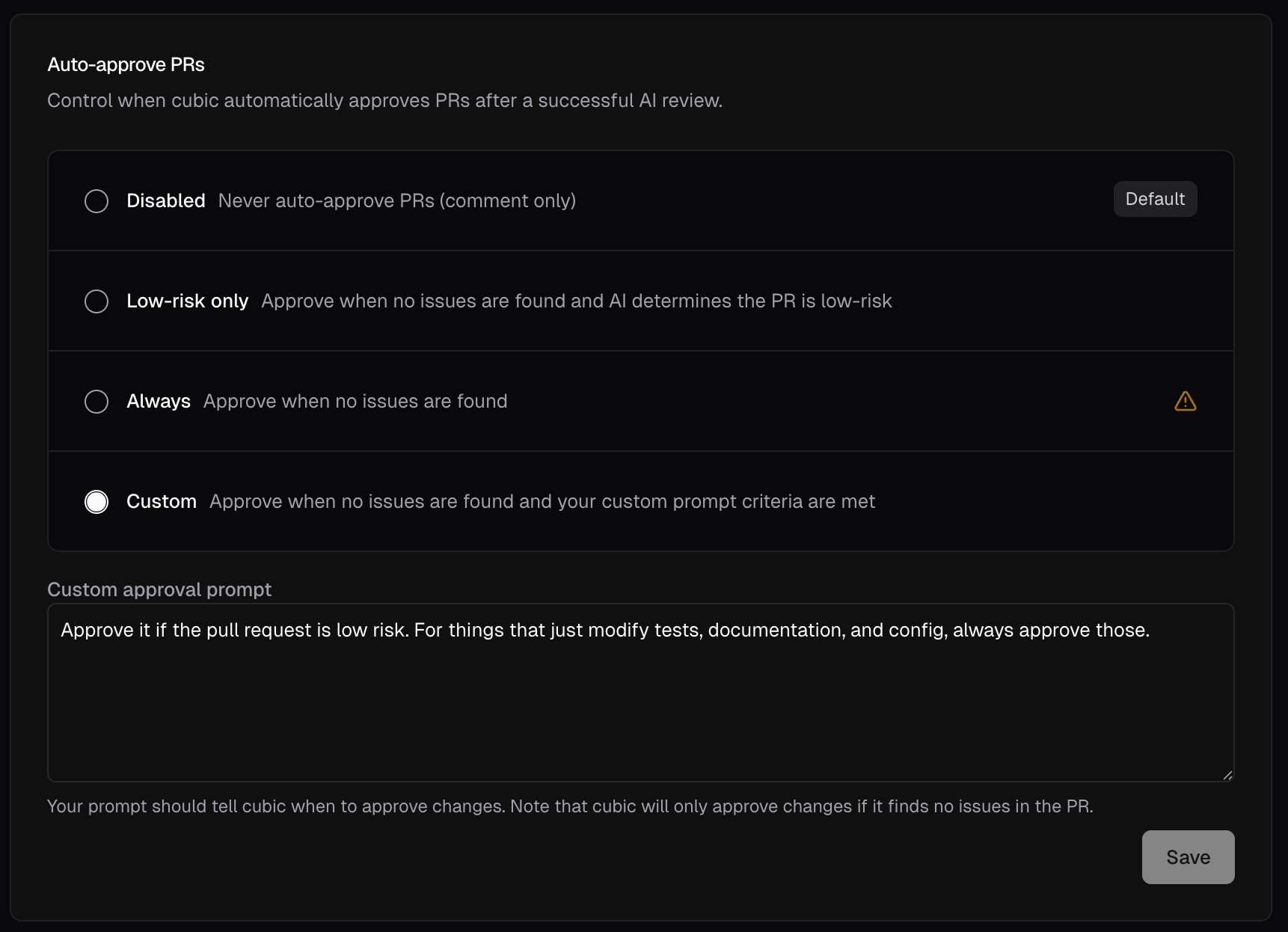
### Custom auto-approve criteria
You can now define your own criteria for when cubic auto-approves PRs. Choose the new **Custom** option in [AI review settings](https://www.cubic.dev/ai-review) and write a prompt describing when PRs should be approved.
For example, you might only want to auto-approve changes to documentation, configuration files, or tests—while requiring human review for any source code changes. Your custom prompt gives you full control.
Note that custom approval only applies when cubic finds no issues. The standard review always runs first; your criteria provide an additional approval gate for clean PRs.
### Notifications now use work emails
Email notifications for repo scans, wiki completions, and other alerts now prefer your configured work email over your GitHub profile email.
If you've set a work email in your [team settings](https://www.cubic.dev/settings?tab=subscription), cubic will send notifications there instead of your GitHub email (which may be a noreply address). This ensures notifications reach your actual inbox.
### Faster CLI performance
The cubic CLI is now significantly faster across all operations.
Command execution, file processing, and response times have been optimized for a smoother developer experience.
### Custom auto-approve criteria
You can now define your own criteria for when cubic auto-approves PRs. Choose the new **Custom** option in [AI review settings](https://www.cubic.dev/ai-review) and write a prompt describing when PRs should be approved.
For example, you might only want to auto-approve changes to documentation, configuration files, or tests—while requiring human review for any source code changes. Your custom prompt gives you full control.
Note that custom approval only applies when cubic finds no issues. The standard review always runs first; your criteria provide an additional approval gate for clean PRs.
 ### Faster onboarding
Onboarding is now significantly faster, especially for organizations with many repositories. UI performance has also improved throughout settings and configuration.
### Install the CLI without Node.js
The cubic CLI can now be installed without requiring Node.js or npm:
```bash theme={null}
curl -fsSL https://cubic.dev/install | bash
```
This works immediately on any macOS or Linux system with just curl (pre-installed on most systems). The installer automatically downloads the right binary for your platform, adds it to your PATH, and handles upgrades.
For teams that don't use Node.js, this removes a dependency. For everyone else, it's a faster way to get started.
Learn more in the [CLI documentation](/ai-review/cli).
### Faster onboarding
Teams with many repositories used to face slow onboarding. We've massively sped that up and polished the experience, so you can get started with cubic faster.
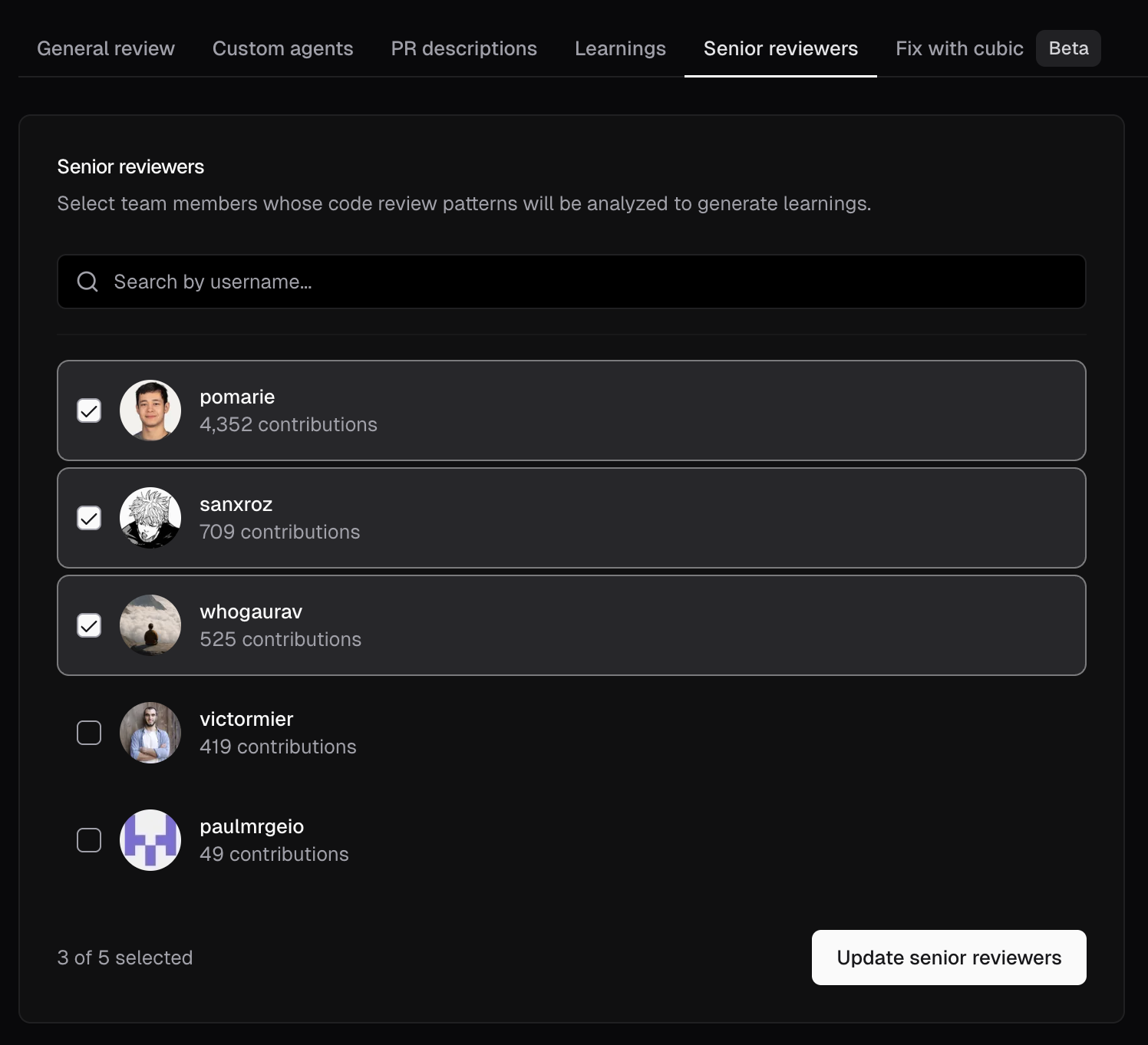
### Update your senior reviewers
cubic learns from your senior engineers to produce more actionable PR reviews. You can now update your selected senior engineers directly in [AI review settings](https://www.cubic.dev/ai-review?tab=senior-reviewers).
### Faster onboarding
Onboarding is now significantly faster, especially for organizations with many repositories. UI performance has also improved throughout settings and configuration.
### Install the CLI without Node.js
The cubic CLI can now be installed without requiring Node.js or npm:
```bash theme={null}
curl -fsSL https://cubic.dev/install | bash
```
This works immediately on any macOS or Linux system with just curl (pre-installed on most systems). The installer automatically downloads the right binary for your platform, adds it to your PATH, and handles upgrades.
For teams that don't use Node.js, this removes a dependency. For everyone else, it's a faster way to get started.
Learn more in the [CLI documentation](/ai-review/cli).
### Faster onboarding
Teams with many repositories used to face slow onboarding. We've massively sped that up and polished the experience, so you can get started with cubic faster.
### Update your senior reviewers
cubic learns from your senior engineers to produce more actionable PR reviews. You can now update your selected senior engineers directly in [AI review settings](https://www.cubic.dev/ai-review?tab=senior-reviewers).
 ### Review draft pull requests
cubic can now automatically review draft PRs. This is disabled by default, but you can enable it in [AI review settings](https://www.cubic.dev/ai-review).
### Custom instructions for wiki generation
You can now add custom instructions to guide how your wiki is generated. Open the More actions menu on a wiki, choose Custom instructions, and your guidance will be applied on the next regeneration. Learn more in the [AI wiki docs](/wiki/ai-wiki).
### Improved wiki sharing
Wiki pages now have dedicated Share and Integrations buttons for easier access. Share your wiki with a single click, and quickly connect to Cursor or MCP from the new integrations menu.
### Free plan updated to 20 PR reviews per month
The free plan monthly limit has been adjusted from 40 to 20 AI reviews per month. This change helps us maintain service quality while continuing to offer a generous free tier for individual developers and small teams.
### Smarter file selection for large PRs
When a PR exceeds the file review limit, cubic now prioritizes the most important files and skips lower-signal ones like tests.
### Learn from your senior engineers
cubic now learns directly from your best reviewers. During onboarding, select your most experienced reviewers, and cubic automatically analyzes their historical PR reviews to extract learnings from the patterns they consistently validate.
* **Automatic learning extraction:** cubic identifies what your senior engineers care most about in code reviews
* **Visible in Learnings Tab:** All extracted learnings appear in your [Learnings Tab](https://www.cubic.dev/ai-review?tab=learnings) as "Team patterns"
Select your team's senior engineers during [onboarding](https://www.cubic.dev/onboarding/team-experts) and let cubic learn from them.
### Merge confidence summary is now generally available
The merge confidence summary feature has graduated from experimental and is now available for all users. This feature adds a 1-5 confidence score to cubic's reviews, helping you quickly assess the risk of merging a pull request.
The score considers factors like test coverage, code complexity, and potential regressions to give you a high-level view of merge safety before you dig into the details.
Enable it in [AI review settings](https://www.cubic.dev/settings?tab=ai-review), or via `cubic.yaml`:
```yaml theme={null}
reviews:
merge_confidence: true
```
### Wiki refresh rate limits
Manual [AI wiki](/wiki/ai-wiki) refreshes are now rate-limited to prevent abuse. Paid users can refresh every 3 days, while free users can refresh every 60 days. First-time wiki generation is not affected.
### Auto-approve PRs \[Experimental]
We've added a new experimental feature that lets cubic automatically approve PRs after a successful AI review. This is especially useful for teams that want to unblock low-risk PRs without waiting for a human reviewer.
By default, auto-approve is disabled and cubic only comments on PRs. You can change this to approve when no issues are found and the AI determines the PR is low-risk, or approve all PRs without issues regardless of risk.
Enable in [AI review settings](https://www.cubic.dev/settings?tab=ai-review) under Experimental, or via `cubic.yaml`:
```yaml theme={null}
reviews:
auto_approve: low_risk_only # disabled | always | low_risk_only | custom
```
### Search for settings with ⌘K
Finding the right setting in cubic's dashboard can be tricky when you're still learning where everything lives.
Now you can press `⌘K` (or `Ctrl+K` on Windows) to search for any AI review setting by name, like "sensitivity", "ignore files", or "PR descriptions", and jump straight there.
### Custom agents naming update
We've renamed this feature to "Custom Agents" across the product. This better reflects what they actually do - they're not just static rules, but intelligent agents that understand context, learn from feedback, and adapt their review behavior.
Everything works exactly the same. Your existing agents, settings, and configurations are unchanged.
### Review PRs in cubic directly from GitHub
AI-generated PR descriptions can now include a link to open the PR in cubic. One click takes you from GitHub to cubic's review interface with full context, architecture diagrams, and AI insights.
Enable this experimental feature in [AI review settings](https://www.cubic.dev/settings?tab=ai-review) under Experimental, or via `cubic.yaml`:
```yaml theme={null}
pr_descriptions:
cubic_review_link: true
```
### Smarter reply intent
We improved the model that decides when cubic should reply, so it's less likely to jump into human-to-human threads.
Before, cubic was too eager to reply to these (see this example of a discussion between humans [in the PostHog repository](https://github.com/PostHog/posthog/pull/43805#discussion_r2643127023)).
### Mention cubic to run a review
Until now, tagging `@cubic` or `@cubic-dev-ai` in a GitHub comment without a command would display a help message listing available actions. Now a bare mention triggers a review automatically.
### Merge confidence summary
Assessing the risk of merging a pull request often requires manually weighing test coverage, code complexity, and potential regressions.
We've added a new experimental feature: a merge confidence score included directly in your reviews.
It shows a high-level confidence score summarizing the safety of the merge
### Experimental AI review section
We've added an experimental section in AI review settings so power users can opt into early features. The first experiment available is architecture diagrams in cubic reviews.
* Architecture diagrams visualize how changes connect across files and components
* They highlight scope and data flow before you dig into diffs
### Review draft pull requests
cubic can now automatically review draft PRs. This is disabled by default, but you can enable it in [AI review settings](https://www.cubic.dev/ai-review).
### Custom instructions for wiki generation
You can now add custom instructions to guide how your wiki is generated. Open the More actions menu on a wiki, choose Custom instructions, and your guidance will be applied on the next regeneration. Learn more in the [AI wiki docs](/wiki/ai-wiki).
### Improved wiki sharing
Wiki pages now have dedicated Share and Integrations buttons for easier access. Share your wiki with a single click, and quickly connect to Cursor or MCP from the new integrations menu.
### Free plan updated to 20 PR reviews per month
The free plan monthly limit has been adjusted from 40 to 20 AI reviews per month. This change helps us maintain service quality while continuing to offer a generous free tier for individual developers and small teams.
### Smarter file selection for large PRs
When a PR exceeds the file review limit, cubic now prioritizes the most important files and skips lower-signal ones like tests.
### Learn from your senior engineers
cubic now learns directly from your best reviewers. During onboarding, select your most experienced reviewers, and cubic automatically analyzes their historical PR reviews to extract learnings from the patterns they consistently validate.
* **Automatic learning extraction:** cubic identifies what your senior engineers care most about in code reviews
* **Visible in Learnings Tab:** All extracted learnings appear in your [Learnings Tab](https://www.cubic.dev/ai-review?tab=learnings) as "Team patterns"
Select your team's senior engineers during [onboarding](https://www.cubic.dev/onboarding/team-experts) and let cubic learn from them.
### Merge confidence summary is now generally available
The merge confidence summary feature has graduated from experimental and is now available for all users. This feature adds a 1-5 confidence score to cubic's reviews, helping you quickly assess the risk of merging a pull request.
The score considers factors like test coverage, code complexity, and potential regressions to give you a high-level view of merge safety before you dig into the details.
Enable it in [AI review settings](https://www.cubic.dev/settings?tab=ai-review), or via `cubic.yaml`:
```yaml theme={null}
reviews:
merge_confidence: true
```
### Wiki refresh rate limits
Manual [AI wiki](/wiki/ai-wiki) refreshes are now rate-limited to prevent abuse. Paid users can refresh every 3 days, while free users can refresh every 60 days. First-time wiki generation is not affected.
### Auto-approve PRs \[Experimental]
We've added a new experimental feature that lets cubic automatically approve PRs after a successful AI review. This is especially useful for teams that want to unblock low-risk PRs without waiting for a human reviewer.
By default, auto-approve is disabled and cubic only comments on PRs. You can change this to approve when no issues are found and the AI determines the PR is low-risk, or approve all PRs without issues regardless of risk.
Enable in [AI review settings](https://www.cubic.dev/settings?tab=ai-review) under Experimental, or via `cubic.yaml`:
```yaml theme={null}
reviews:
auto_approve: low_risk_only # disabled | always | low_risk_only | custom
```
### Search for settings with ⌘K
Finding the right setting in cubic's dashboard can be tricky when you're still learning where everything lives.
Now you can press `⌘K` (or `Ctrl+K` on Windows) to search for any AI review setting by name, like "sensitivity", "ignore files", or "PR descriptions", and jump straight there.
### Custom agents naming update
We've renamed this feature to "Custom Agents" across the product. This better reflects what they actually do - they're not just static rules, but intelligent agents that understand context, learn from feedback, and adapt their review behavior.
Everything works exactly the same. Your existing agents, settings, and configurations are unchanged.
### Review PRs in cubic directly from GitHub
AI-generated PR descriptions can now include a link to open the PR in cubic. One click takes you from GitHub to cubic's review interface with full context, architecture diagrams, and AI insights.
Enable this experimental feature in [AI review settings](https://www.cubic.dev/settings?tab=ai-review) under Experimental, or via `cubic.yaml`:
```yaml theme={null}
pr_descriptions:
cubic_review_link: true
```
### Smarter reply intent
We improved the model that decides when cubic should reply, so it's less likely to jump into human-to-human threads.
Before, cubic was too eager to reply to these (see this example of a discussion between humans [in the PostHog repository](https://github.com/PostHog/posthog/pull/43805#discussion_r2643127023)).
### Mention cubic to run a review
Until now, tagging `@cubic` or `@cubic-dev-ai` in a GitHub comment without a command would display a help message listing available actions. Now a bare mention triggers a review automatically.
### Merge confidence summary
Assessing the risk of merging a pull request often requires manually weighing test coverage, code complexity, and potential regressions.
We've added a new experimental feature: a merge confidence score included directly in your reviews.
It shows a high-level confidence score summarizing the safety of the merge
### Experimental AI review section
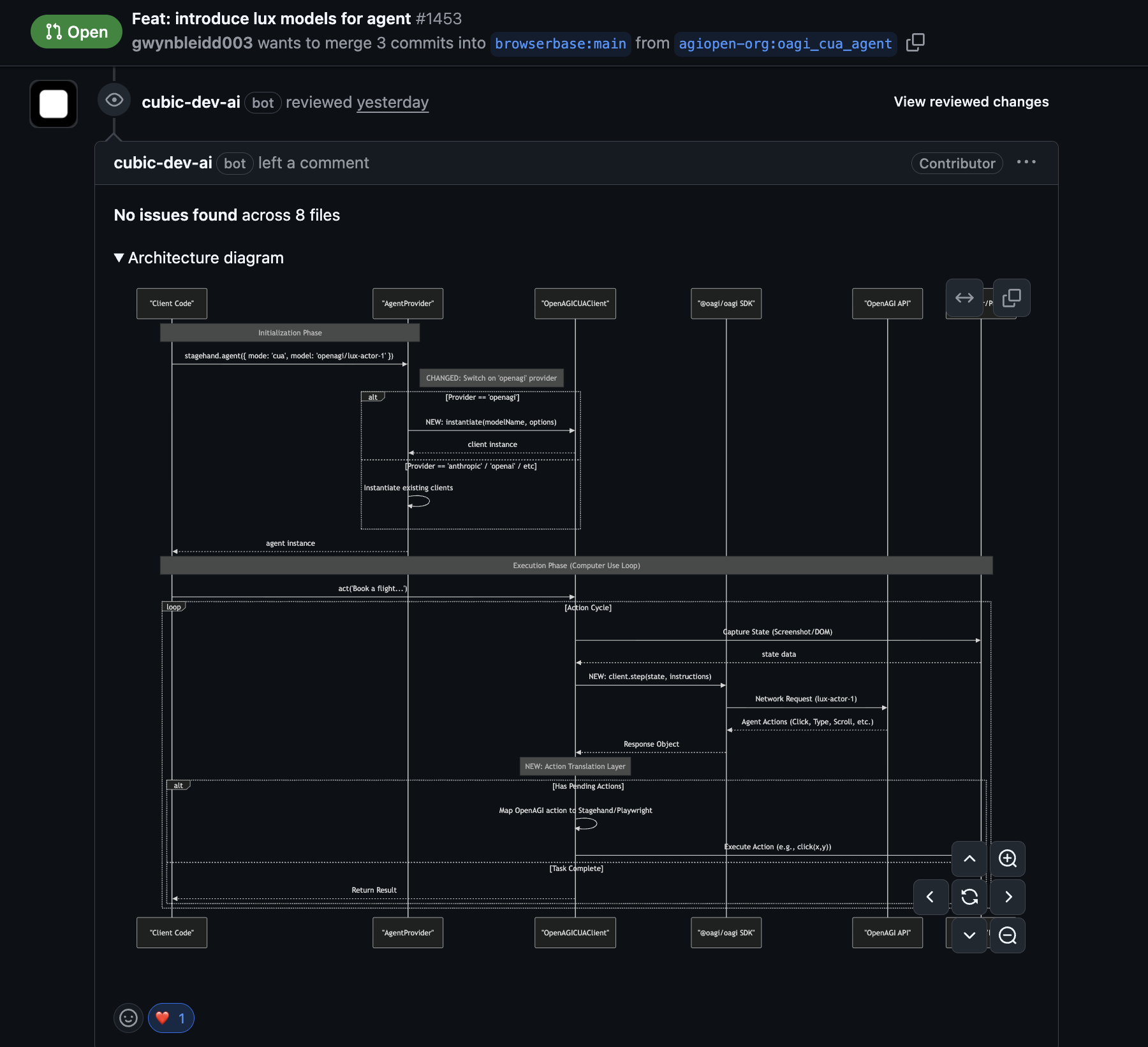
We've added an experimental section in AI review settings so power users can opt into early features. The first experiment available is architecture diagrams in cubic reviews.
* Architecture diagrams visualize how changes connect across files and components
* They highlight scope and data flow before you dig into diffs
 ### Background agent improvements
Tracking the status of AI fixes and managing how they were applied was often opaque. It's now easier to follow the agent's progress and control how fixes are delivered.
* **Direct fixes:** cubic can now push fixes directly to your PR branch. Tag `@cubic-dev-ai` with "fix this in the commit" to apply changes directly.
* **Isolated PRs:** Tag `@cubic-dev-ai` with "fix this in a new PR" to keep changes in a separate branch.
* **Faster execution:** Agents initialize more quickly and handle transient errors better.
* **Live status:** Fix comments now include a link to a real-time progress page.
Learn more in [Background agents](/ai-review/coding-agents) or [Interactive comments](/ai-review/interactive-comments).
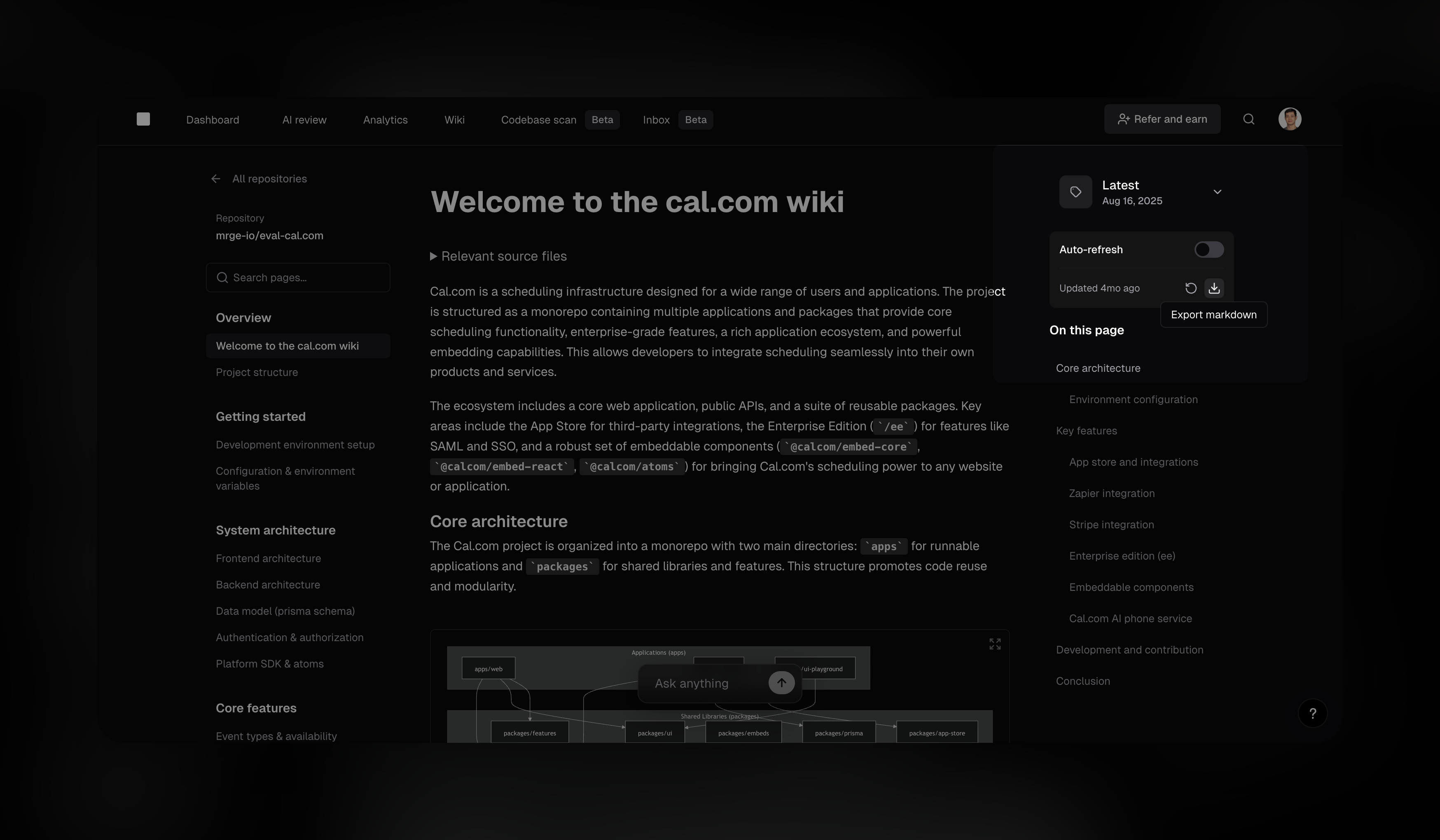
### Download wikis as markdown
You can now export any [AI wiki](/wiki/ai-wiki) as a markdown file. This makes it easy to pipe the content into existing documentation pipelines or even commit it to your own repository.
* **One-click export:** Download the current wiki version directly from the sidebar
* **Great for docs tooling:** Handy for workflows like Read the Docs and internal repos
### Background agent improvements
Tracking the status of AI fixes and managing how they were applied was often opaque. It's now easier to follow the agent's progress and control how fixes are delivered.
* **Direct fixes:** cubic can now push fixes directly to your PR branch. Tag `@cubic-dev-ai` with "fix this in the commit" to apply changes directly.
* **Isolated PRs:** Tag `@cubic-dev-ai` with "fix this in a new PR" to keep changes in a separate branch.
* **Faster execution:** Agents initialize more quickly and handle transient errors better.
* **Live status:** Fix comments now include a link to a real-time progress page.
Learn more in [Background agents](/ai-review/coding-agents) or [Interactive comments](/ai-review/interactive-comments).
### Download wikis as markdown
You can now export any [AI wiki](/wiki/ai-wiki) as a markdown file. This makes it easy to pipe the content into existing documentation pipelines or even commit it to your own repository.
* **One-click export:** Download the current wiki version directly from the sidebar
* **Great for docs tooling:** Handy for workflows like Read the Docs and internal repos
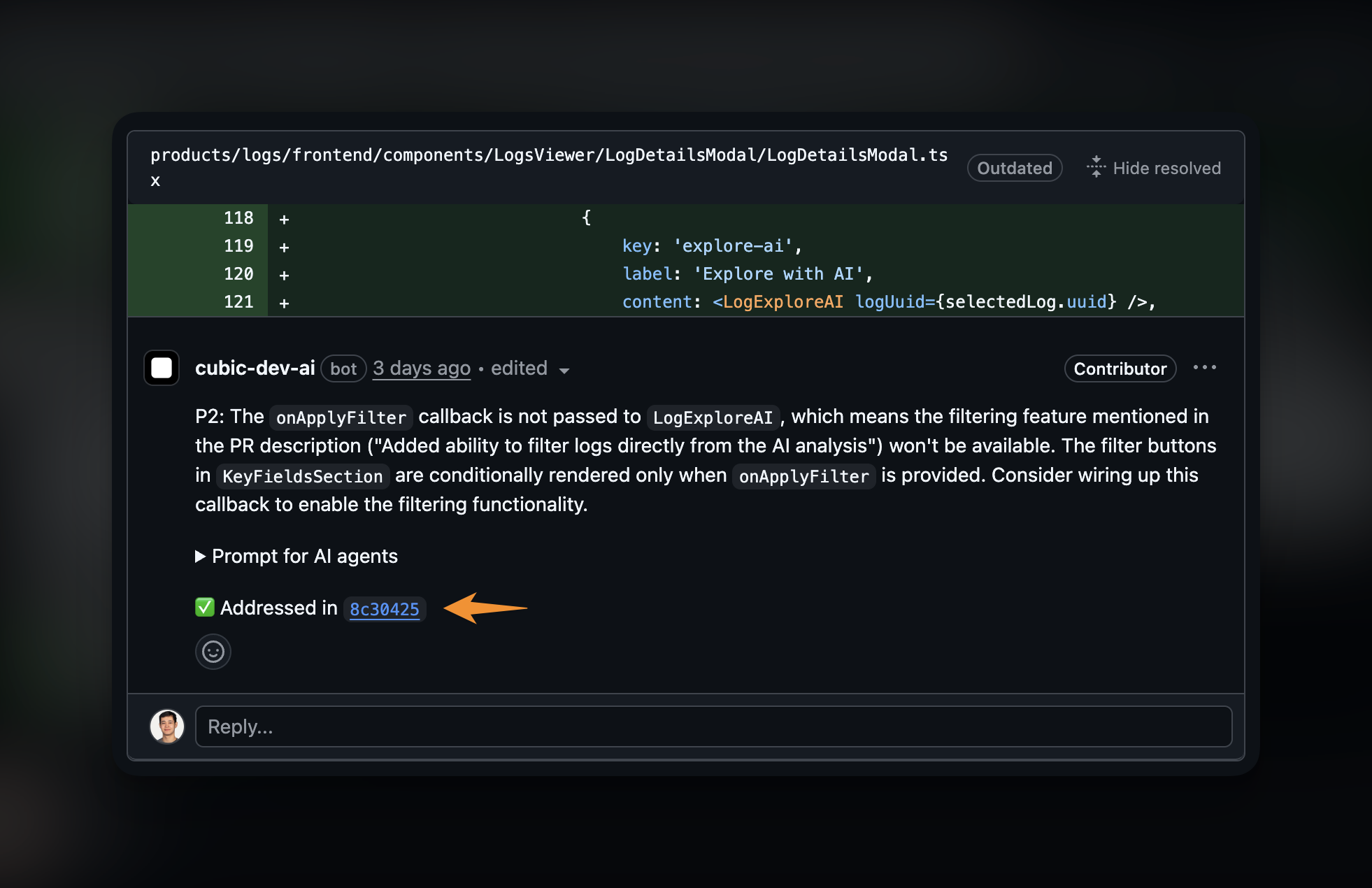
 ### Auto-resolve threads when issues are addressed
When cubic detects that a code review comment has been addressed by a subsequent commit, it can now automatically resolve the GitHub thread—no manual cleanup needed.
* **Automatic thread resolution:** When you push a commit that fixes an issue cubic flagged, the thread is marked as resolved
* **Enabled by default:** New installations have this enabled automatically
* **Configurable per repository:** Toggle in [AI review settings](https://www.cubic.dev/settings?tab=ai-review) or via `cubic.yaml`
This builds on cubic's [automatic detection of resolved violations](#automatic-detection-of-resolved-violations). Now cubic can also clean up the resolved threads for you.
To configure via `cubic.yaml`:
```yaml theme={null}
reviews:
resolve_threads_when_addressed: true
```
### Auto-resolve threads when issues are addressed
When cubic detects that a code review comment has been addressed by a subsequent commit, it can now automatically resolve the GitHub thread—no manual cleanup needed.
* **Automatic thread resolution:** When you push a commit that fixes an issue cubic flagged, the thread is marked as resolved
* **Enabled by default:** New installations have this enabled automatically
* **Configurable per repository:** Toggle in [AI review settings](https://www.cubic.dev/settings?tab=ai-review) or via `cubic.yaml`
This builds on cubic's [automatic detection of resolved violations](#automatic-detection-of-resolved-violations). Now cubic can also clean up the resolved threads for you.
To configure via `cubic.yaml`:
```yaml theme={null}
reviews:
resolve_threads_when_addressed: true
```
 ### Wiki auto-refresh
Keeping documentation in sync with code is often a manual, forgotten chore.
cubic's AI Wiki can now automatically stay up to date. You can schedule wikis to regenerate weekly or monthly, ensuring your documentation always reflects the latest changes without any manual effort.
* **Set it and forget it:** Choose your refresh schedule and let cubic handle the rest
* **Always current:** New team members and non-technical stakeholders always see the latest architecture and feature explanations
Enable auto-refresh from the sidebar when viewing any wiki. This feature is available on paid plans.
### Incremental reviews
When you push new commits to an open PR, cubic will now review those incremental changes. Comments are only posted when new issues are discovered, so you won't see repeated feedback on existing code.
* **Faster feedback:** Reviews complete in seconds by focusing only on what changed
* **Less noise:** Existing issues aren't repeated; only new problems are flagged
Incremental reviews are enabled by default. You can disable them per-repository in your [AI review settings](https://www.cubic.dev/settings?tab=ai-review) or via the `incremental_commits` field in [`cubic.yaml`](/configure/cubic-yaml).
### One-click feedback
Giving feedback on cubic’s AI comments is much easier. cubic now pre-populates a thumbs up and thumbs down on every review comment. This allows you to flag false positives or validate good catches in a single click – and ultimately improving cubic’s accuracy.
You can enable this in the [AI review settings](https://www.cubic.dev/settings?tab=ai-review).
### Wiki auto-refresh
Keeping documentation in sync with code is often a manual, forgotten chore.
cubic's AI Wiki can now automatically stay up to date. You can schedule wikis to regenerate weekly or monthly, ensuring your documentation always reflects the latest changes without any manual effort.
* **Set it and forget it:** Choose your refresh schedule and let cubic handle the rest
* **Always current:** New team members and non-technical stakeholders always see the latest architecture and feature explanations
Enable auto-refresh from the sidebar when viewing any wiki. This feature is available on paid plans.
### Incremental reviews
When you push new commits to an open PR, cubic will now review those incremental changes. Comments are only posted when new issues are discovered, so you won't see repeated feedback on existing code.
* **Faster feedback:** Reviews complete in seconds by focusing only on what changed
* **Less noise:** Existing issues aren't repeated; only new problems are flagged
Incremental reviews are enabled by default. You can disable them per-repository in your [AI review settings](https://www.cubic.dev/settings?tab=ai-review) or via the `incremental_commits` field in [`cubic.yaml`](/configure/cubic-yaml).
### One-click feedback
Giving feedback on cubic’s AI comments is much easier. cubic now pre-populates a thumbs up and thumbs down on every review comment. This allows you to flag false positives or validate good catches in a single click – and ultimately improving cubic’s accuracy.
You can enable this in the [AI review settings](https://www.cubic.dev/settings?tab=ai-review).
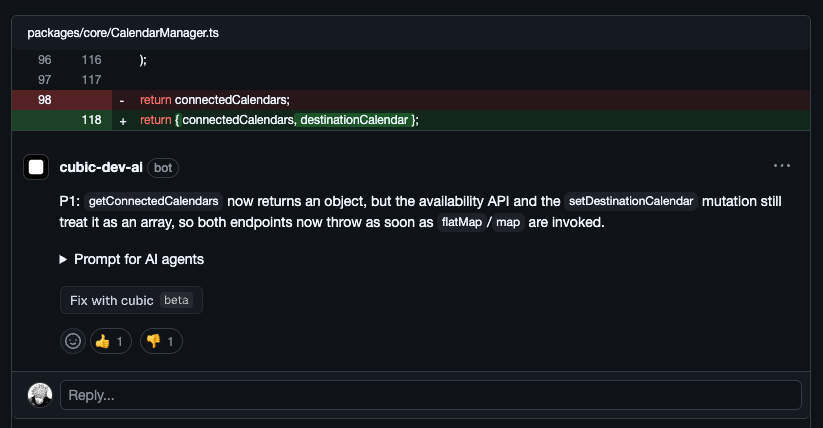 ### Priority labels on all AI review comments
AI review comments now display priority labels (P0–P3) that reflect the severity of the issue.
* **P0:** Critical issues like security vulnerabilities, data loss, or crashes
* **P1:** High-priority bugs and significant logic errors
* **P2:** Medium-priority code quality and maintainability concerns
* **P3:** Low-priority style suggestions and minor optimizations
This helps you quickly triage feedback and focus on what matters most.
### Identifying team members in your subscription
Identifying team members by GitHub handle alone in the cubic subscription team list was difficult.
You can now see full GitHub display names alongside handles when managing seats and roles.
### Improved prompt for AI agents
The "Prompt for AI agents" copy now asks your AI to verify issues before fixing them. Many of you were already doing this manually—now it's built in.
### Bulk update AI review settings
Managing AI review settings across dozens of repositories was previously a manual, repetitive process. It's now easier to configure AI review behavior for your entire organization in one go.
When you select "All repositories" in the repository picker, changes to your AI review settings—like enabling reviews or PR descriptions—are automatically applied to every repository you have access to.
* **One-click configuration:** Enable or disable AI features for all repositories simultaneously
* **Smart validation:** Automatically checks permissions for each repository during the update
* **Detailed feedback:** See exactly which repositories were updated and if any failed
### Priority labels on all AI review comments
AI review comments now display priority labels (P0–P3) that reflect the severity of the issue.
* **P0:** Critical issues like security vulnerabilities, data loss, or crashes
* **P1:** High-priority bugs and significant logic errors
* **P2:** Medium-priority code quality and maintainability concerns
* **P3:** Low-priority style suggestions and minor optimizations
This helps you quickly triage feedback and focus on what matters most.
### Identifying team members in your subscription
Identifying team members by GitHub handle alone in the cubic subscription team list was difficult.
You can now see full GitHub display names alongside handles when managing seats and roles.
### Improved prompt for AI agents
The "Prompt for AI agents" copy now asks your AI to verify issues before fixing them. Many of you were already doing this manually—now it's built in.
### Bulk update AI review settings
Managing AI review settings across dozens of repositories was previously a manual, repetitive process. It's now easier to configure AI review behavior for your entire organization in one go.
When you select "All repositories" in the repository picker, changes to your AI review settings—like enabling reviews or PR descriptions—are automatically applied to every repository you have access to.
* **One-click configuration:** Enable or disable AI features for all repositories simultaneously
* **Smart validation:** Automatically checks permissions for each repository during the update
* **Detailed feedback:** See exactly which repositories were updated and if any failed
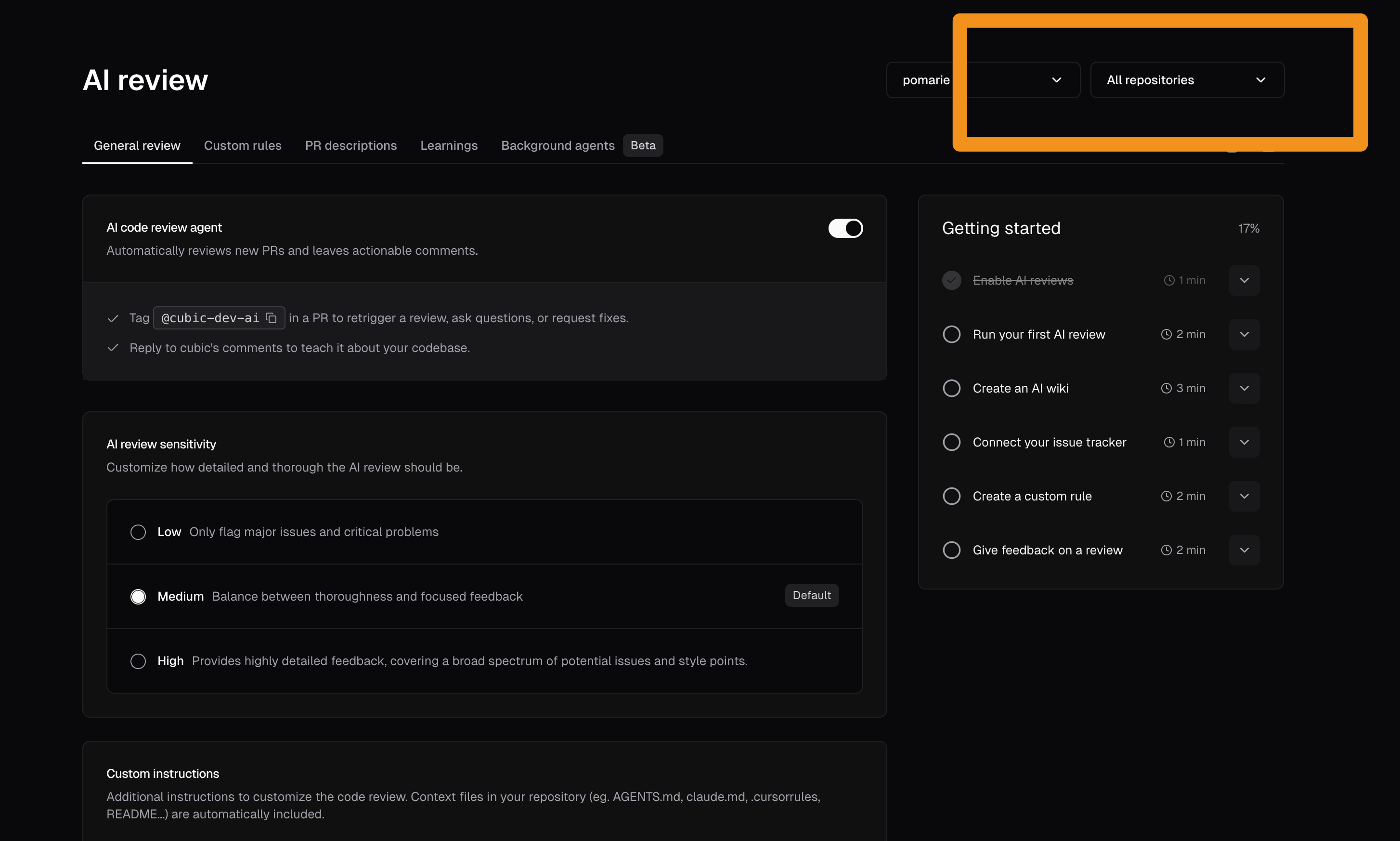 ### Run your first AI review when you sign up
New users can now trigger an AI review as soon as they sign up—no need to push a fresh PR first. This lets teams see cubic in action immediately on their existing work instead of waiting for the next commit.
### Easily spot noisy custom agents
If a custom agent is often ignored by reviewers, it is probably too noisy.
We now highlight these agents in your custom agents list with a "Low acceptance" badge. This makes it easier to find agents that need tuning or removal so your AI reviews stay focused on real issues.
### Run your first AI review when you sign up
New users can now trigger an AI review as soon as they sign up—no need to push a fresh PR first. This lets teams see cubic in action immediately on their existing work instead of waiting for the next commit.
### Easily spot noisy custom agents
If a custom agent is often ignored by reviewers, it is probably too noisy.
We now highlight these agents in your custom agents list with a "Low acceptance" badge. This makes it easier to find agents that need tuning or removal so your AI reviews stay focused on real issues.
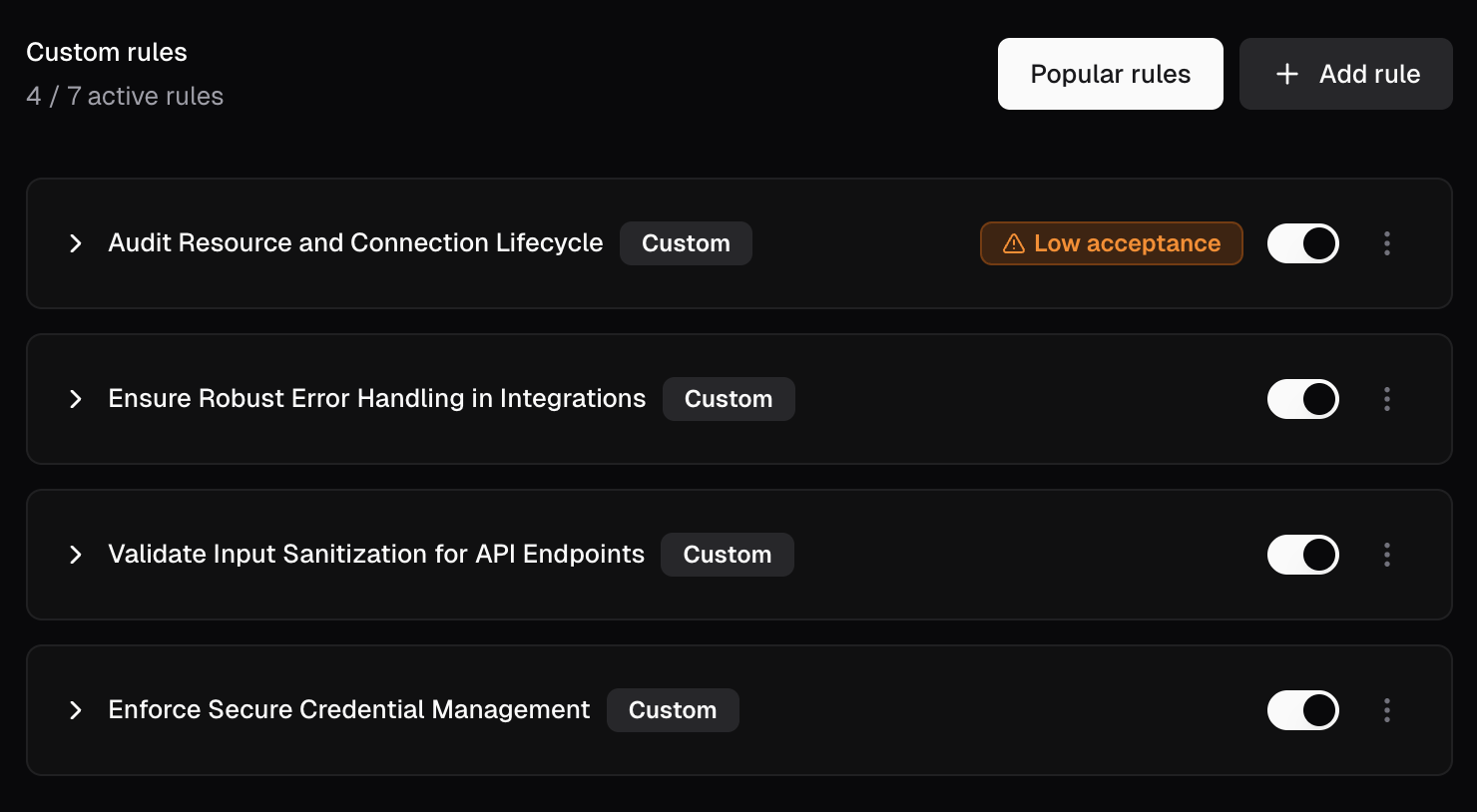 ### Version-control AI review settings with cubic.yaml \[Public Beta]
You can now manage all your AI review settings in a `cubic.yaml` file at your repository root. Commit the file and cubic automatically applies those settings to every review—no UI toggles needed.
Already configured everything in the UI? Just download a `cubic.yaml` directly from your portal that contains all your existing settings, commit it once, and you're set—no need to recreate anything by hand.
### Version-control AI review settings with cubic.yaml \[Public Beta]
You can now manage all your AI review settings in a `cubic.yaml` file at your repository root. Commit the file and cubic automatically applies those settings to every review—no UI toggles needed.
Already configured everything in the UI? Just download a `cubic.yaml` directly from your portal that contains all your existing settings, commit it once, and you're set—no need to recreate anything by hand.
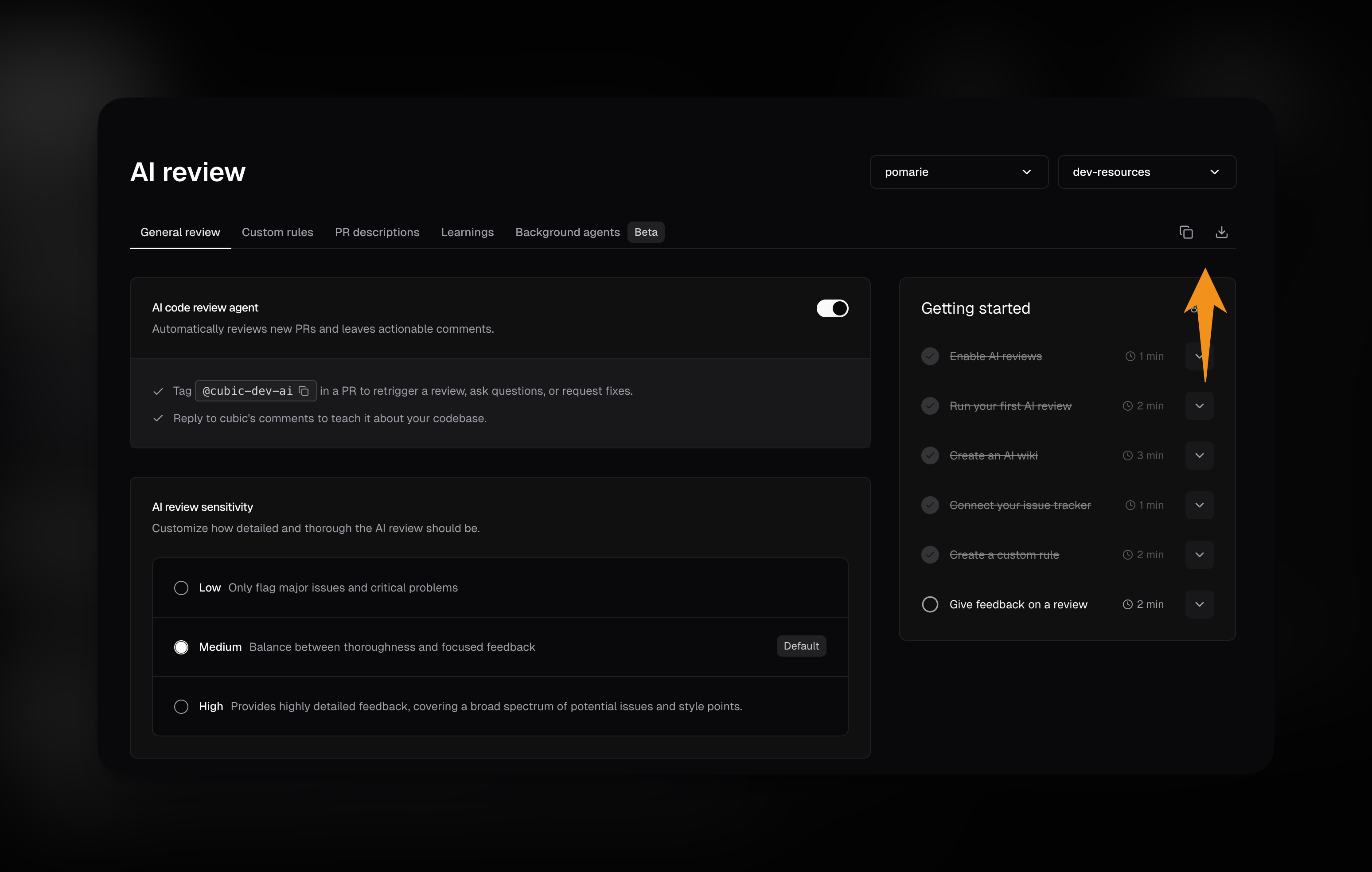 The YAML file takes precedence over UI settings when both are present. If the YAML file is missing or invalid, cubic falls back to your existing UI settings so nothing breaks.
Key features:
* **Version-controlled configuration:** Every setting change goes through code review, just like your code
* **Repository-level settings:** Configure AI review sensitivity, custom instructions, and ignore patterns
* **Custom agents in YAML:** Define review agents directly in the file instead of the UI
* **PR descriptions and issues:** Control PR description generation and issue fix buttons
* **IDE validation:** VS Code, Cursor, and JetBrains validate the file as you type with autocomplete and error checking
Learn more in the [cubic.yaml documentation](https://docs.cubic.dev/configure/cubic-yaml).
### New dashboard home
We've added a new dashboard home page that shows you everything important right when you sign in. You'll see your key metrics and next steps for getting started.
The YAML file takes precedence over UI settings when both are present. If the YAML file is missing or invalid, cubic falls back to your existing UI settings so nothing breaks.
Key features:
* **Version-controlled configuration:** Every setting change goes through code review, just like your code
* **Repository-level settings:** Configure AI review sensitivity, custom instructions, and ignore patterns
* **Custom agents in YAML:** Define review agents directly in the file instead of the UI
* **PR descriptions and issues:** Control PR description generation and issue fix buttons
* **IDE validation:** VS Code, Cursor, and JetBrains validate the file as you type with autocomplete and error checking
Learn more in the [cubic.yaml documentation](https://docs.cubic.dev/configure/cubic-yaml).
### New dashboard home
We've added a new dashboard home page that shows you everything important right when you sign in. You'll see your key metrics and next steps for getting started.
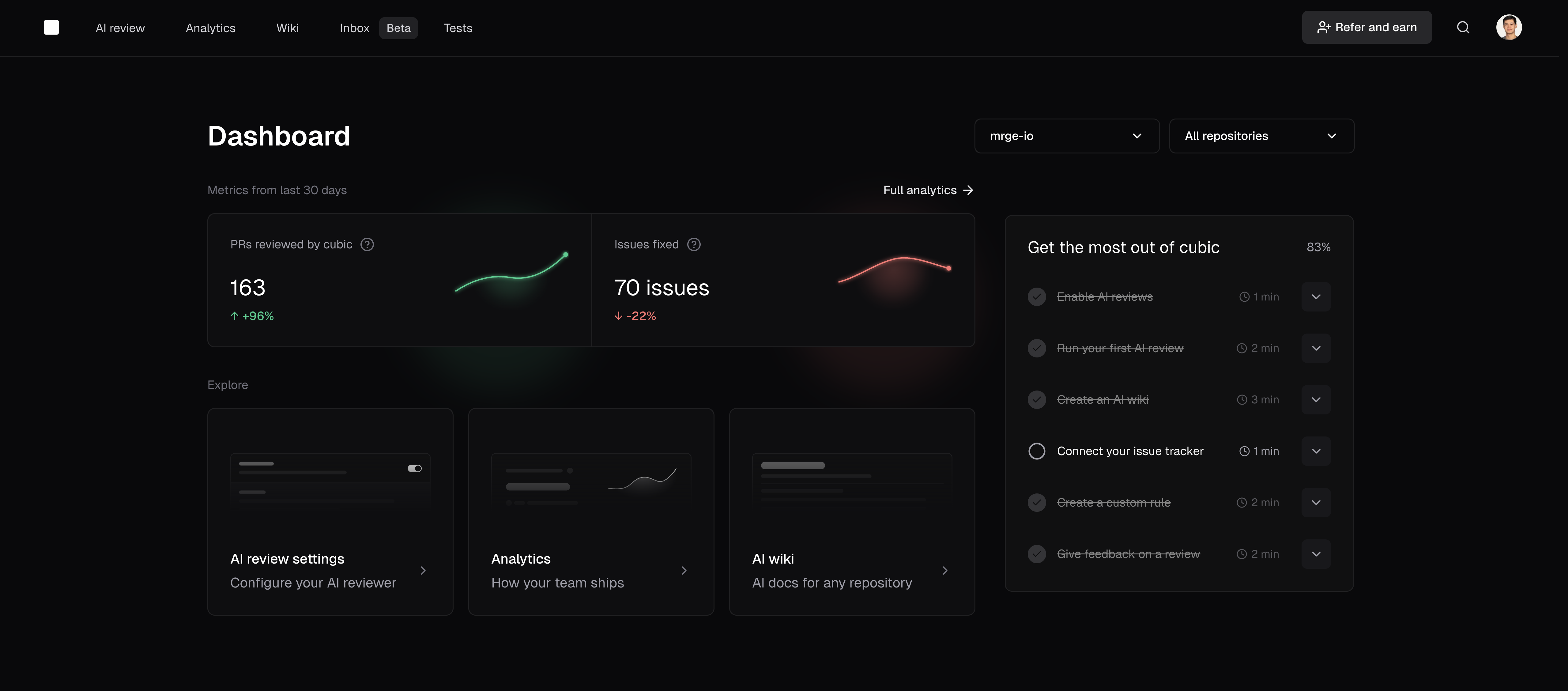 ### Cancel active AI reviews
You can now stop an in-progress AI review directly from the GitHub Checks UI. Open the **cubic · AI code reviewer** check on your PR and click **Cancel AI review** to immediately end the run.
### Simplified AI review settings navigation
We've simplified the AI review settings interface to make it easier to find and configure review options.
### Cancel active AI reviews
You can now stop an in-progress AI review directly from the GitHub Checks UI. Open the **cubic · AI code reviewer** check on your PR and click **Cancel AI review** to immediately end the run.
### Simplified AI review settings navigation
We've simplified the AI review settings interface to make it easier to find and configure review options.
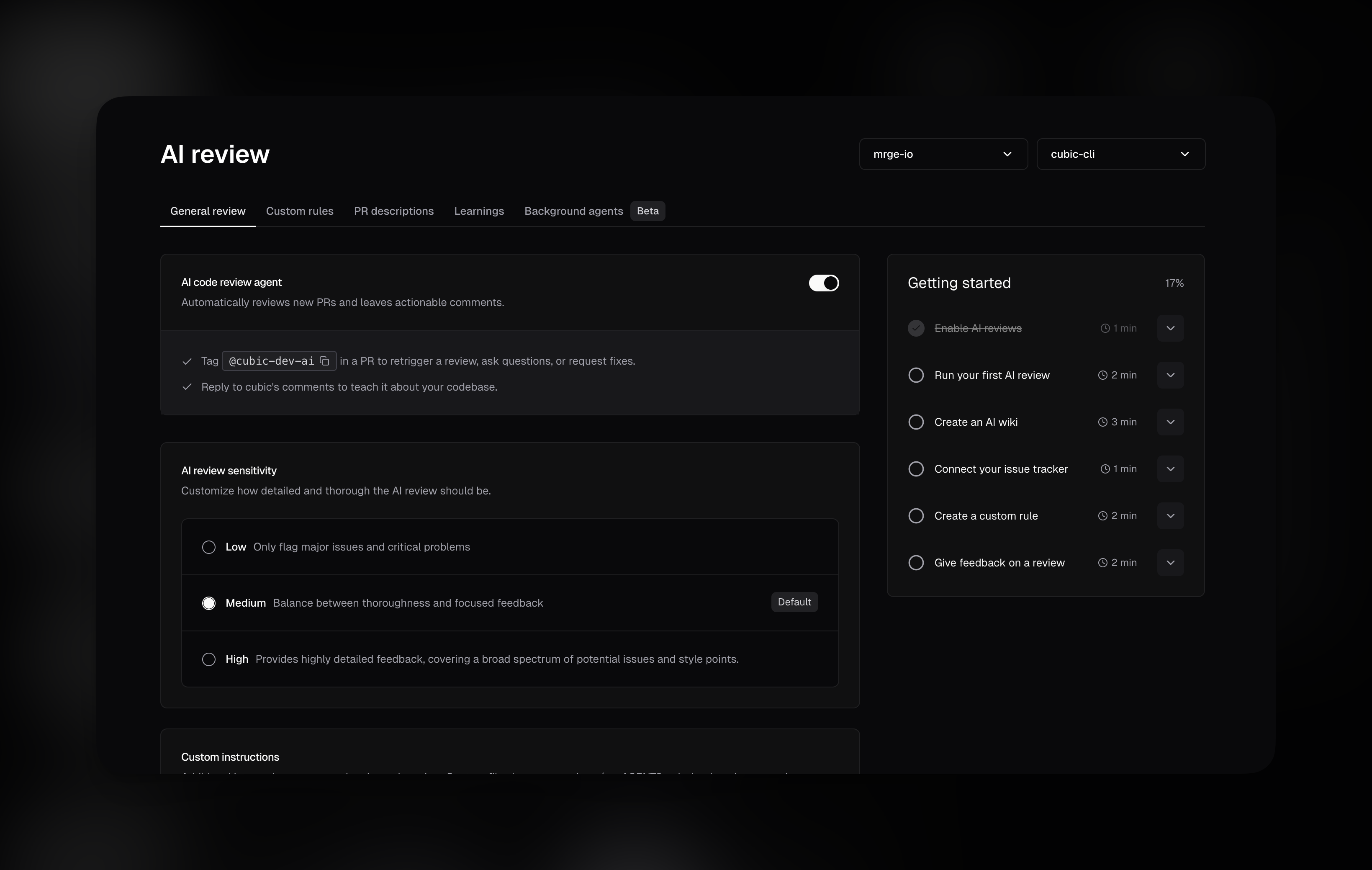 ### AI reviews now launch up to 10× faster
We've rebuilt how AI reviews initialize to reduce wait times and deliver faster feedback.
* **Large repositories:** Cold starts could previously take 8–10 minutes. Now they complete in 1–2 minutes—a significant improvement for complex codebases.
* **Small repositories:** Reviews start a bit faster, typically within seconds for most PRs.
These faster startup times reduce waiting, especially for large repositories.
### UI performance improvements
Loading and navigation in the cubic UI is now significantly faster thanks to a performance pass.
This is especially noticeable when modifying AI review settings, working with custom agents, and navigating through settings across different repositories.
### Free plan now includes 40 PR reviews per month
We've increased the free plan monthly limit from 10 to 40 AI reviews per month. This gives free users more flexibility to review code across their projects while still maintaining the upgrade path for teams that need unlimited reviews.
The monthly quota resets automatically on the 1st of each month, and all existing features remain available—unlimited platform access, analytics, stacked PRs, and notifications.
### PR descriptions update automatically on new commits (beta)
AI-generated PR descriptions now refresh automatically when you push new commits, so reviewers always see an up to date summary.
This feature is enabled for all teams—no configuration needed.
### AI reviews now launch up to 10× faster
We've rebuilt how AI reviews initialize to reduce wait times and deliver faster feedback.
* **Large repositories:** Cold starts could previously take 8–10 minutes. Now they complete in 1–2 minutes—a significant improvement for complex codebases.
* **Small repositories:** Reviews start a bit faster, typically within seconds for most PRs.
These faster startup times reduce waiting, especially for large repositories.
### UI performance improvements
Loading and navigation in the cubic UI is now significantly faster thanks to a performance pass.
This is especially noticeable when modifying AI review settings, working with custom agents, and navigating through settings across different repositories.
### Free plan now includes 40 PR reviews per month
We've increased the free plan monthly limit from 10 to 40 AI reviews per month. This gives free users more flexibility to review code across their projects while still maintaining the upgrade path for teams that need unlimited reviews.
The monthly quota resets automatically on the 1st of each month, and all existing features remain available—unlimited platform access, analytics, stacked PRs, and notifications.
### PR descriptions update automatically on new commits (beta)
AI-generated PR descriptions now refresh automatically when you push new commits, so reviewers always see an up to date summary.
This feature is enabled for all teams—no configuration needed.
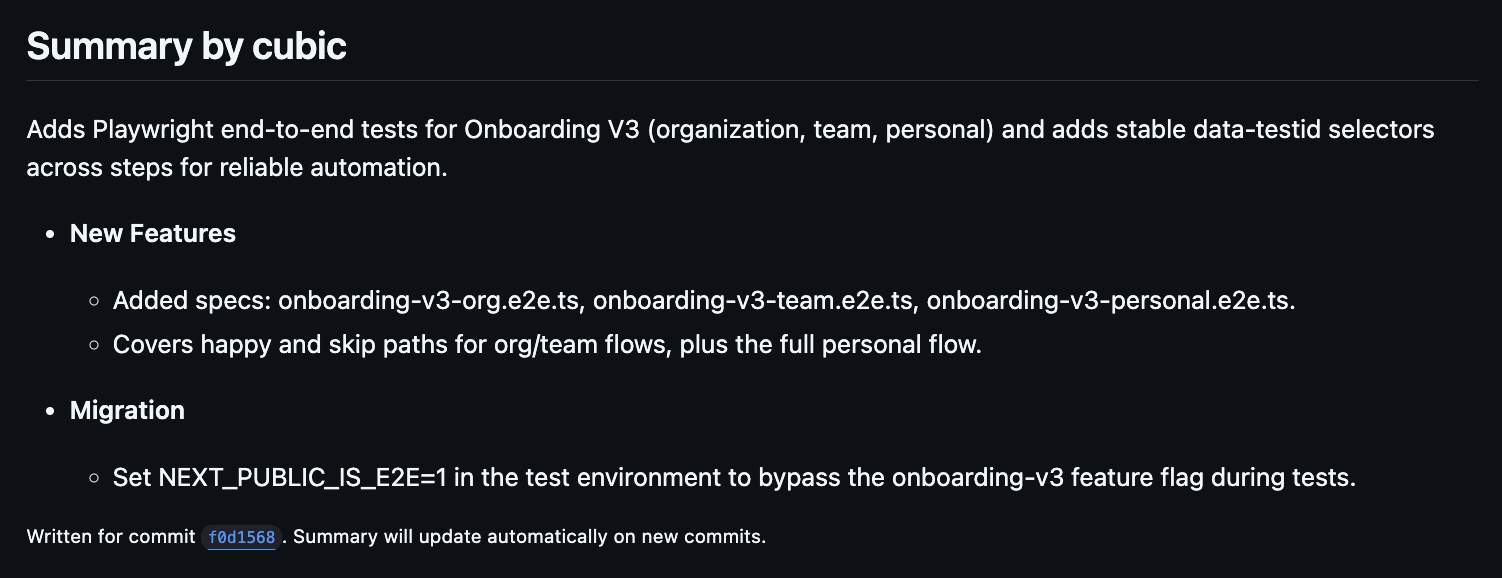 ### Answer questions with latest documentation about libraries and frameworks
We've upgraded cubic's ability to answer questions about libraries and frameworks.
When you ask cubic questions in a PR, or in reply to a cubic comment, cubic can reply using the latest documentation in real-time. This means you get accurate, up-to-date answers about APIs, methods, and best practices, even for libraries that have changed since cubic's training data.
### Answer questions with latest documentation about libraries and frameworks
We've upgraded cubic's ability to answer questions about libraries and frameworks.
When you ask cubic questions in a PR, or in reply to a cubic comment, cubic can reply using the latest documentation in real-time. This means you get accurate, up-to-date answers about APIs, methods, and best practices, even for libraries that have changed since cubic's training data.
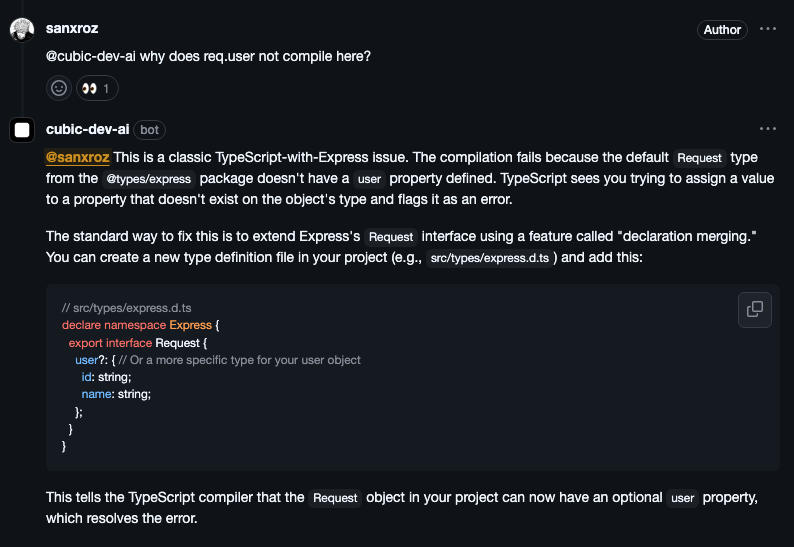 ### Archived repositories are now hidden
Archived repositories are no longer shown in the UI, reducing clutter for organizations with many archived repos.
### Real-time progress in GitHub check runs
cubic now shows live progress updates in GitHub check runs while reviewing your PRs.
You can see exactly what cubic is analyzing in real-time, giving you better visibility into the review process instead of waiting without status updates.
### Archived repositories are now hidden
Archived repositories are no longer shown in the UI, reducing clutter for organizations with many archived repos.
### Real-time progress in GitHub check runs
cubic now shows live progress updates in GitHub check runs while reviewing your PRs.
You can see exactly what cubic is analyzing in real-time, giving you better visibility into the review process instead of waiting without status updates.
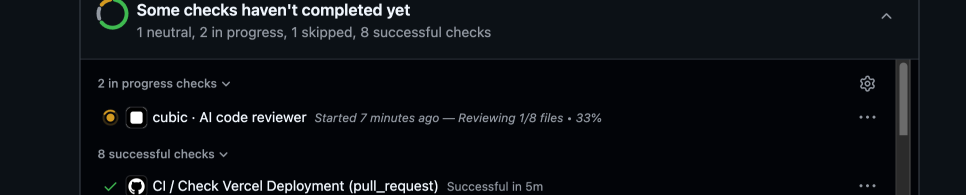 ### cubic now links to stored learnings
From now on, when cubic learns from your feedback, it will reply with a link to where that learning is stored, allowing anyone to easily see all learnings and edit or delete them.
Additionally, when cubic reviews a pull request and flags an issue because of a stored learning, it will reference that in its comment, making it easy to jump into the underlying guidance.
### Memory & Learning improvements
cubic learns your team's preferences from feedback you provide in comment replies.
Until now, providing feedback on the same topic multiple times would create duplicate learnings. Now, when you provide feedback on a topic that cubic already knows about, it'll smartly decide whether to update its existing learning or create a new one.
### Automatic detection of resolved violations
cubic now automatically detects when code review violations are resolved in subsequent commits, streamlining your PR workflow and reducing manual tracking overhead.
### cubic now links to stored learnings
From now on, when cubic learns from your feedback, it will reply with a link to where that learning is stored, allowing anyone to easily see all learnings and edit or delete them.
Additionally, when cubic reviews a pull request and flags an issue because of a stored learning, it will reference that in its comment, making it easy to jump into the underlying guidance.
### Memory & Learning improvements
cubic learns your team's preferences from feedback you provide in comment replies.
Until now, providing feedback on the same topic multiple times would create duplicate learnings. Now, when you provide feedback on a topic that cubic already knows about, it'll smartly decide whether to update its existing learning or create a new one.
### Automatic detection of resolved violations
cubic now automatically detects when code review violations are resolved in subsequent commits, streamlining your PR workflow and reducing manual tracking overhead.
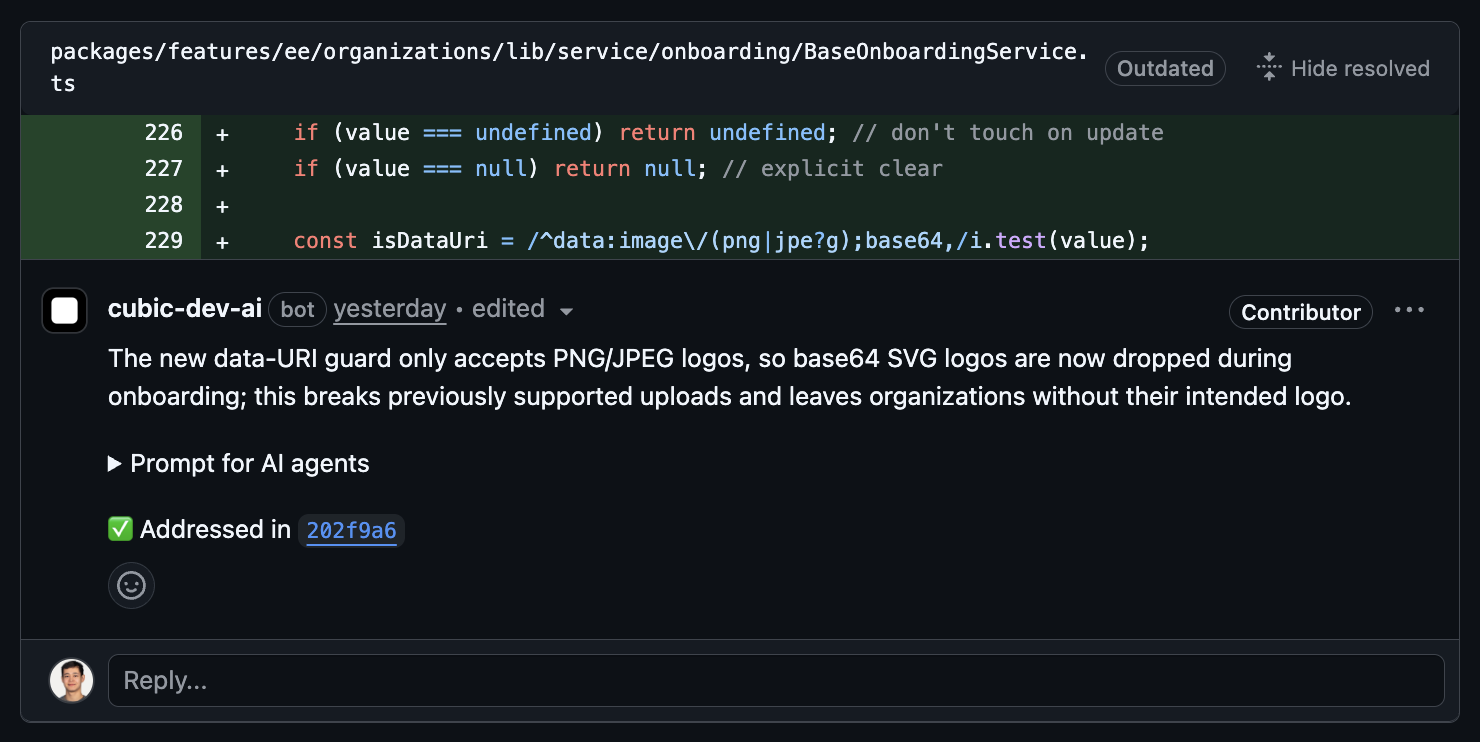 #### What's new
* **Violation tracking:** When you push new commits to a PR, cubic analyzes the changes to detect if they resolve previously identified issues
* **Visual feedback:** Resolved violations display a clear indicator in PR comments showing which commit fixed the issue
#### How it works
1. cubic reviews your PR and identifies violations
2. You push commits to address the feedback
3. cubic automatically analyzes the new changes against existing violations
4. Resolved violations show a comment with the commit that fixed the issue
5. No manual tracking or bookkeeping required
This feature is automatically enabled for all repositories. Teams can now focus on fixing issues rather than managing their resolution status.
### Single AI prompt for all PR issues
Each cubic review now contains a single prompt that you can paste into your AI code editor to address all of the issues found by cubic.
* **Aggregated prompt:** All issues in one expandable section in the main review
* **AI-friendly format:** XML structure that AI assistants easily parse
* **Smart truncation:** Prioritizes important issues for large PRs
Just expand "Prompt for AI agents", copy, and paste into your AI IDE to fix everything at once.
### Welcome guidance for first-time contributors
New contributors now receive personalized onboarding when cubic reviews their first PR.
The welcome message provides guidance on how to interact with cubic, request fixes, and give feedback, helping teams onboard developers more smoothly.
### Introducing the cubic referral program
Earn up to \$2,000 for every team you refer to cubic. Share the tools you love and get rewarded when teams upgrade to paid plans.
#### What's new
* **Tiered rewards:** Earn $30-$2,000 based on team size
* **Extended trial for referred teams:** 30-day trial instead of the standard 14 days
* **Unlimited referrals:** No cap on how many teams you can refer
#### How it works
1. Get your unique referral link from [cubic.dev/refer](https://cubic.dev/refer)
2. Share it with teams who could benefit from cubic
3. Earn rewards when they upgrade to a paid subscription
Learn more in the [referral program documentation](https://docs.cubic.dev/account/referral-program).
### Advanced ignore patterns for smarter AI reviews
Your PRs now get reviewed with much more precision. Beyond skipping certain files, you can now control exactly which pull requests trigger AI reviews based on branches, labels, and titles.
Key improvements:
* **Branch-based filtering:** Skip reviews for PRs from feature branches or targeting staging environments
* **Label-based control:** Bypass review for PRs tagged with "wip", "skip-review", or any custom labels
* **Title pattern matching:** Ignore draft PRs or work-in-progress changes automatically
This gives you granular control over your review workflow while reducing costs on PRs that don't need AI feedback. Perfect for teams with complex branching strategies or specific review processes.
Configure your patterns in [AI review settings](https://cubic.dev/ai-review) → General tab. Learn more in the [AI review settings documentation](/ai-review/ai-review-settings).
### Custom instructions for AI-generated PR descriptions
Tailor PR descriptions to match your team's style. Set custom instructions once, and every AI-generated description follows your preferences automatically.
Key improvements:
* **Custom instructions:** Define exactly how PR descriptions should be formatted
* **Dedicated tab:** Access all PR description settings from the new Descriptions tab
* **Smart enhancement:** Instructions work alongside existing PR content
Example instructions:
* "Focus on business impact and user-facing changes"
* "Include performance implications and affected APIs"
* "Add testing steps to verify changes"
Access from [AI review settings](https://cubic.dev/ai-review?tab=descriptions) → Descriptions tab.
### Ask questions, give feedback, and request fixes from cubic without tagging it
Until now, developers often forgot to tag cubic when giving feedback or asking questions.
Now, cubic can respond to comments that don't explicitely tag it. Simply reply to any cubic comment to continue the conversation - no @ mention needed.
#### What's new
* **Natural conversations:** Reply directly to cubic comments like you would with a teammate
* **No repeated tagging:** Once cubic comments, just hit reply to continue
* **Context-aware:** cubic maintains full thread context for better suggestions
#### How it works
cubic responds in two ways:
1. **Direct mentions:** Tag @cubic-dev-ai anywhere (existing)
2. **Thread replies:** Reply to cubic comments without tagging (new!)
Example flow:
* cubic suggests an improvement
* You: "This would break our legacy API"
* cubic provides an alternative approach
* You: "What about error handling?"
* cubic suggests error handling
Just natural back-and-forth, no repeated @ mentions.
### Asana integration: Bring task context to your code reviews \[Beta]
Connect your Asana workspace to cubic and automatically verify that your code meets the requirements from your tasks. cubic also uses context from your Asana tasks to provide more targeted reviews and PR descriptions.
#### What's new
* **Violation tracking:** When you push new commits to a PR, cubic analyzes the changes to detect if they resolve previously identified issues
* **Visual feedback:** Resolved violations display a clear indicator in PR comments showing which commit fixed the issue
#### How it works
1. cubic reviews your PR and identifies violations
2. You push commits to address the feedback
3. cubic automatically analyzes the new changes against existing violations
4. Resolved violations show a comment with the commit that fixed the issue
5. No manual tracking or bookkeeping required
This feature is automatically enabled for all repositories. Teams can now focus on fixing issues rather than managing their resolution status.
### Single AI prompt for all PR issues
Each cubic review now contains a single prompt that you can paste into your AI code editor to address all of the issues found by cubic.
* **Aggregated prompt:** All issues in one expandable section in the main review
* **AI-friendly format:** XML structure that AI assistants easily parse
* **Smart truncation:** Prioritizes important issues for large PRs
Just expand "Prompt for AI agents", copy, and paste into your AI IDE to fix everything at once.
### Welcome guidance for first-time contributors
New contributors now receive personalized onboarding when cubic reviews their first PR.
The welcome message provides guidance on how to interact with cubic, request fixes, and give feedback, helping teams onboard developers more smoothly.
### Introducing the cubic referral program
Earn up to \$2,000 for every team you refer to cubic. Share the tools you love and get rewarded when teams upgrade to paid plans.
#### What's new
* **Tiered rewards:** Earn $30-$2,000 based on team size
* **Extended trial for referred teams:** 30-day trial instead of the standard 14 days
* **Unlimited referrals:** No cap on how many teams you can refer
#### How it works
1. Get your unique referral link from [cubic.dev/refer](https://cubic.dev/refer)
2. Share it with teams who could benefit from cubic
3. Earn rewards when they upgrade to a paid subscription
Learn more in the [referral program documentation](https://docs.cubic.dev/account/referral-program).
### Advanced ignore patterns for smarter AI reviews
Your PRs now get reviewed with much more precision. Beyond skipping certain files, you can now control exactly which pull requests trigger AI reviews based on branches, labels, and titles.
Key improvements:
* **Branch-based filtering:** Skip reviews for PRs from feature branches or targeting staging environments
* **Label-based control:** Bypass review for PRs tagged with "wip", "skip-review", or any custom labels
* **Title pattern matching:** Ignore draft PRs or work-in-progress changes automatically
This gives you granular control over your review workflow while reducing costs on PRs that don't need AI feedback. Perfect for teams with complex branching strategies or specific review processes.
Configure your patterns in [AI review settings](https://cubic.dev/ai-review) → General tab. Learn more in the [AI review settings documentation](/ai-review/ai-review-settings).
### Custom instructions for AI-generated PR descriptions
Tailor PR descriptions to match your team's style. Set custom instructions once, and every AI-generated description follows your preferences automatically.
Key improvements:
* **Custom instructions:** Define exactly how PR descriptions should be formatted
* **Dedicated tab:** Access all PR description settings from the new Descriptions tab
* **Smart enhancement:** Instructions work alongside existing PR content
Example instructions:
* "Focus on business impact and user-facing changes"
* "Include performance implications and affected APIs"
* "Add testing steps to verify changes"
Access from [AI review settings](https://cubic.dev/ai-review?tab=descriptions) → Descriptions tab.
### Ask questions, give feedback, and request fixes from cubic without tagging it
Until now, developers often forgot to tag cubic when giving feedback or asking questions.
Now, cubic can respond to comments that don't explicitely tag it. Simply reply to any cubic comment to continue the conversation - no @ mention needed.
#### What's new
* **Natural conversations:** Reply directly to cubic comments like you would with a teammate
* **No repeated tagging:** Once cubic comments, just hit reply to continue
* **Context-aware:** cubic maintains full thread context for better suggestions
#### How it works
cubic responds in two ways:
1. **Direct mentions:** Tag @cubic-dev-ai anywhere (existing)
2. **Thread replies:** Reply to cubic comments without tagging (new!)
Example flow:
* cubic suggests an improvement
* You: "This would break our legacy API"
* cubic provides an alternative approach
* You: "What about error handling?"
* cubic suggests error handling
Just natural back-and-forth, no repeated @ mentions.
### Asana integration: Bring task context to your code reviews \[Beta]
Connect your Asana workspace to cubic and automatically verify that your code meets the requirements from your tasks. cubic also uses context from your Asana tasks to provide more targeted reviews and PR descriptions.
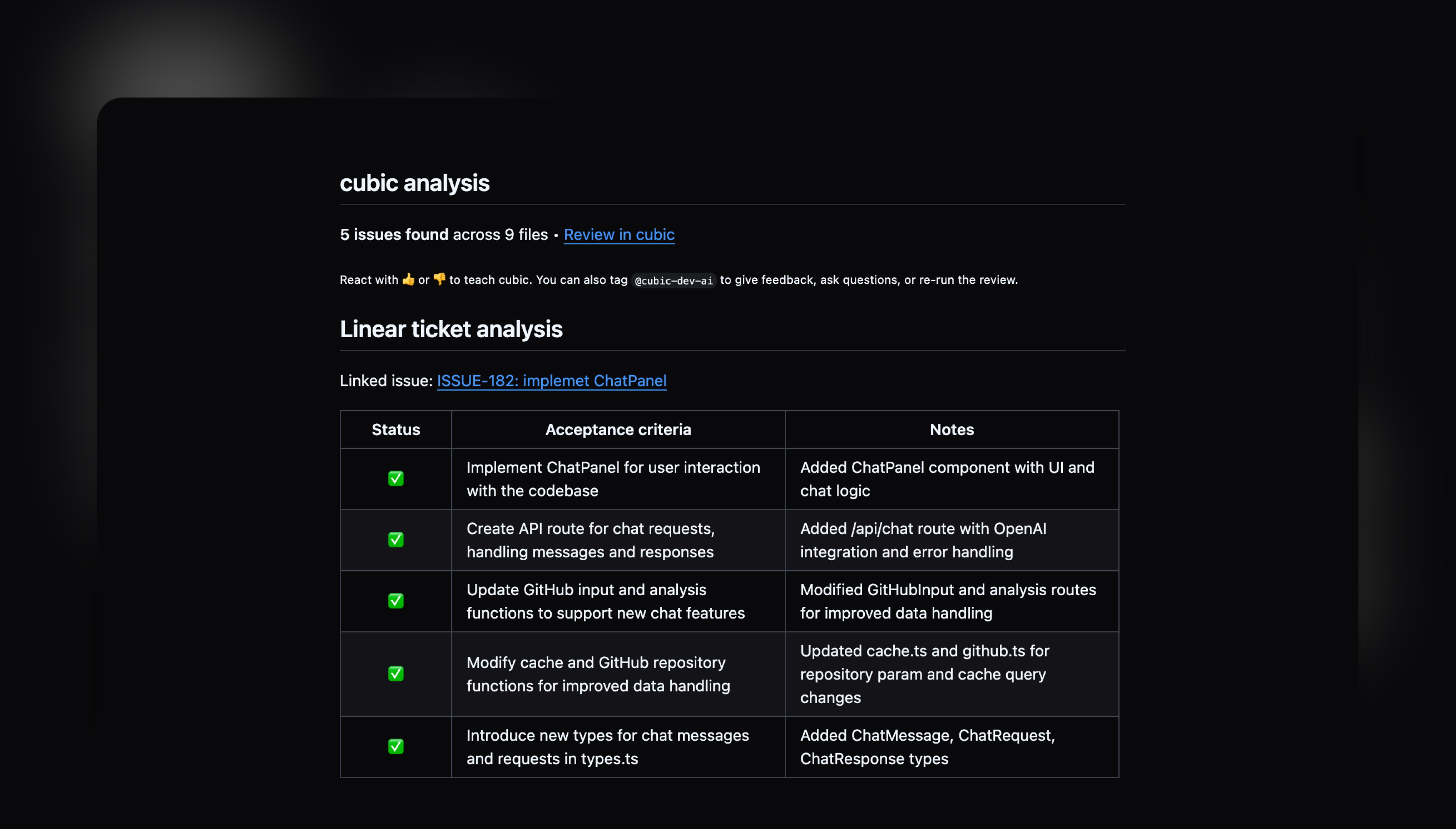 To connect Asana:
1. Go to [Settings → Integrations](https://cubic.dev/settings?tab=integrations)
2. Click "Connect" on the Asana card
3. Authorize cubic and select your workspace
4. Start linking tasks by including Asana URLs in your PR descriptions
This integration works similarly to our Linear and Jira integrations, bringing your project management context directly into the code review process. Learn more in the [Asana integration documentation](/integrations/asana-integration).
### AI Wiki: Your codebase becomes self-aware \[Beta]
Understanding codebases required hours of digging through code and outdated documentation. It's now easier to understand any part of your codebase instantly with AI-generated documentation and natural language search.
To connect Asana:
1. Go to [Settings → Integrations](https://cubic.dev/settings?tab=integrations)
2. Click "Connect" on the Asana card
3. Authorize cubic and select your workspace
4. Start linking tasks by including Asana URLs in your PR descriptions
This integration works similarly to our Linear and Jira integrations, bringing your project management context directly into the code review process. Learn more in the [Asana integration documentation](/integrations/asana-integration).
### AI Wiki: Your codebase becomes self-aware \[Beta]
Understanding codebases required hours of digging through code and outdated documentation. It's now easier to understand any part of your codebase instantly with AI-generated documentation and natural language search.
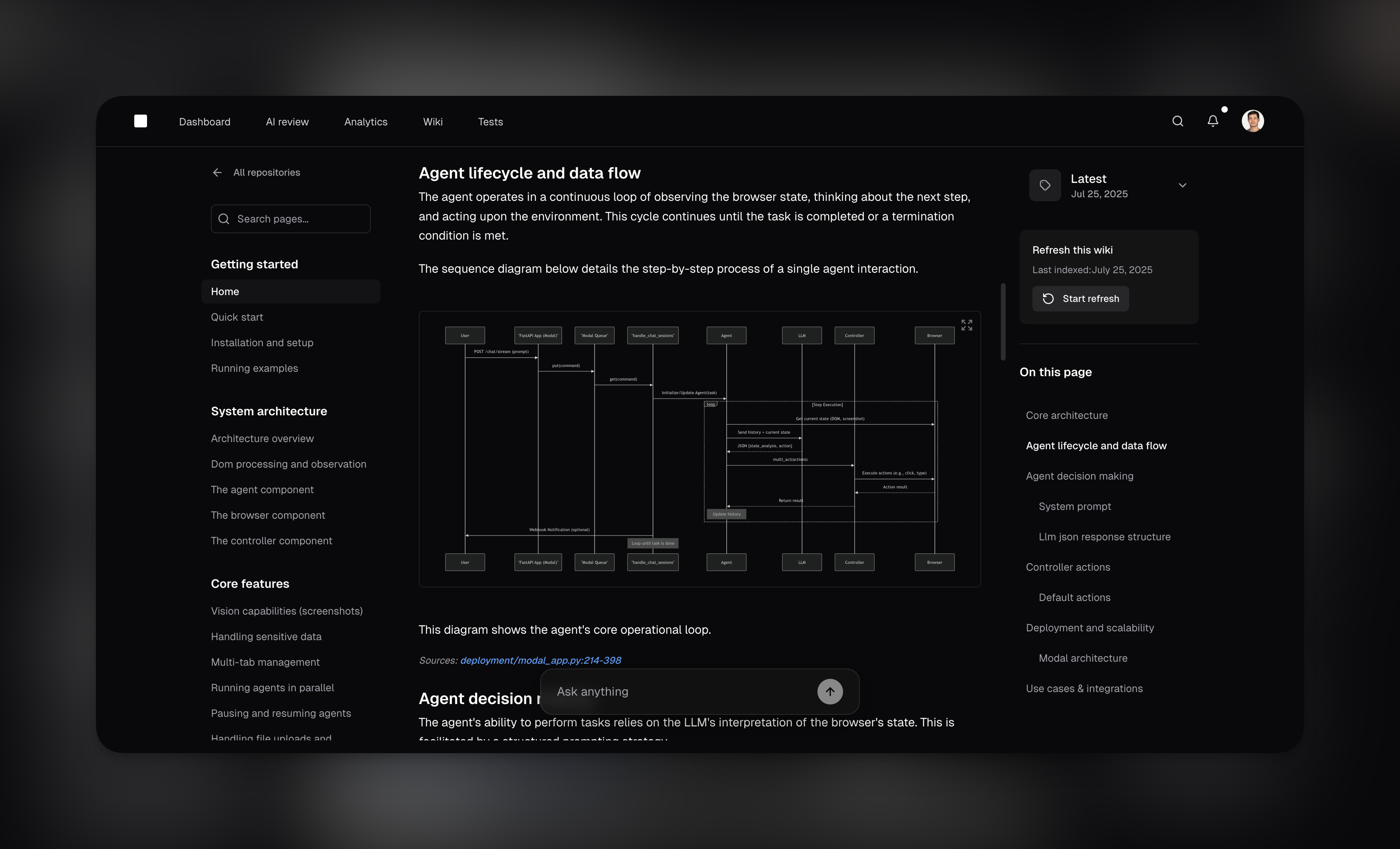 * **One-click generation:** Analyzes your entire repository and creates comprehensive documentation in 3 minutes
* **Natural language Q\&A:** Ask questions like "How does authentication work?" and get instant answers with code references
* **Shareable answers:** Share search results with teammates via URL - anyone in your GitHub organization can access
* **Auto-organized documentation:** Browse by feature, service, or domain with automatic structure detection
* **Full context for AI reviews:** Wiki powers smarter code reviews with complete architectural understanding
Access Wiki from the main navigation or visit [cubic.dev/wiki](https://cubic.dev/wiki) to start. Learn more in the [AI Wiki documentation](/wiki/ai-wiki).
### Manage custom agents across hundreds of repositories from one place
If you're managing dozens or hundreds of repositories, you know the pain of creating the same custom agent over and over.
cubic now offers a powerful rules library where you can discover proven custom agents from other successful teams and apply them across your entire organization with just a few clicks.
* **One-click generation:** Analyzes your entire repository and creates comprehensive documentation in 3 minutes
* **Natural language Q\&A:** Ask questions like "How does authentication work?" and get instant answers with code references
* **Shareable answers:** Share search results with teammates via URL - anyone in your GitHub organization can access
* **Auto-organized documentation:** Browse by feature, service, or domain with automatic structure detection
* **Full context for AI reviews:** Wiki powers smarter code reviews with complete architectural understanding
Access Wiki from the main navigation or visit [cubic.dev/wiki](https://cubic.dev/wiki) to start. Learn more in the [AI Wiki documentation](/wiki/ai-wiki).
### Manage custom agents across hundreds of repositories from one place
If you're managing dozens or hundreds of repositories, you know the pain of creating the same custom agent over and over.
cubic now offers a powerful rules library where you can discover proven custom agents from other successful teams and apply them across your entire organization with just a few clicks.
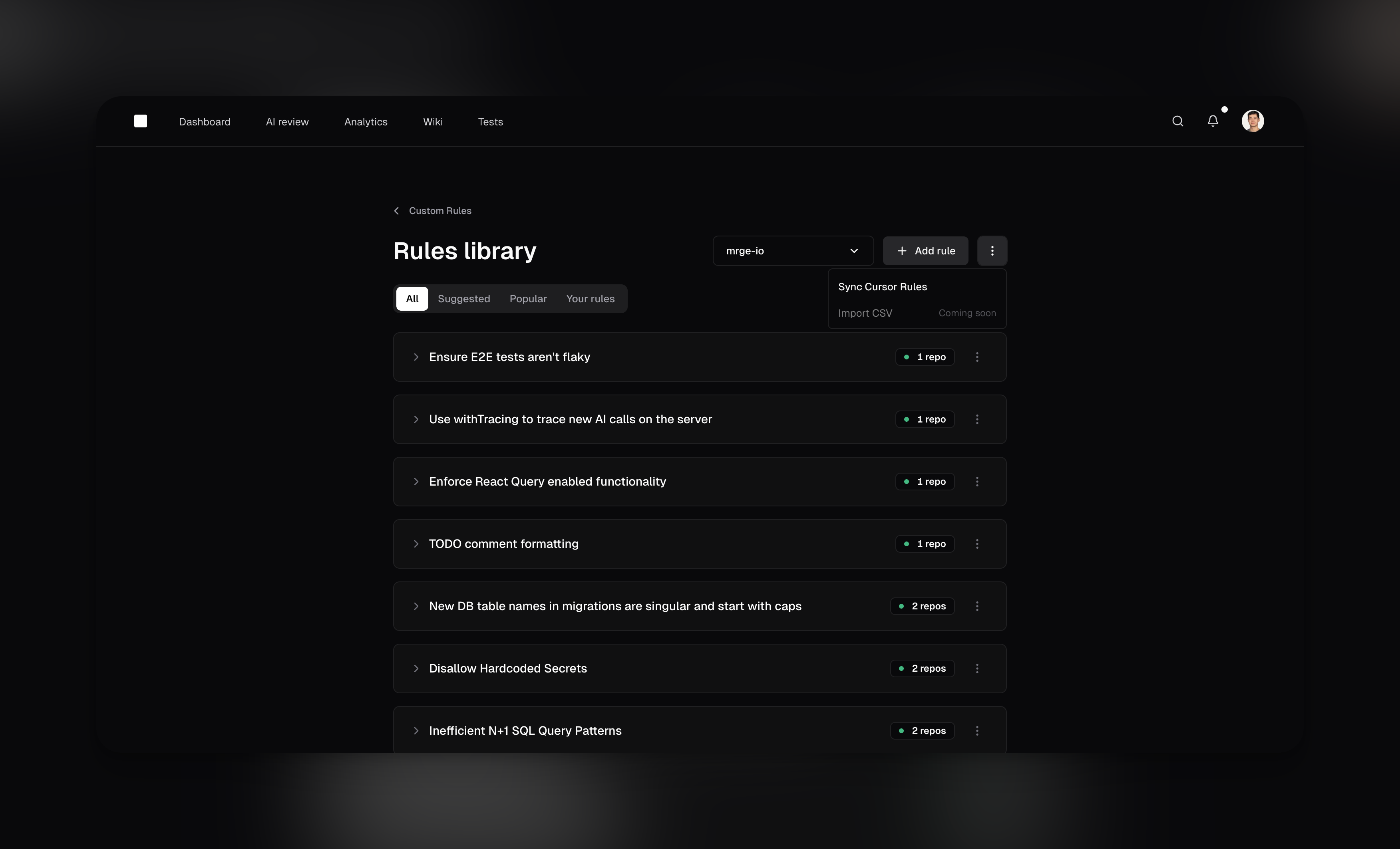 Key features:
* **Community-powered library:** Browse popular rules from other teams, organized by category like security, performance, and best practices
* **One rule, multiple repositories:** Create a rule once and apply it to any number of repositories—from
* **Central management:** Enable or disable rules across all your repositories from a single dashboard
* **Instant adoption:** See a rule that would help your team? Enable it with one click
This simplifies rule management for:
* Teams with microservices architectures managing dozens of repositories
* Organizations looking to standardize coding practices across all projects
* Engineering teams wanting to learn from community best practices
* Anyone tired of duplicating the same rules across multiple repos
Access the rules library from your [AI review settings](https://www.cubic.dev/rules-library) to start exploring community rules or consolidating your existing ones.
### Analytics dashboard to track your team's progress \[Beta]
Understanding how your team ships code is now easier with cubic's new analytics dashboard. Get instant insights into review performance, delivery metrics, and team productivity patterns.
Key features:
* **Community-powered library:** Browse popular rules from other teams, organized by category like security, performance, and best practices
* **One rule, multiple repositories:** Create a rule once and apply it to any number of repositories—from
* **Central management:** Enable or disable rules across all your repositories from a single dashboard
* **Instant adoption:** See a rule that would help your team? Enable it with one click
This simplifies rule management for:
* Teams with microservices architectures managing dozens of repositories
* Organizations looking to standardize coding practices across all projects
* Engineering teams wanting to learn from community best practices
* Anyone tired of duplicating the same rules across multiple repos
Access the rules library from your [AI review settings](https://www.cubic.dev/rules-library) to start exploring community rules or consolidating your existing ones.
### Analytics dashboard to track your team's progress \[Beta]
Understanding how your team ships code is now easier with cubic's new analytics dashboard. Get instant insights into review performance, delivery metrics, and team productivity patterns.
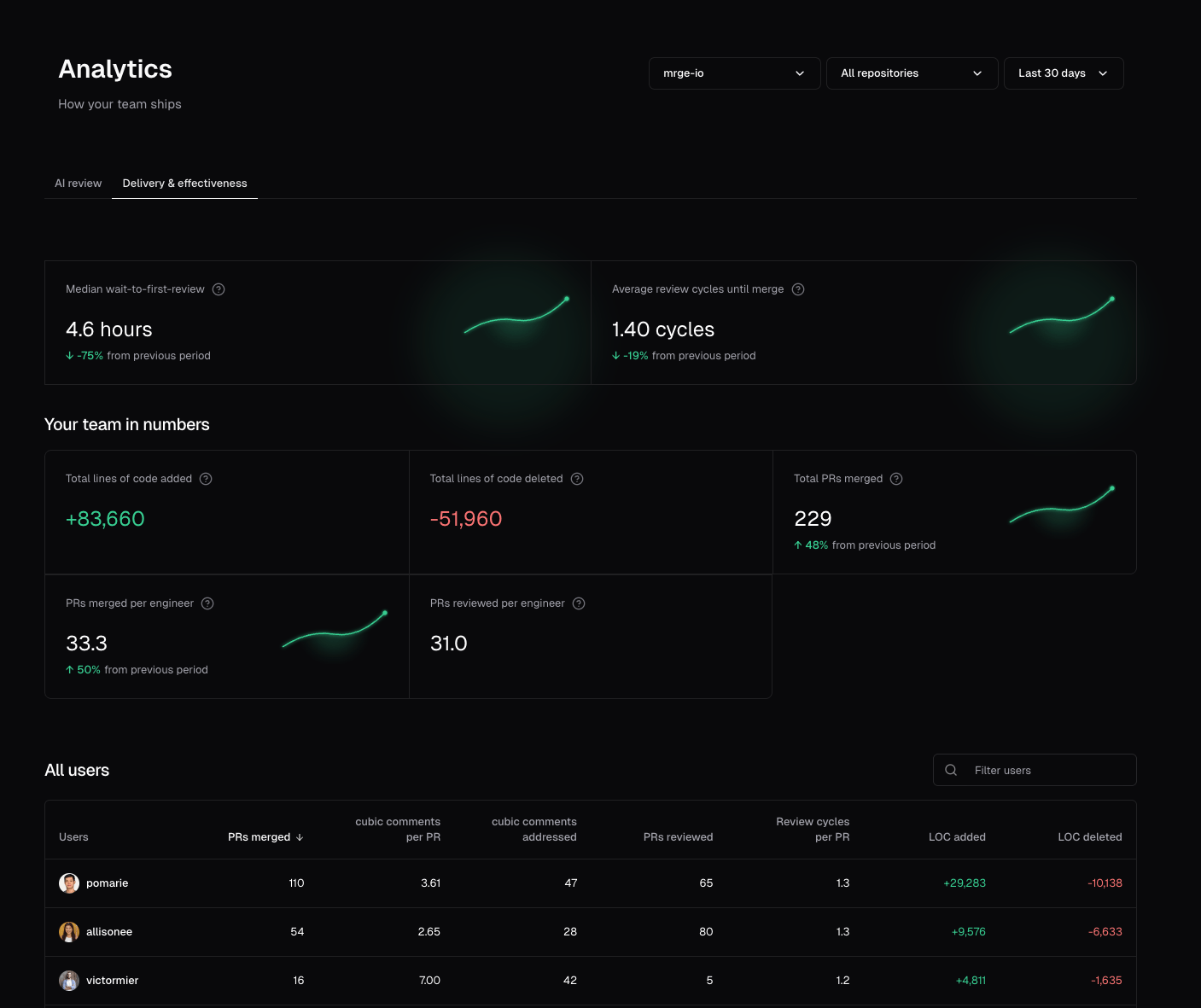 Key features:
* **AI review insights:** Track how AI reviews are helping your team catch issues and improve code quality
* **Team performance metrics:** Monitor PR velocity, review times, and individual contributor stats
* **Filter by repository:** Focus on specific repositories to understand performance at a granular level
* **Flexible time periods:** Choose from last 24 hours, 7 days, 30 days, all time, or set custom date ranges
* **Period-over-period comparisons:** See how your metrics trend over time with automatic period-over-period comparisons
The available time periods and comparisons depend on when you installed cubic. We only show data from when we started collecting it. For example, if you installed cubic 10 days ago, you'll see options for 24 hours and 7 days, but 30-day comparisons won't be available yet.
This helps you answer questions like:
* How has our time-to-merge improved this week?
* Who are our most active reviewers and contributors?
* Are we catching more issues before they reach production?
* Which team members receive more review comments?
* Which repositories need more review attention?
Access Analytics from the main navigation to start exploring your team's data.
### Automatically fix issues that cubic finds \[Beta]
cubic can now automatically generate fixes for issues identified during code review. When the AI or your teammates spot a problem, you can request a targeted fix with one click.
No more opening your IDE and checking out the branch to fix a minor issue.
Key features:
* **AI review insights:** Track how AI reviews are helping your team catch issues and improve code quality
* **Team performance metrics:** Monitor PR velocity, review times, and individual contributor stats
* **Filter by repository:** Focus on specific repositories to understand performance at a granular level
* **Flexible time periods:** Choose from last 24 hours, 7 days, 30 days, all time, or set custom date ranges
* **Period-over-period comparisons:** See how your metrics trend over time with automatic period-over-period comparisons
The available time periods and comparisons depend on when you installed cubic. We only show data from when we started collecting it. For example, if you installed cubic 10 days ago, you'll see options for 24 hours and 7 days, but 30-day comparisons won't be available yet.
This helps you answer questions like:
* How has our time-to-merge improved this week?
* Who are our most active reviewers and contributors?
* Are we catching more issues before they reach production?
* Which team members receive more review comments?
* Which repositories need more review attention?
Access Analytics from the main navigation to start exploring your team's data.
### Automatically fix issues that cubic finds \[Beta]
cubic can now automatically generate fixes for issues identified during code review. When the AI or your teammates spot a problem, you can request a targeted fix with one click.
No more opening your IDE and checking out the branch to fix a minor issue.
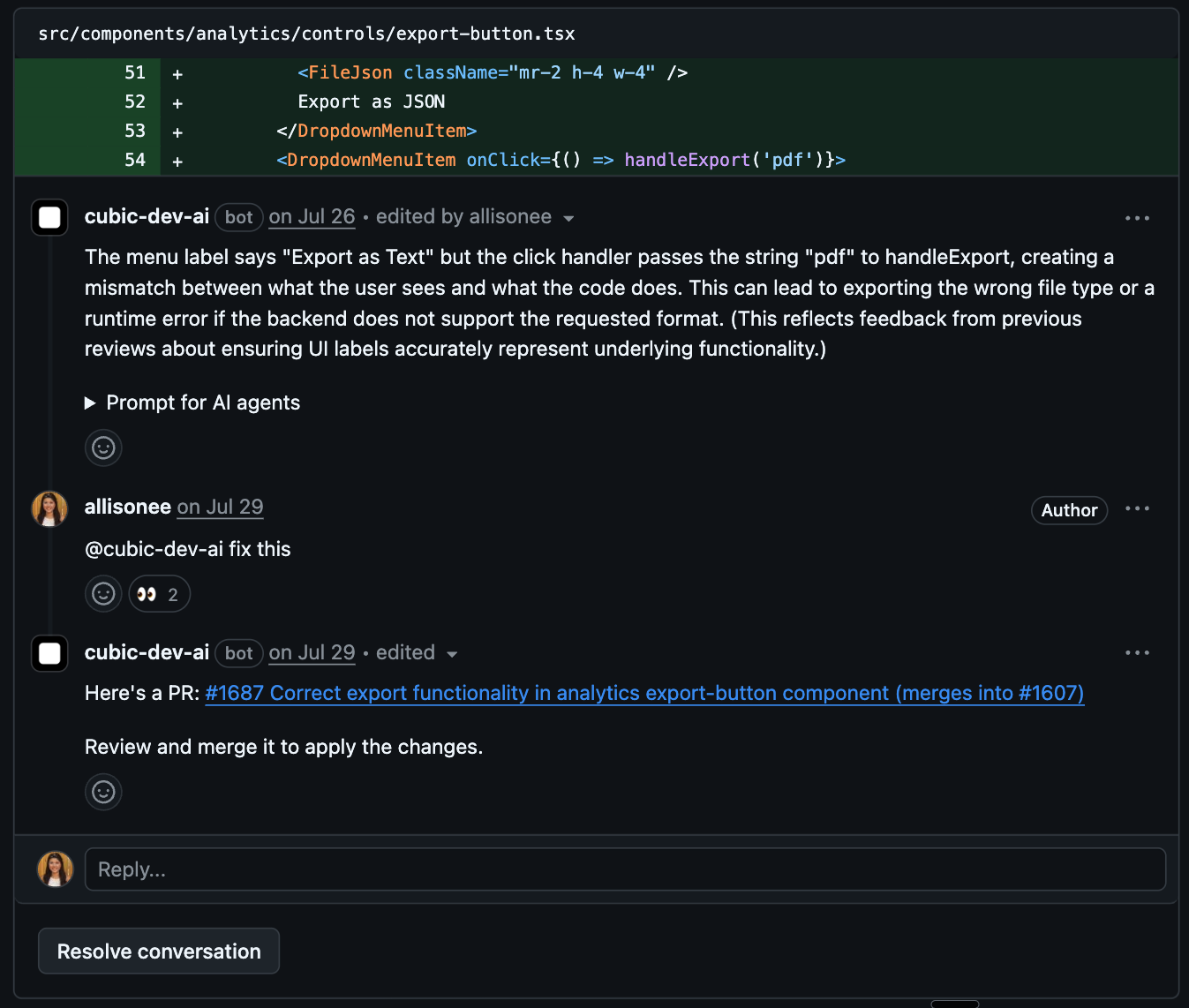 Key features:
* **Instant fix generation:** Click the "Generate fix" button on any inline review comment or tag @cubic-dev-ai asking for a fix
* **Targeted pull requests:** PRs that cubic opens to fix the requested issue automatically target your original PR's branch, not main. You can review the fix separately before merging
* **Full context awareness:** The AI understands the surrounding code and generates appropriate solutions
* **Seamless workflow:** Review, test, and merge fixes just like any other PR
To use this feature:
1. Look for the "Generate fix" button in comment actions on any AI review comment
2. Or tag @cubic-dev-ai in a comment: "fix this issue" or "can you generate a fix?"
3. cubic will create a new PR with the proposed fix in 1-3 minutes
4. Review the fix PR and merge when satisfied—it goes straight into your feature branch
This helps you address code review feedback faster, especially for type errors, linting issues, missing imports, and other mechanical fixes. Learn more about [AI-powered code fixes](/ai-review/coding-agents).
### Suggested custom agents
When you first sign up, cubic analyzes your comment history to suggest custom agents you can enable.
Until now, these rules were suggested the same way for all your repositories.
We've updated it so each repository now gets suggestions tailored to its specific comment history.
### Acceptance criteria assessment for linked issue tickets
Your PRs now automatically check whether your code changes actually meet the acceptance criteria from your linked issue tracker tickets. No more merging code that doesn't quite do what was asked.
Key features:
* **Multiple issue trackers:** Works with both [Linear](/integrations/linear-integration) and [Jira](/integrations/jira-integration) integrations.
* **Automated verification:** AI analyzes your PR against each acceptance criterion from the linked ticket.
* **Clear status tracking:** See which criteria are met, partially met, or not met in a formatted table.
* **Detailed explanations:** Get specific feedback on how your changes address (or don't address) each requirement.
To use this feature:
1. Connect your Linear or Jira workspace in [integration settings](https://cubic.dev/settings?tab=integrations)
2. Include the ticket ID in your PR title, description, or commit messages (e.g., "PROJ-123" or "ENG-456")
3. cubic automatically links the ticket and checks your changes against its acceptance criteria
The assessment shows up right in your PR review, so you'll instantly see what requirements you've completed and what still needs work. It's like having a checklist that checks itself. Learn more about [how issue analysis works](/ai-review/issue-analysis).
### Less noise in TypeScript, Rust, and other statically-typed languages
cubic's AI review helps catch issues early, but we've heard feedback on overly noisy comments in certain statically-typed languages.
Until now, it would often flag errors that compilers or linters in languages like TypeScript or Rust would catch anyway.
We've tuned this down, so you'll now get fewer distractions and more relevant, high-value reviews.
### Jira integration (beta)
We've launched a new [Jira integration](/integrations/jira-integration), now available in beta. Connect your Jira workspace to cubic and watch your AI reviews get way smarter with full issue context.
Key features:
* **Instant fix generation:** Click the "Generate fix" button on any inline review comment or tag @cubic-dev-ai asking for a fix
* **Targeted pull requests:** PRs that cubic opens to fix the requested issue automatically target your original PR's branch, not main. You can review the fix separately before merging
* **Full context awareness:** The AI understands the surrounding code and generates appropriate solutions
* **Seamless workflow:** Review, test, and merge fixes just like any other PR
To use this feature:
1. Look for the "Generate fix" button in comment actions on any AI review comment
2. Or tag @cubic-dev-ai in a comment: "fix this issue" or "can you generate a fix?"
3. cubic will create a new PR with the proposed fix in 1-3 minutes
4. Review the fix PR and merge when satisfied—it goes straight into your feature branch
This helps you address code review feedback faster, especially for type errors, linting issues, missing imports, and other mechanical fixes. Learn more about [AI-powered code fixes](/ai-review/coding-agents).
### Suggested custom agents
When you first sign up, cubic analyzes your comment history to suggest custom agents you can enable.
Until now, these rules were suggested the same way for all your repositories.
We've updated it so each repository now gets suggestions tailored to its specific comment history.
### Acceptance criteria assessment for linked issue tickets
Your PRs now automatically check whether your code changes actually meet the acceptance criteria from your linked issue tracker tickets. No more merging code that doesn't quite do what was asked.
Key features:
* **Multiple issue trackers:** Works with both [Linear](/integrations/linear-integration) and [Jira](/integrations/jira-integration) integrations.
* **Automated verification:** AI analyzes your PR against each acceptance criterion from the linked ticket.
* **Clear status tracking:** See which criteria are met, partially met, or not met in a formatted table.
* **Detailed explanations:** Get specific feedback on how your changes address (or don't address) each requirement.
To use this feature:
1. Connect your Linear or Jira workspace in [integration settings](https://cubic.dev/settings?tab=integrations)
2. Include the ticket ID in your PR title, description, or commit messages (e.g., "PROJ-123" or "ENG-456")
3. cubic automatically links the ticket and checks your changes against its acceptance criteria
The assessment shows up right in your PR review, so you'll instantly see what requirements you've completed and what still needs work. It's like having a checklist that checks itself. Learn more about [how issue analysis works](/ai-review/issue-analysis).
### Less noise in TypeScript, Rust, and other statically-typed languages
cubic's AI review helps catch issues early, but we've heard feedback on overly noisy comments in certain statically-typed languages.
Until now, it would often flag errors that compilers or linters in languages like TypeScript or Rust would catch anyway.
We've tuned this down, so you'll now get fewer distractions and more relevant, high-value reviews.
### Jira integration (beta)
We've launched a new [Jira integration](/integrations/jira-integration), now available in beta. Connect your Jira workspace to cubic and watch your AI reviews get way smarter with full issue context.
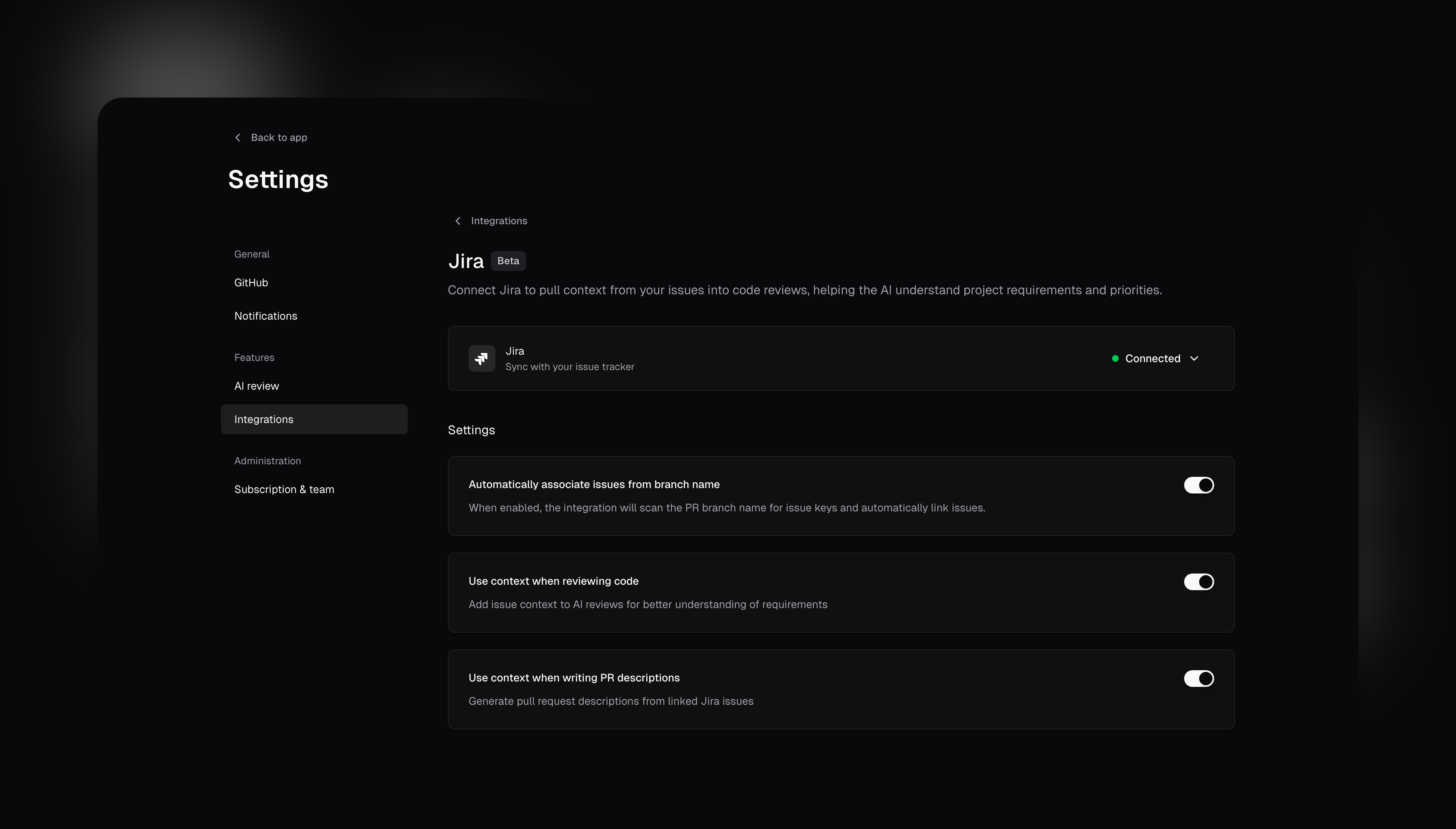 Key features:
* **Context-aware AI reviews:** Your linked Jira issues feed requirements and acceptance criteria directly to the AI, making reviews much more accurate.
* **Smart PR descriptions:** Let cubic [generate pull request descriptions](/code-review-platform/ai-pr-descriptions) based on your linked Jira tickets automatically.
* **Automatic issue association:** Branch names are parsed to link relevant issues - no manual tagging needed.
This integration really helps bridge the gap between what you planned in Jira and what you actually built. Since we're still in beta, we'd love to hear what you think. Learn more about [setting up the Jira integration](/integrations/jira-integration) or jump straight to your [integration settings](https://www.cubic.dev/settings?tab=integrations) to get started.
### Fix cubic comments in your AI IDE
When cubic leaves a comment, it will now include a helpful prompt that can copy and paste into your AI IDE to get help addressing the feedback.
Key features:
* **Instant AI context:** Each comment now includes a collapsible prompt formatted for AI assistants
* **Complete information:** Includes the comment, file name, line number, and relevant code diff
* **Easy copying:** Formatted as a code block for one-click copying
Just expand "Prompt for AI agents" toggle under any review comment, copy the prompt, and paste it into your favorite AI IDE to get help addressing the feedback.
### Linear integration (beta)
We've added a new integration with Linear, now available in beta. This connects your issue tracker to cubic for better context in AI reviews and PRs.
Key features:
* **Context for AI reviews:** Include details from linked Linear issues to help the AI understand requirements.
* **PR descriptions from issues:** Generate pull request descriptions based on linked Linear tasks.
* **Settings controls:** Toggle these options in your integration settings after connecting your Linear workspace.
Since this is in beta, we'd appreciate any feedback to help us improve it. You can set it up in your [integration settings](https://cubic.dev/settings?tab=integrations).
Key features:
* **Context-aware AI reviews:** Your linked Jira issues feed requirements and acceptance criteria directly to the AI, making reviews much more accurate.
* **Smart PR descriptions:** Let cubic [generate pull request descriptions](/code-review-platform/ai-pr-descriptions) based on your linked Jira tickets automatically.
* **Automatic issue association:** Branch names are parsed to link relevant issues - no manual tagging needed.
This integration really helps bridge the gap between what you planned in Jira and what you actually built. Since we're still in beta, we'd love to hear what you think. Learn more about [setting up the Jira integration](/integrations/jira-integration) or jump straight to your [integration settings](https://www.cubic.dev/settings?tab=integrations) to get started.
### Fix cubic comments in your AI IDE
When cubic leaves a comment, it will now include a helpful prompt that can copy and paste into your AI IDE to get help addressing the feedback.
Key features:
* **Instant AI context:** Each comment now includes a collapsible prompt formatted for AI assistants
* **Complete information:** Includes the comment, file name, line number, and relevant code diff
* **Easy copying:** Formatted as a code block for one-click copying
Just expand "Prompt for AI agents" toggle under any review comment, copy the prompt, and paste it into your favorite AI IDE to get help addressing the feedback.
### Linear integration (beta)
We've added a new integration with Linear, now available in beta. This connects your issue tracker to cubic for better context in AI reviews and PRs.
Key features:
* **Context for AI reviews:** Include details from linked Linear issues to help the AI understand requirements.
* **PR descriptions from issues:** Generate pull request descriptions based on linked Linear tasks.
* **Settings controls:** Toggle these options in your integration settings after connecting your Linear workspace.
Since this is in beta, we'd appreciate any feedback to help us improve it. You can set it up in your [integration settings](https://cubic.dev/settings?tab=integrations).
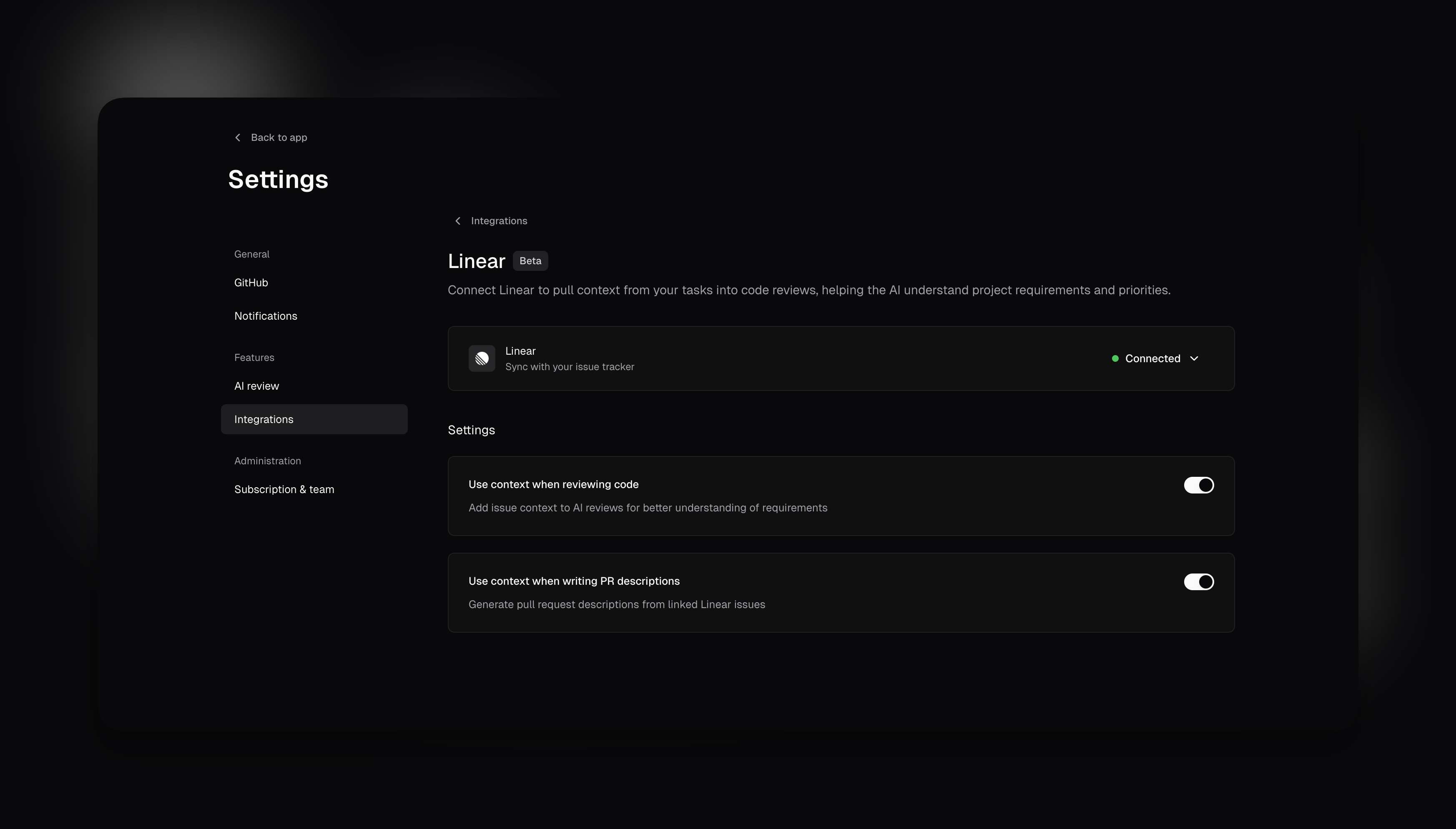 ### `@file` support in AI chat
When using AI chat in a cubic PR, you can now tag specific files to give the AI extra context. Just type @ and select the file you want to include. The AI will use these files to give you more relevant answers.
### `@file` support in AI chat
When using AI chat in a cubic PR, you can now tag specific files to give the AI extra context. Just type @ and select the file you want to include. The AI will use these files to give you more relevant answers.
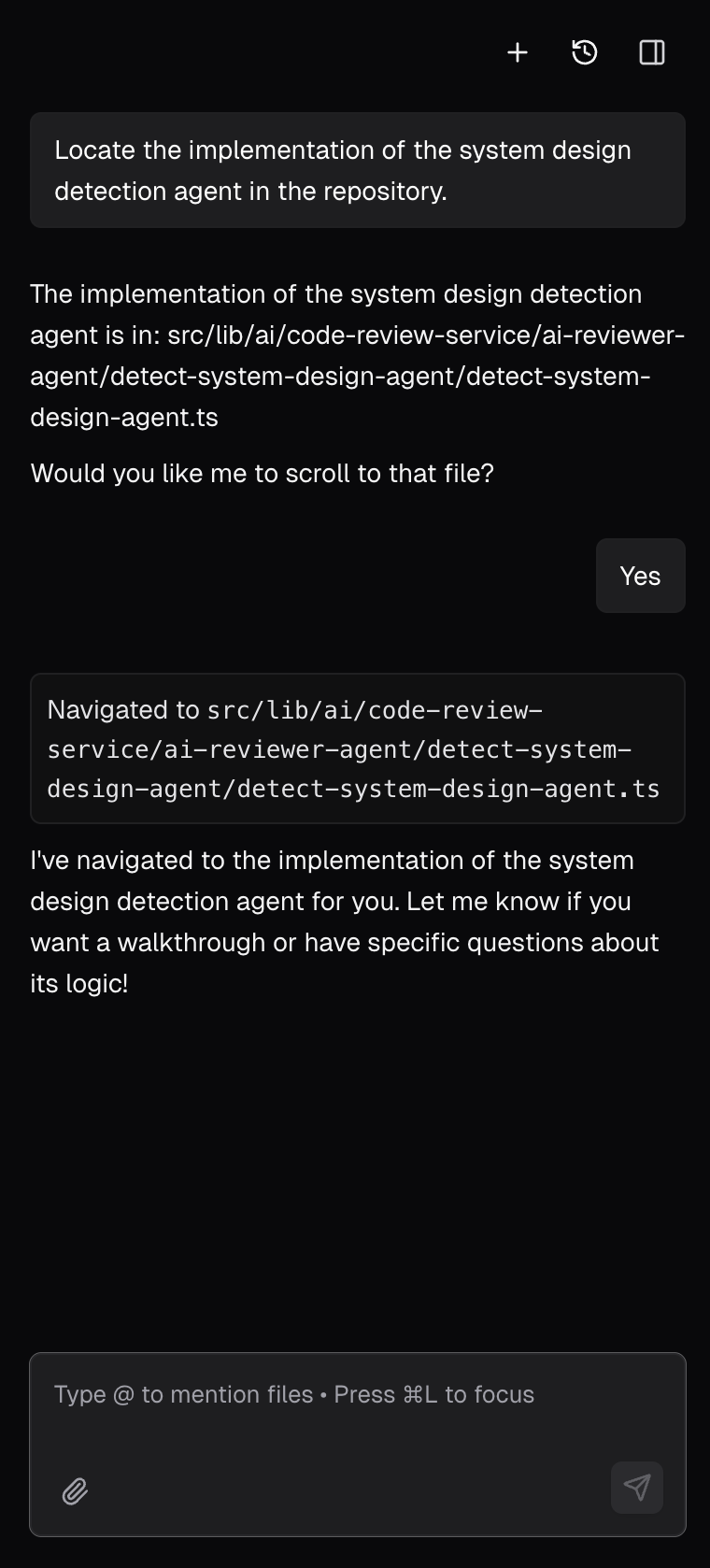 ### Configurable PR approval
A long-requested request from cubic power-users is to allow automatic approval of pull requests without detected issues.
This is especially useful for teams who want to allow low-risk PRs to be merged without waiting for AI reviews.
Now, this behavior is fully configurable in your AI review settings. By default, cubic will only comment on PRs with identified issues, ensuring branch protection rules always apply.
However, you can configure cubic to automatically approve PRs without issues. You can enable this in the [AI review settings](https://cubic.dev/settings?tab=ai-review).
### Architecture diagrams
Pull requests now contain AI-generated diagrams of the code changes, so you can quickly visualize how your code changes fit together.
The diagrams are automatically generated on every PR and updated on new commits. You can click, zoom, and explore them to get a clear view of what's changing.
Here's what it looks like:
### Configurable PR approval
A long-requested request from cubic power-users is to allow automatic approval of pull requests without detected issues.
This is especially useful for teams who want to allow low-risk PRs to be merged without waiting for AI reviews.
Now, this behavior is fully configurable in your AI review settings. By default, cubic will only comment on PRs with identified issues, ensuring branch protection rules always apply.
However, you can configure cubic to automatically approve PRs without issues. You can enable this in the [AI review settings](https://cubic.dev/settings?tab=ai-review).
### Architecture diagrams
Pull requests now contain AI-generated diagrams of the code changes, so you can quickly visualize how your code changes fit together.
The diagrams are automatically generated on every PR and updated on new commits. You can click, zoom, and explore them to get a clear view of what's changing.
Here's what it looks like:
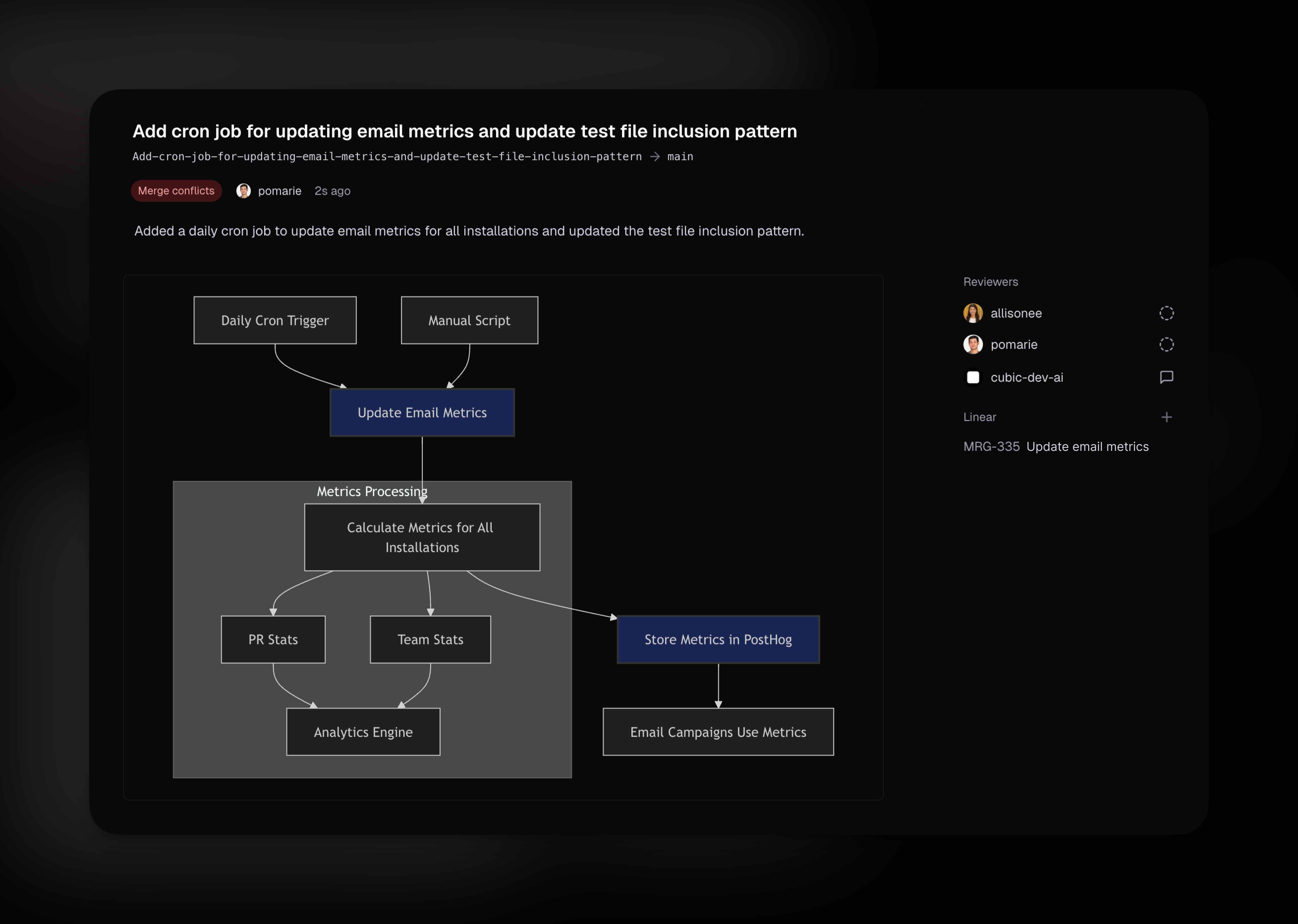 ### Better help for cubic interactions
Tagging @cubic-dev-ai in any PR or PR comment without instructions now prompts cubic to respond with a helpful list of available actions. cubic shows you what it can do, including answering questions about the code, running AI reviews, and other available commands.
Works with: `@cubic-dev-ai`, `@cubic-dev-ai help`, `@cubic-dev-ai ?`, or any unclear request.
### Automatic free access for public repositories
cubic is now automatically free for all public repositories! No need to contact us or apply for open source access – simply install cubic on your public repositories and start using all features immediately at no cost.
### Role-based access control for team management
We've introduced role-based access control to give teams better control over who can manage their cubic subscription and team settings. Every team member now has one of two roles: **Admin** or **Member**.
**What admins can do:**
* Manage seat assignments for team members
* Promote members to admin or demote admins to members
* Toggle auto-assign settings for new GitHub organization members
* Access billing and subscription management
**What members can do:**
* Use all cubic features (AI reviews, PR management, analytics)
* View team settings and subscription status
* Everything except managing seats, roles, and billing controls
**Key safeguards:**
* The first user who creates an installation automatically becomes an admin
* You cannot remove your own admin role (prevents accidental lockout)
* At least one admin is always required per installation
* Bot accounts (like Devin) are automatically assigned the member role and cannot be promoted to admin
**Important migration note:** To ensure no disruption to existing teams, all current users have been automatically set as admins. You can adjust roles as needed in your [subscription settings](https://www.cubic.dev/settings?tab=subscription).
Learn more about team roles and permissions in our [documentation](https://docs.cubic.dev/account/roles-and-permissions).
### Understand code faster with AI diagrams and navigation
The AI sidebar in cubic became more powerful. Until now, you could only ask it questions and ask it to run AI reviews. It's now easier to understand code with visual aids and smart navigation.
* Ask it to draw or visualize something, and it will create a diagram - useful for data flows or system design
* Ask it to show you where something is implemented - it will navigate you to the file or lines and highlight the relevant code. Helpful when reviewing code and need to find something quickly
### Better help for cubic interactions
Tagging @cubic-dev-ai in any PR or PR comment without instructions now prompts cubic to respond with a helpful list of available actions. cubic shows you what it can do, including answering questions about the code, running AI reviews, and other available commands.
Works with: `@cubic-dev-ai`, `@cubic-dev-ai help`, `@cubic-dev-ai ?`, or any unclear request.
### Automatic free access for public repositories
cubic is now automatically free for all public repositories! No need to contact us or apply for open source access – simply install cubic on your public repositories and start using all features immediately at no cost.
### Role-based access control for team management
We've introduced role-based access control to give teams better control over who can manage their cubic subscription and team settings. Every team member now has one of two roles: **Admin** or **Member**.
**What admins can do:**
* Manage seat assignments for team members
* Promote members to admin or demote admins to members
* Toggle auto-assign settings for new GitHub organization members
* Access billing and subscription management
**What members can do:**
* Use all cubic features (AI reviews, PR management, analytics)
* View team settings and subscription status
* Everything except managing seats, roles, and billing controls
**Key safeguards:**
* The first user who creates an installation automatically becomes an admin
* You cannot remove your own admin role (prevents accidental lockout)
* At least one admin is always required per installation
* Bot accounts (like Devin) are automatically assigned the member role and cannot be promoted to admin
**Important migration note:** To ensure no disruption to existing teams, all current users have been automatically set as admins. You can adjust roles as needed in your [subscription settings](https://www.cubic.dev/settings?tab=subscription).
Learn more about team roles and permissions in our [documentation](https://docs.cubic.dev/account/roles-and-permissions).
### Understand code faster with AI diagrams and navigation
The AI sidebar in cubic became more powerful. Until now, you could only ask it questions and ask it to run AI reviews. It's now easier to understand code with visual aids and smart navigation.
* Ask it to draw or visualize something, and it will create a diagram - useful for data flows or system design
* Ask it to show you where something is implemented - it will navigate you to the file or lines and highlight the relevant code. Helpful when reviewing code and need to find something quickly
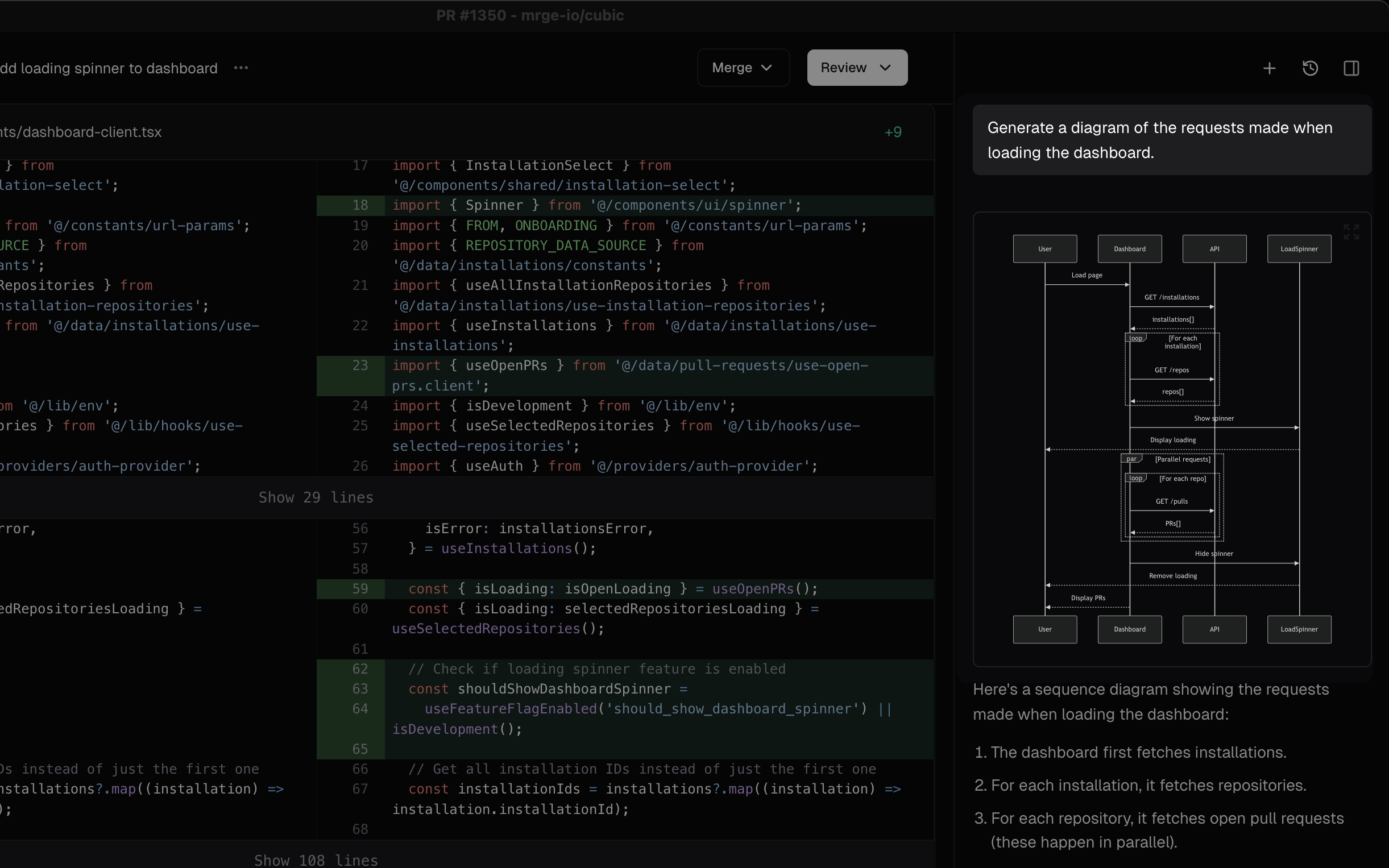
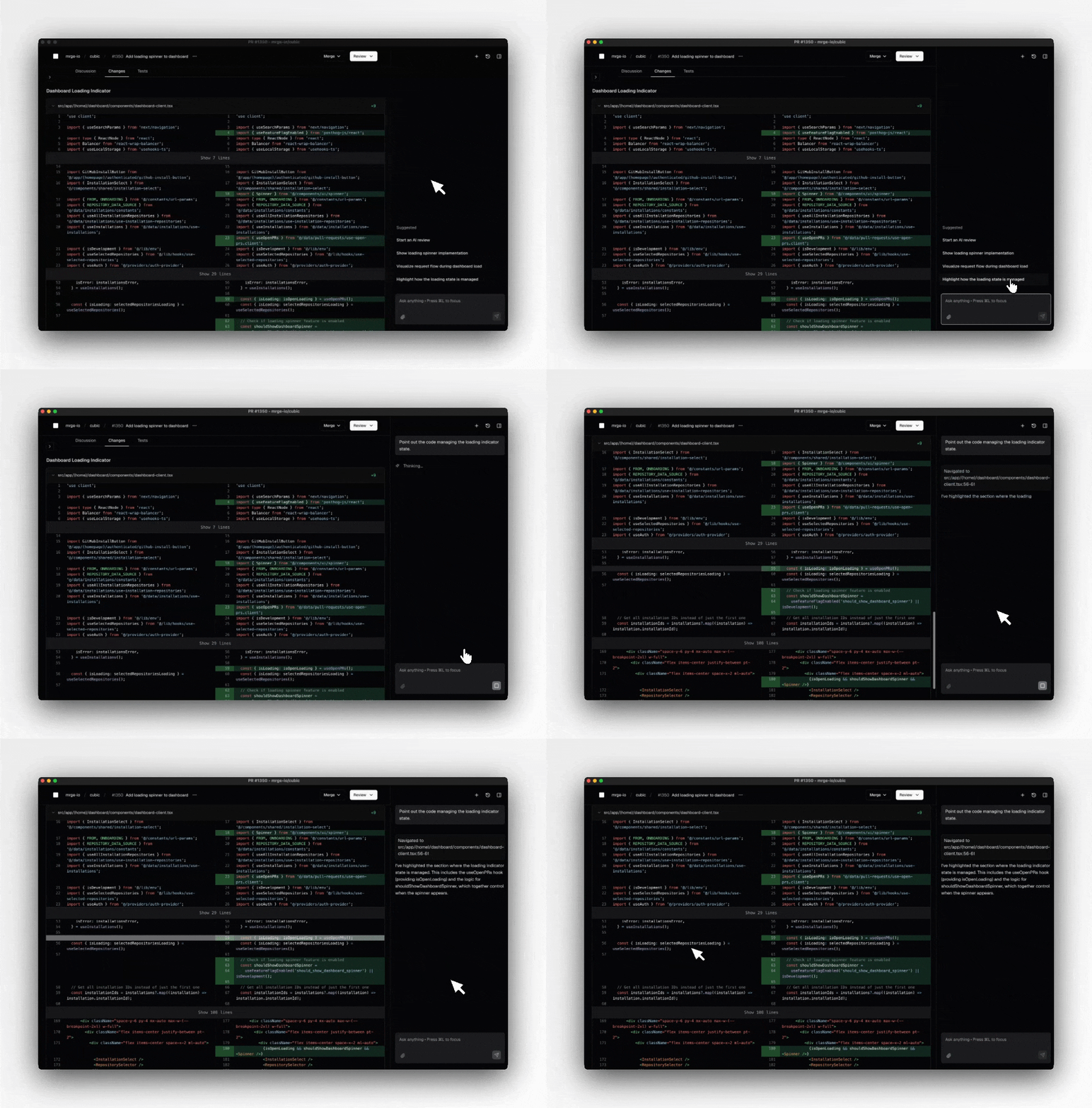 ### Tagging cubic in comments to ask questions and trigger AI reviews
Until now, cubic would review your PR when you first opened it, but you couldn't ask follow ups. It's now easier to interact with cubic throughout your PR review process.
* Tag @cubic-dev-ai in any PR comment to ask questions about code, design, or implementation
* Re-trigger AI reviews by tagging @cubic-dev-ai after making changes
* Get clarification on specific AI suggestions by replying to them
* Provide feedback on AI reviews to help improve future suggestions
### Tagging cubic in comments to ask questions and trigger AI reviews
Until now, cubic would review your PR when you first opened it, but you couldn't ask follow ups. It's now easier to interact with cubic throughout your PR review process.
* Tag @cubic-dev-ai in any PR comment to ask questions about code, design, or implementation
* Re-trigger AI reviews by tagging @cubic-dev-ai after making changes
* Get clarification on specific AI suggestions by replying to them
* Provide feedback on AI reviews to help improve future suggestions
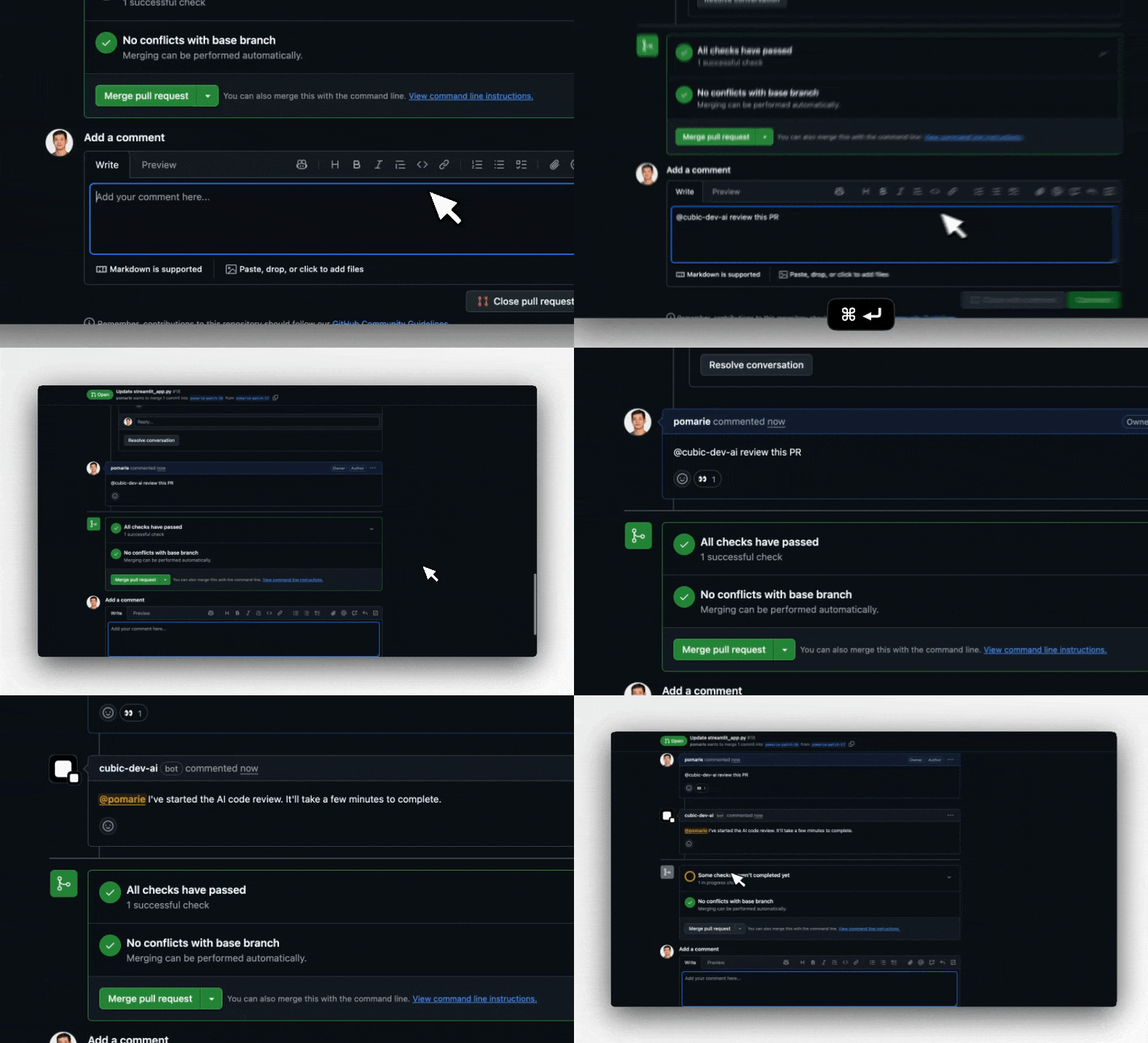 ### Introducing cubic's free plan
The barrier to getting started with AI-powered code reviews is gone. cubic is now completely free to use for every developer, with no subscriptions, trials, or credit cards required.
**What's free:**
* **Unlimited platform access** - Browse, review, and manage all your pull requests
* **40 AI reviews per month** - Get intelligent feedback on your most important PRs
* **Full analytics & insights** - Track your team's progress and code quality trends
* **All premium features** - Stacked PRs, smart notifications, and advanced diff tools
**Smart quota management:**
Your AI review comments now show exactly how many free reviews you have remaining this month, with a seamless upgrade path when you're ready to scale.
This isn't a limited trial—it's cubic's full platform, designed to help every developer write better code. Start using cubic today for your side projects, open source work, or to evaluate it for your team. When you need unlimited AI reviews, upgrading takes just one click.
### Only review the files you care about
Previously you could configure files and directories that cubic's AI reviewer should ignore. Now, you can also tell cubic to run AI reviews on just the files or directories you specify, instead of the whole repository. This helps you avoid noise from generated files, dependencies, or folders outside your team's responsibility.
Set up include patterns in your repository's AI review settings. For example, you might review only `src/**` or `apps/frontend/**`. Exclude patterns let you skip files or folders you never want reviewed, such as `dist/**` or `node_modules/**`. Include and exclude patterns work together, giving you precise control over which files are checked. The AI pattern generator can help you write complex patterns if needed.
### Improved AI review feedback deduplication
Pull request comments could be repetitive when similar issues appeared across files or rules. We've improved how cubic's AI review deduplicates comments across all rules and files, making feedback more concise and less noisy.
### Keyboard navigation for GIF picker
Selecting and inserting GIFs was previously only possible with a mouse, slowing down comment workflows. It's now easier to browse and add GIFs using just the keyboard.
Tip: When writing a comment, press `⌘⇧G` (mac) or `Ctrl⇧G` (Windows) to open the GIF picker.
### Introducing cubic's free plan
The barrier to getting started with AI-powered code reviews is gone. cubic is now completely free to use for every developer, with no subscriptions, trials, or credit cards required.
**What's free:**
* **Unlimited platform access** - Browse, review, and manage all your pull requests
* **40 AI reviews per month** - Get intelligent feedback on your most important PRs
* **Full analytics & insights** - Track your team's progress and code quality trends
* **All premium features** - Stacked PRs, smart notifications, and advanced diff tools
**Smart quota management:**
Your AI review comments now show exactly how many free reviews you have remaining this month, with a seamless upgrade path when you're ready to scale.
This isn't a limited trial—it's cubic's full platform, designed to help every developer write better code. Start using cubic today for your side projects, open source work, or to evaluate it for your team. When you need unlimited AI reviews, upgrading takes just one click.
### Only review the files you care about
Previously you could configure files and directories that cubic's AI reviewer should ignore. Now, you can also tell cubic to run AI reviews on just the files or directories you specify, instead of the whole repository. This helps you avoid noise from generated files, dependencies, or folders outside your team's responsibility.
Set up include patterns in your repository's AI review settings. For example, you might review only `src/**` or `apps/frontend/**`. Exclude patterns let you skip files or folders you never want reviewed, such as `dist/**` or `node_modules/**`. Include and exclude patterns work together, giving you precise control over which files are checked. The AI pattern generator can help you write complex patterns if needed.
### Improved AI review feedback deduplication
Pull request comments could be repetitive when similar issues appeared across files or rules. We've improved how cubic's AI review deduplicates comments across all rules and files, making feedback more concise and less noisy.
### Keyboard navigation for GIF picker
Selecting and inserting GIFs was previously only possible with a mouse, slowing down comment workflows. It's now easier to browse and add GIFs using just the keyboard.
Tip: When writing a comment, press `⌘⇧G` (mac) or `Ctrl⇧G` (Windows) to open the GIF picker.
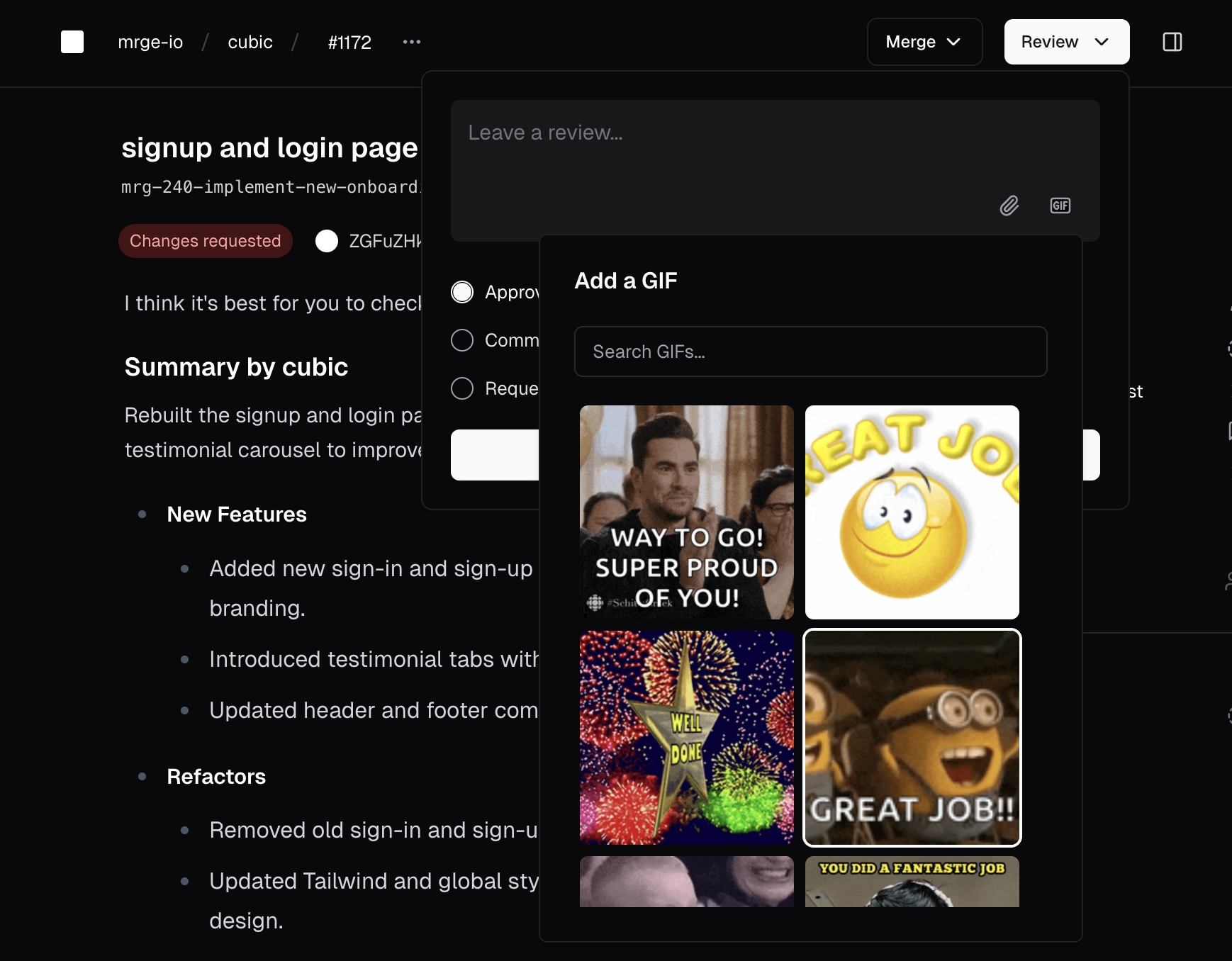 ### AI memory and learnings
Managing the AI's understanding of your codebase was difficult without visibility or control over its learnings. It's now easier to review and manage all feedback shaping the AI, in the [AI review settings](https://www.cubic.dev/settings?tab=ai-review).
You can now:
* View all feedback incorporated into the AI's memory, grouped by rule.
* Edit or remove learnings to keep the AI's knowledge accurate.
* See actionable summaries and original feedback for each learning.
* Edit with keyboard shortcuts and confirm deletions in an accessible UI.
### AI memory and learnings
Managing the AI's understanding of your codebase was difficult without visibility or control over its learnings. It's now easier to review and manage all feedback shaping the AI, in the [AI review settings](https://www.cubic.dev/settings?tab=ai-review).
You can now:
* View all feedback incorporated into the AI's memory, grouped by rule.
* Edit or remove learnings to keep the AI's knowledge accurate.
* See actionable summaries and original feedback for each learning.
* Edit with keyboard shortcuts and confirm deletions in an accessible UI.
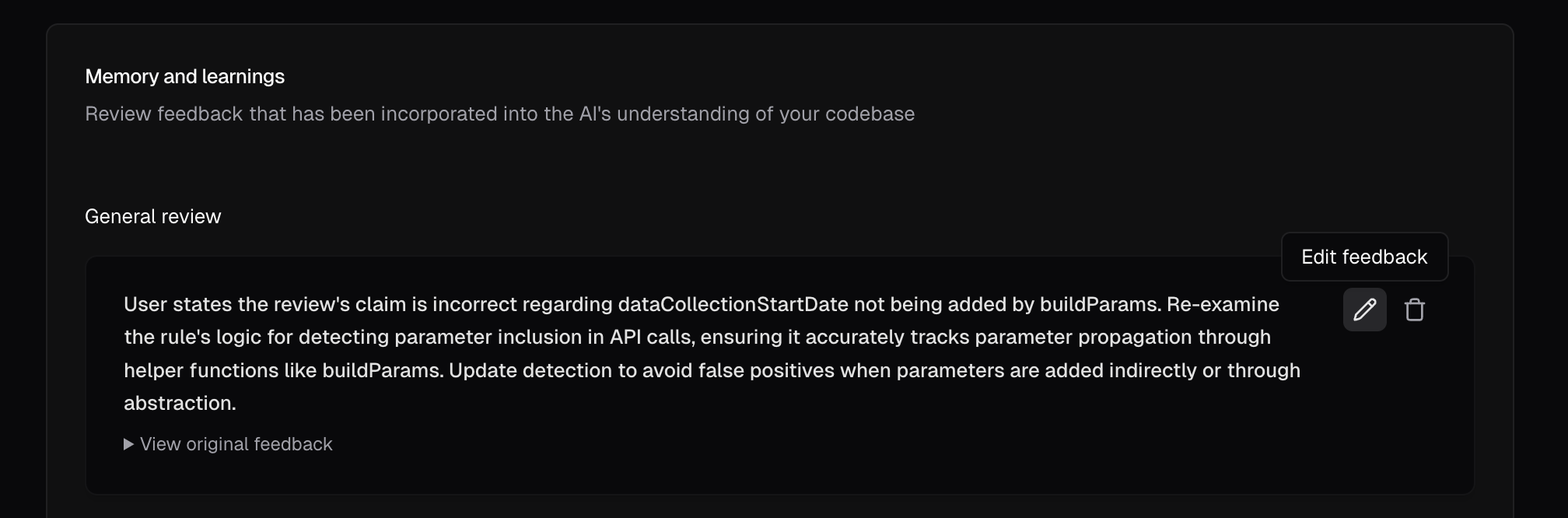 ### AI-powered glob pattern wizard
Writing glob patterns for custom agents required manual syntax and could be error-prone. It's now easier to generate glob patterns using plain English.
To use it:
1. Open the custom agent editor.
2. Click the wand icon next to the "Only run on" or "Never run on" fields.
3. Describe file inclusions or exclusions in natural language.
4. AI generates the corresponding glob patterns.
5. Preview and apply patterns with one click.
### AI-powered glob pattern wizard
Writing glob patterns for custom agents required manual syntax and could be error-prone. It's now easier to generate glob patterns using plain English.
To use it:
1. Open the custom agent editor.
2. Click the wand icon next to the "Only run on" or "Never run on" fields.
3. Describe file inclusions or exclusions in natural language.
4. AI generates the corresponding glob patterns.
5. Preview and apply patterns with one click.
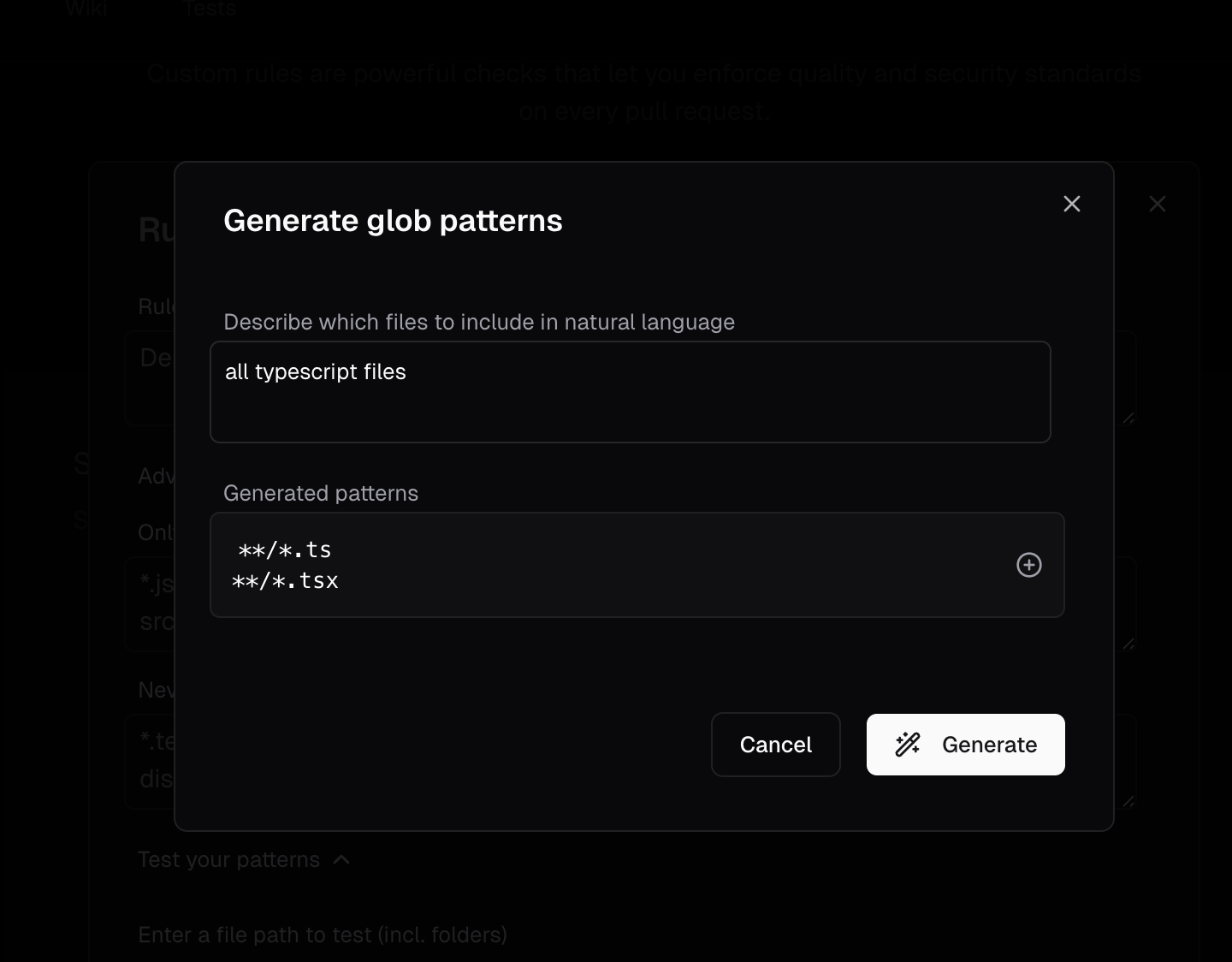 ### One-click AI suggested fixes
Applying AI-identified fixes required manual code changes. It's now easier to apply highly confident AI suggestions with a single click.
* Suggested fixes available directly in GitHub or cubic.
* Recommendations appear only for high-confidence suggestions.
### Full rebrand completed: cubic
We've fully transitioned from mrge to cubic. Expect to see our new name across the app, documentation, GitHub, and Slack.
Same powerful tool, clearer identity.
### Better sidebar chat
Manually trigger AI reviews directly from the sidebar for instant feedback on any PR:
* Start AI reviews without leaving the cubic interface.
* Get immediate insights on code changes and potential issues.
* Streamlined workflow for on-demand code analysis.
Run checks on PRs whenever you need them—no waiting required.
### Improved pricing and subscription management
We've simplified managing your seats and billing:
* Quickly select developer seats with instant pricing updates.
* Clearly see savings for annual plans (20% discount).
* Instantly toggle seats on or off with real-time updates.
* Automatically sync seat assignments with GitHub access to avoid errors.
Always know exactly what you're paying—seat management is effortless and transparent.
### Customizable AI review sensitivity
You can now tailor AI feedback to fit your team's workflow:
* **Low:** Minimal noise, only critical issues flagged.
* **Medium:** Balanced insights (default setting).
* **High:** Thorough checks for style, best practices, and potential issues.
Set your preferred level per repository and changes apply immediately.
Receive just the right amount of feedback to match your quality standards.
### New insights & analytics dashboard
Gain clarity on your team's performance:
* **Merge speed:** Quickly view median merge times.
* **Issue tracking:** Track fixes driven by cubic's suggestions.
* **Critical issues feed:** Direct links to recently identified high-priority issues.
* **Team statistics:** Monitor review activity and trends over time.
* **Flexible reporting:** Preset and custom date range options.
Clearly understand cubic's impact on your workflow and quality.
### Trigger AI reviews with GitHub @mentions
Request instant AI reviews anytime directly from GitHub:
`@cubic-dev-ai review this PR`
Receive immediate feedback without waiting for the scheduled cycle.
Instant AI assistance whenever you need it.
### Dedicated seats for AI coding assistants
cubic automatically manages PRs from AI bots like Devin with separate bot seats. These seats can be enabled for bot-authored reviews without adding a paid developer seat and are disabled by default for your convenience.
Effortlessly integrate AI assistants into your workflow.
### One-click AI suggested fixes
Applying AI-identified fixes required manual code changes. It's now easier to apply highly confident AI suggestions with a single click.
* Suggested fixes available directly in GitHub or cubic.
* Recommendations appear only for high-confidence suggestions.
### Full rebrand completed: cubic
We've fully transitioned from mrge to cubic. Expect to see our new name across the app, documentation, GitHub, and Slack.
Same powerful tool, clearer identity.
### Better sidebar chat
Manually trigger AI reviews directly from the sidebar for instant feedback on any PR:
* Start AI reviews without leaving the cubic interface.
* Get immediate insights on code changes and potential issues.
* Streamlined workflow for on-demand code analysis.
Run checks on PRs whenever you need them—no waiting required.
### Improved pricing and subscription management
We've simplified managing your seats and billing:
* Quickly select developer seats with instant pricing updates.
* Clearly see savings for annual plans (20% discount).
* Instantly toggle seats on or off with real-time updates.
* Automatically sync seat assignments with GitHub access to avoid errors.
Always know exactly what you're paying—seat management is effortless and transparent.
### Customizable AI review sensitivity
You can now tailor AI feedback to fit your team's workflow:
* **Low:** Minimal noise, only critical issues flagged.
* **Medium:** Balanced insights (default setting).
* **High:** Thorough checks for style, best practices, and potential issues.
Set your preferred level per repository and changes apply immediately.
Receive just the right amount of feedback to match your quality standards.
### New insights & analytics dashboard
Gain clarity on your team's performance:
* **Merge speed:** Quickly view median merge times.
* **Issue tracking:** Track fixes driven by cubic's suggestions.
* **Critical issues feed:** Direct links to recently identified high-priority issues.
* **Team statistics:** Monitor review activity and trends over time.
* **Flexible reporting:** Preset and custom date range options.
Clearly understand cubic's impact on your workflow and quality.
### Trigger AI reviews with GitHub @mentions
Request instant AI reviews anytime directly from GitHub:
`@cubic-dev-ai review this PR`
Receive immediate feedback without waiting for the scheduled cycle.
Instant AI assistance whenever you need it.
### Dedicated seats for AI coding assistants
cubic automatically manages PRs from AI bots like Devin with separate bot seats. These seats can be enabled for bot-authored reviews without adding a paid developer seat and are disabled by default for your convenience.
Effortlessly integrate AI assistants into your workflow.