> ## Documentation Index
> Fetch the complete documentation index at: https://docs.cubic.dev/llms.txt
> Use this file to discover all available pages before exploring further.
# Chat sidebar
The chat sidebar helps you quickly understand and navigate your pull requests (PRs) with intelligent, context-aware assistance directly within cubic.
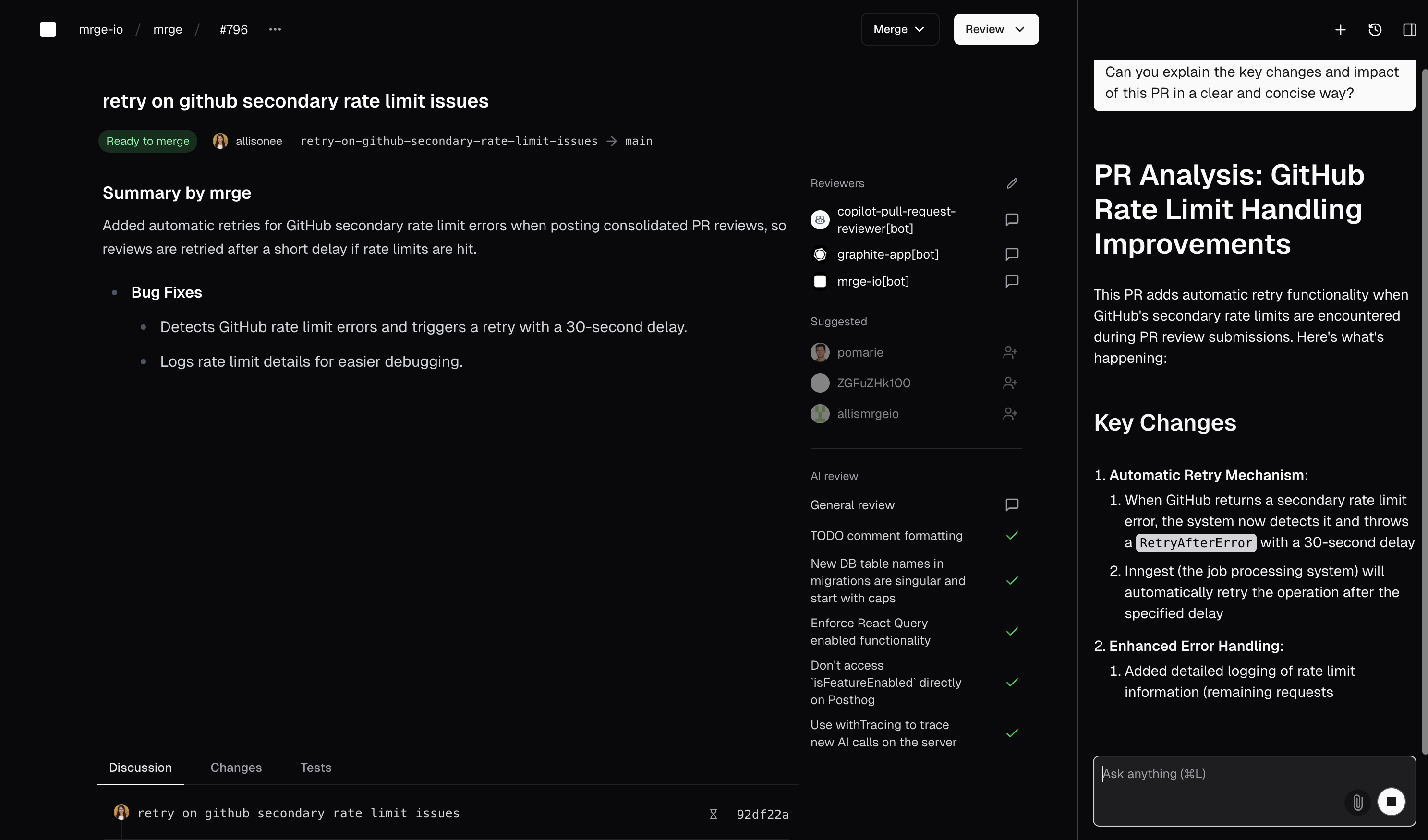 ## Why use AI chat?
* Quickly understand unfamiliar code or libraries.
* Get instant answers about your PR, such as explanations for failing tests or complex changes.
* Visualize complex systems with AI-generated diagrams.
* Navigate directly to code implementations with smart search.
* Automatically draft helpful comments during code reviews.
## Opening the AI chat
To open the AI chat sidebar:
* Press `Cmd + L`.
* Or, click the AI chat icon in the top-right corner of your PR view.
The chat sidebar will appear alongside your PR, maintaining context throughout your conversation.
## Asking questions
The AI chat understands context about your specific PR, including:
* The code changes you are reviewing.
* Recent comments and review statuses.
* Repository-specific details.
Simply type your question or request, for example:
* "Why did these tests fail?"
* "Explain the use of this library."
* "Summarize changes in this PR."
The AI will respond with clear, concise information.
## Visualizing with diagrams
Ask the AI to create diagrams to better understand complex systems:
* "Draw a diagram of the data flow in this PR"
* "Visualize the component hierarchy"
* "Show me how these services interact"
## Why use AI chat?
* Quickly understand unfamiliar code or libraries.
* Get instant answers about your PR, such as explanations for failing tests or complex changes.
* Visualize complex systems with AI-generated diagrams.
* Navigate directly to code implementations with smart search.
* Automatically draft helpful comments during code reviews.
## Opening the AI chat
To open the AI chat sidebar:
* Press `Cmd + L`.
* Or, click the AI chat icon in the top-right corner of your PR view.
The chat sidebar will appear alongside your PR, maintaining context throughout your conversation.
## Asking questions
The AI chat understands context about your specific PR, including:
* The code changes you are reviewing.
* Recent comments and review statuses.
* Repository-specific details.
Simply type your question or request, for example:
* "Why did these tests fail?"
* "Explain the use of this library."
* "Summarize changes in this PR."
The AI will respond with clear, concise information.
## Visualizing with diagrams
Ask the AI to create diagrams to better understand complex systems:
* "Draw a diagram of the data flow in this PR"
* "Visualize the component hierarchy"
* "Show me how these services interact"
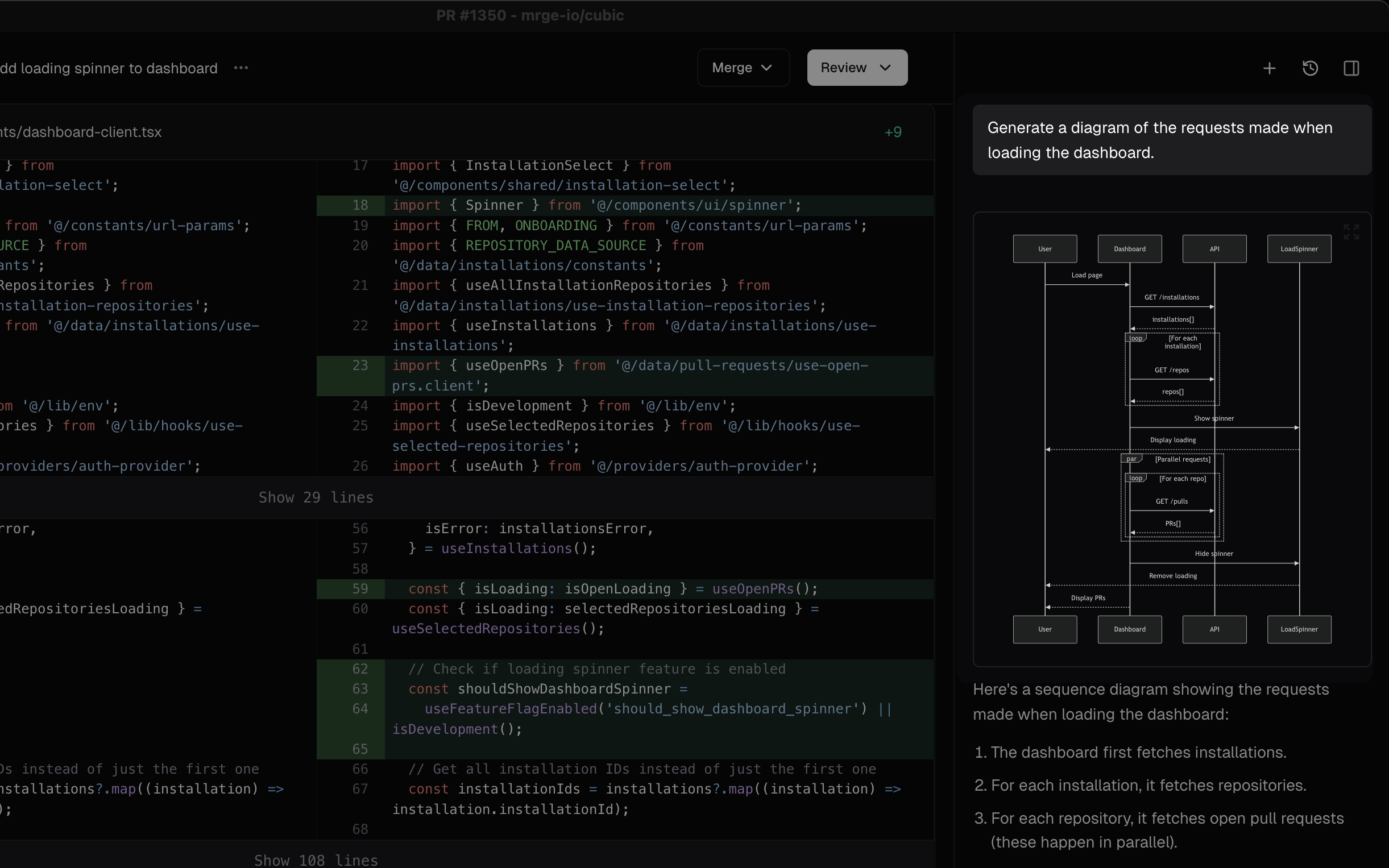 The AI generates diagrams directly in the chat, helping you grasp architectural changes and system designs at a glance.
## Finding code with smart navigation
Ask the AI to show you where specific code is implemented:
* "Where is the authentication logic?"
* "Show me the error handling for this API"
* "Find the component that renders this UI"
The AI generates diagrams directly in the chat, helping you grasp architectural changes and system designs at a glance.
## Finding code with smart navigation
Ask the AI to show you where specific code is implemented:
* "Where is the authentication logic?"
* "Show me the error handling for this API"
* "Find the component that renders this UI"
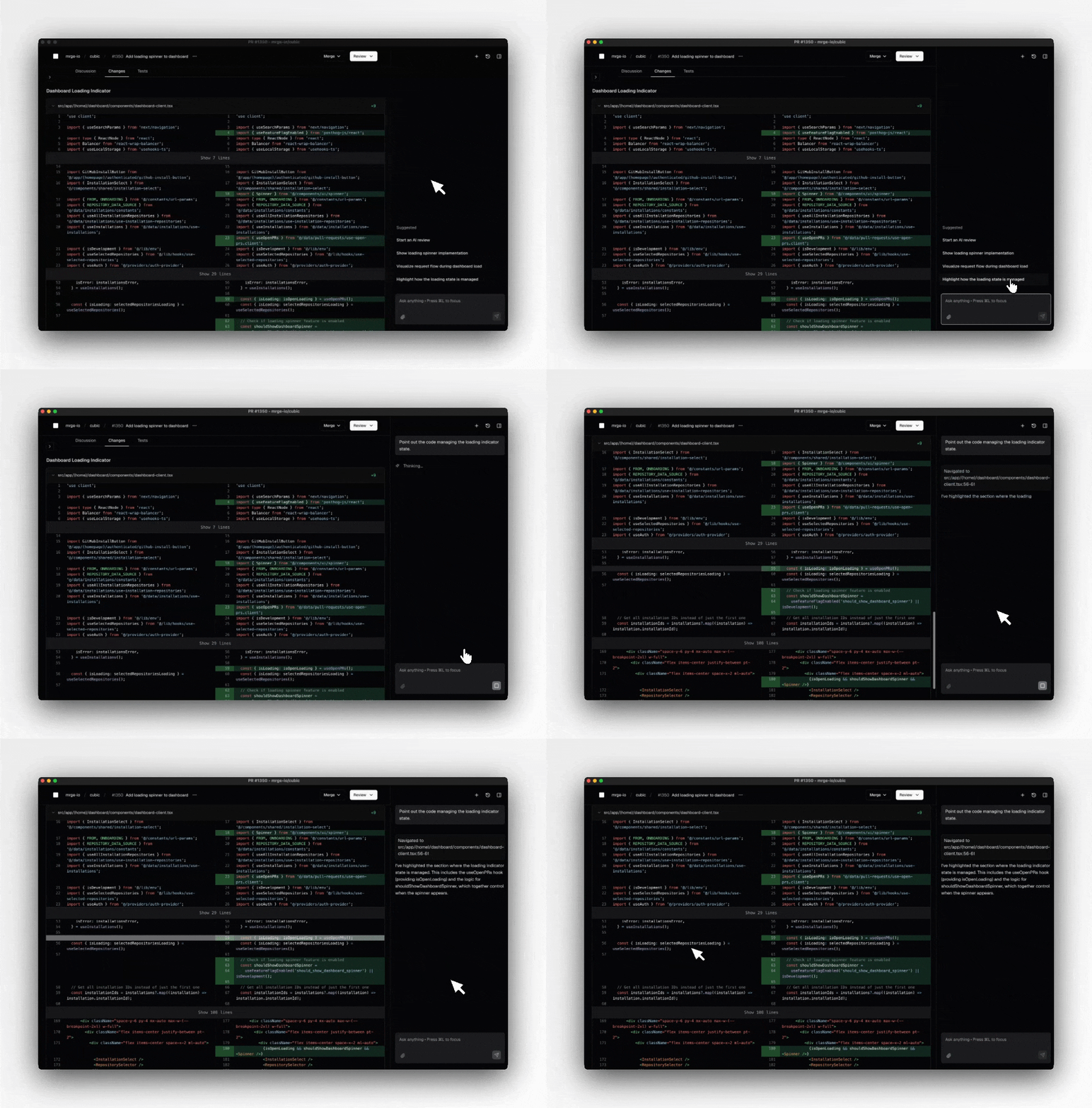 The AI will navigate directly to the relevant file and highlight the specific lines, saving you time searching through the codebase.
## Suggested comments
AI chat can suggest review comments based on the PR changes:
* AI-suggested comments appear as drafts, ready for editing.
* You have full control—edit, discard, or publish suggestions directly.
The AI will navigate directly to the relevant file and highlight the specific lines, saving you time searching through the codebase.
## Suggested comments
AI chat can suggest review comments based on the PR changes:
* AI-suggested comments appear as drafts, ready for editing.
* You have full control—edit, discard, or publish suggestions directly.