Spots bugs and suggests improvements
The AI automatically scans every pull request for a wide range of issues, including logic errors, style inconsistencies, and potential security vulnerabilities. Comments and suggestions are added directly to the pull request, making them easy to review and address.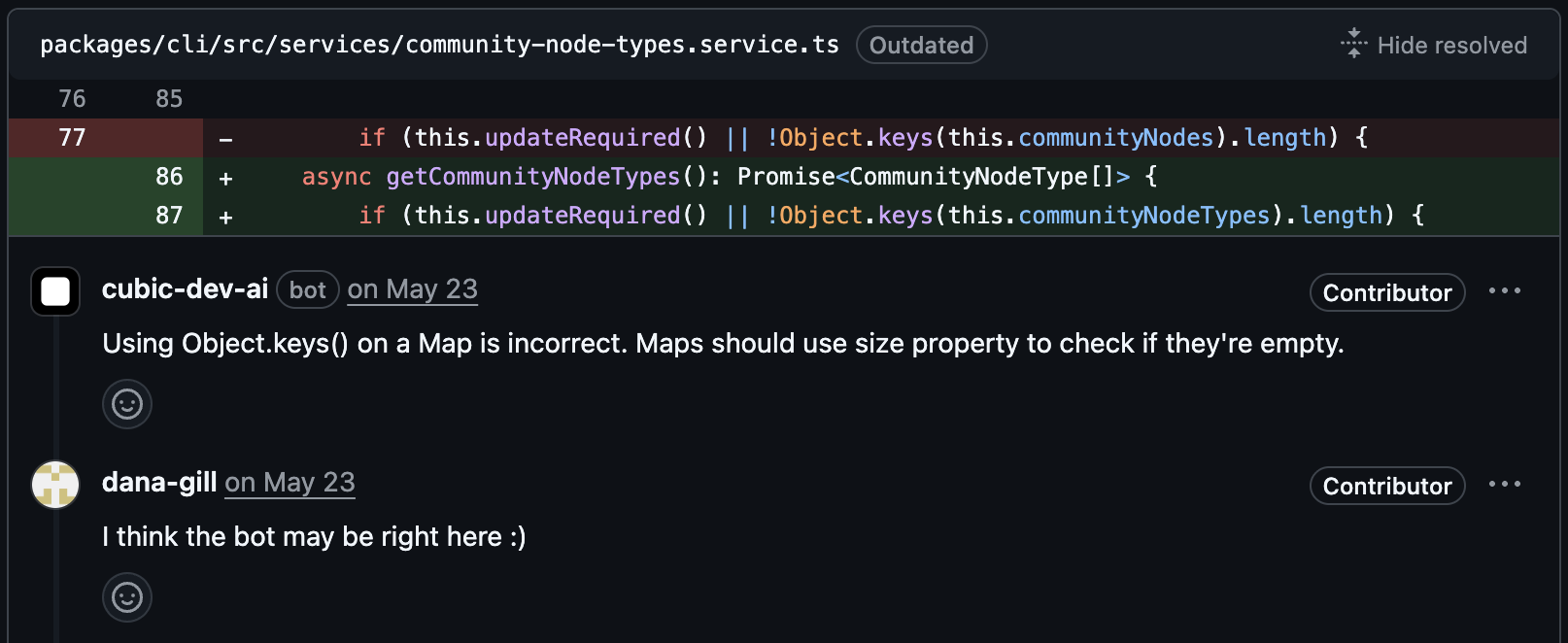
Ultrareview
When a pull request needs extra scrutiny, you can ask cubic for an Ultrareview. Ultrareview runs a longer review using cubic’s most capable review models, which is useful for risky migrations, security-sensitive changes, or complex refactors. Learn how to request one in Interactive comments.Background agents
cubic can automatically fix issues in the background. When the AI spots a problem, you can click the Fix with cubic button or explicitly tag cubic in the current comment, for example with@cubic or @cubic-dev-ai, to generate and apply fixes without manual intervention.
Coding agents and local workflow
You can run cubic locally as well as on GitHub. Connect cubic to Cursor, Claude Code, VS Code, Codex, Gemini CLI, or another coding agent to run local reviews, inspect PR feedback, and ask codebase questions without leaving your workflow.- Start with Connect cubic to your IDE when you’re ready to install cubic in the tool you already use
- Use Local CLI review if you want cubic to review code before you open a pull request
CLI for local reviews
Run AI code reviews locally before pushing to GitHub. The cubic CLI is intentionally faster and less thorough than cubic’s cloud PR review, so treat it as a pre-flight check for uncommitted changes, branches, or specific commits rather than expecting identical findings.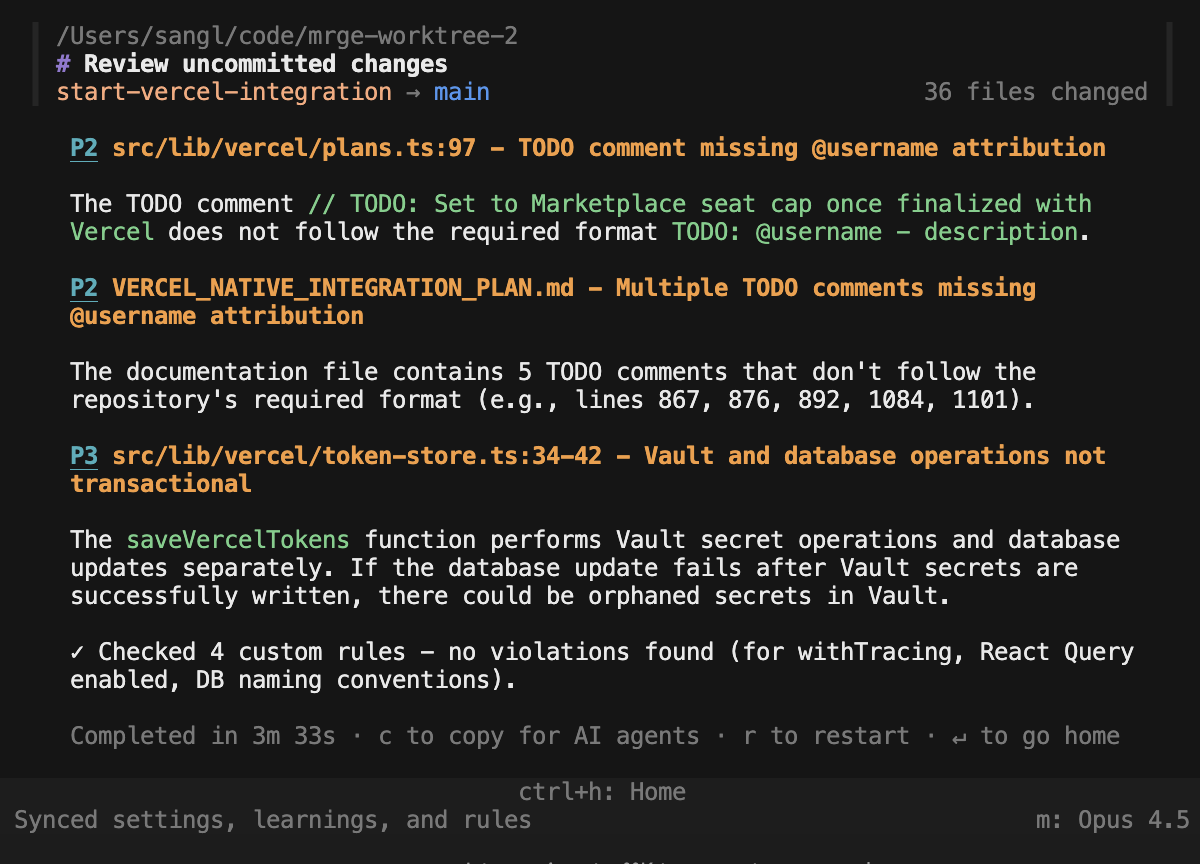
Learns from you
The AI adapts to your team’s feedback. When you react to a suggestion or provide a correction, the AI remembers. This helps reduce false positives over time and tailors advice to your specific codebase and coding standards.Always up to date
When you push new commits to an open PR, cubic reviews only the incremental changes. Comments are only posted when new issues are discovered—you won’t see repeated feedback on previously reviewed code. This makes reviews faster and reduces noise as you iterate on your PR.Auto-approval
cubic can approve clean pull requests automatically when your repository policy allows it. Start in shadow mode to see which PRs cubic would approve, then switch to live mode when the policy matches your team’s expectations. Learn more in Auto-approval.Up-to-date library knowledge
cubic has access to current documentation for the libraries and frameworks in your stack. This means suggestions account for the latest APIs, deprecations, and best practices—not outdated patterns from months-old training data.AI wiki
Automatically generate searchable documentation for your codebase. The AI wiki indexes your repository and answers questions in plain English—great for onboarding, understanding unfamiliar code, or getting architecture diagrams on demand.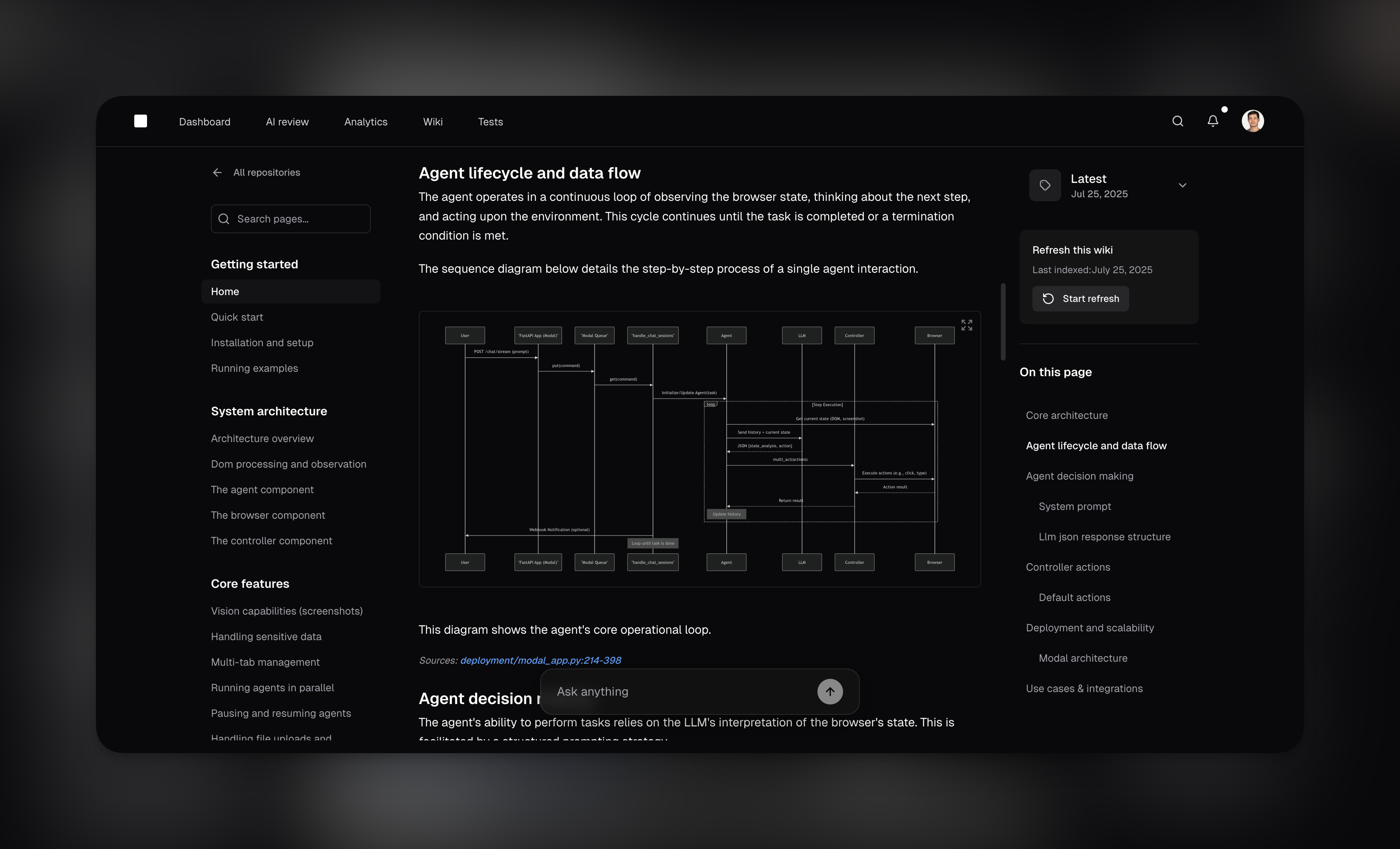
PR summaries
Automatically generate clear and concise descriptions for your pull requests to help reviewers quickly understand the purpose and impact of the changes. The AI analyzes your code changes and creates comprehensive summaries that include what was changed, why it was changed, and any potential impacts.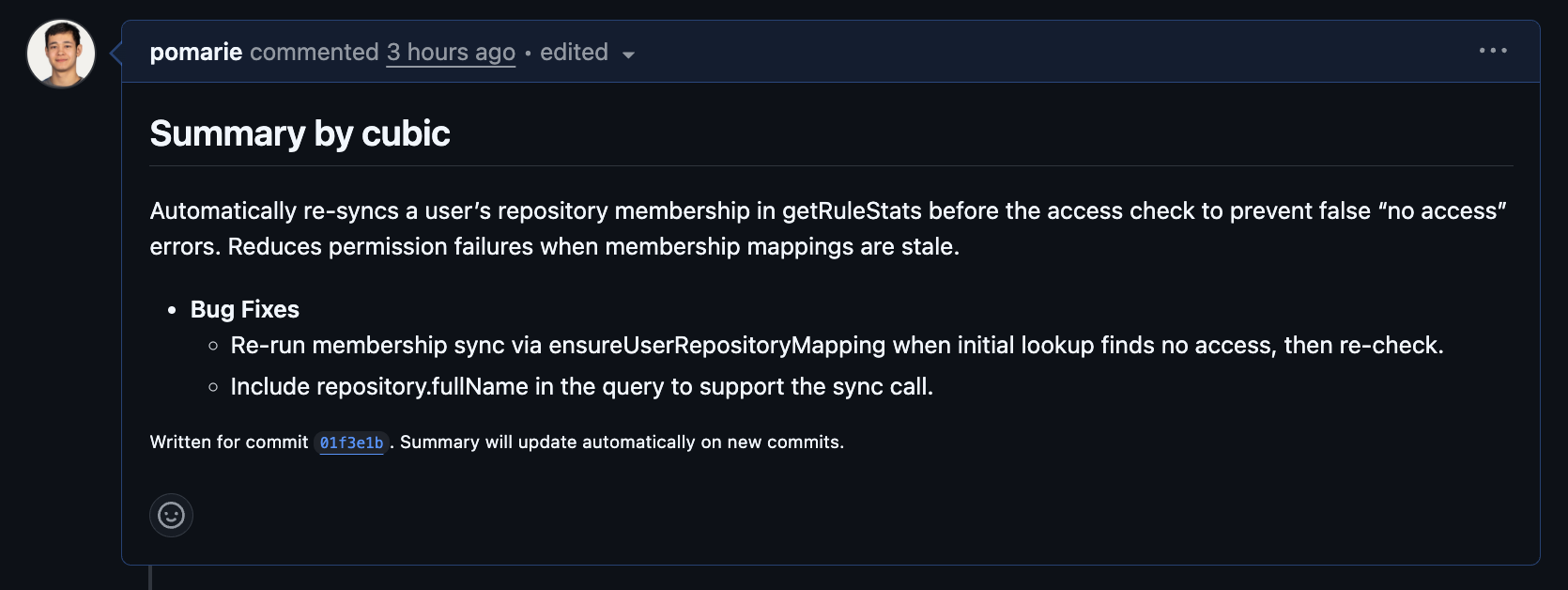
Custom agents
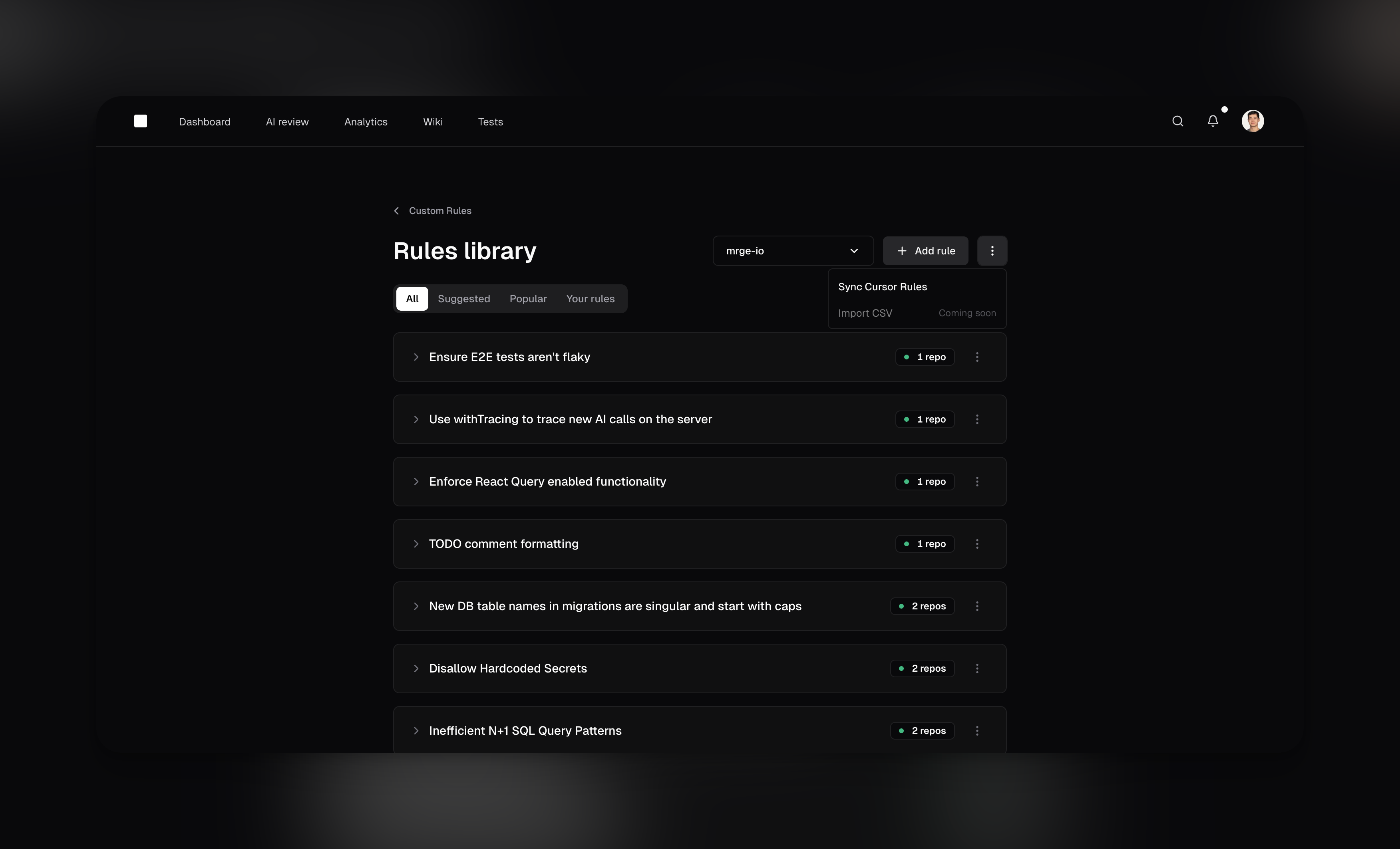
Define custom agents to enforce team-specific standards and domain-specific guidelines. This allows you to check for internal API usage patterns, adherence to architectural decisions, or deprecated functions. You can create agents using natural language or code patterns.