
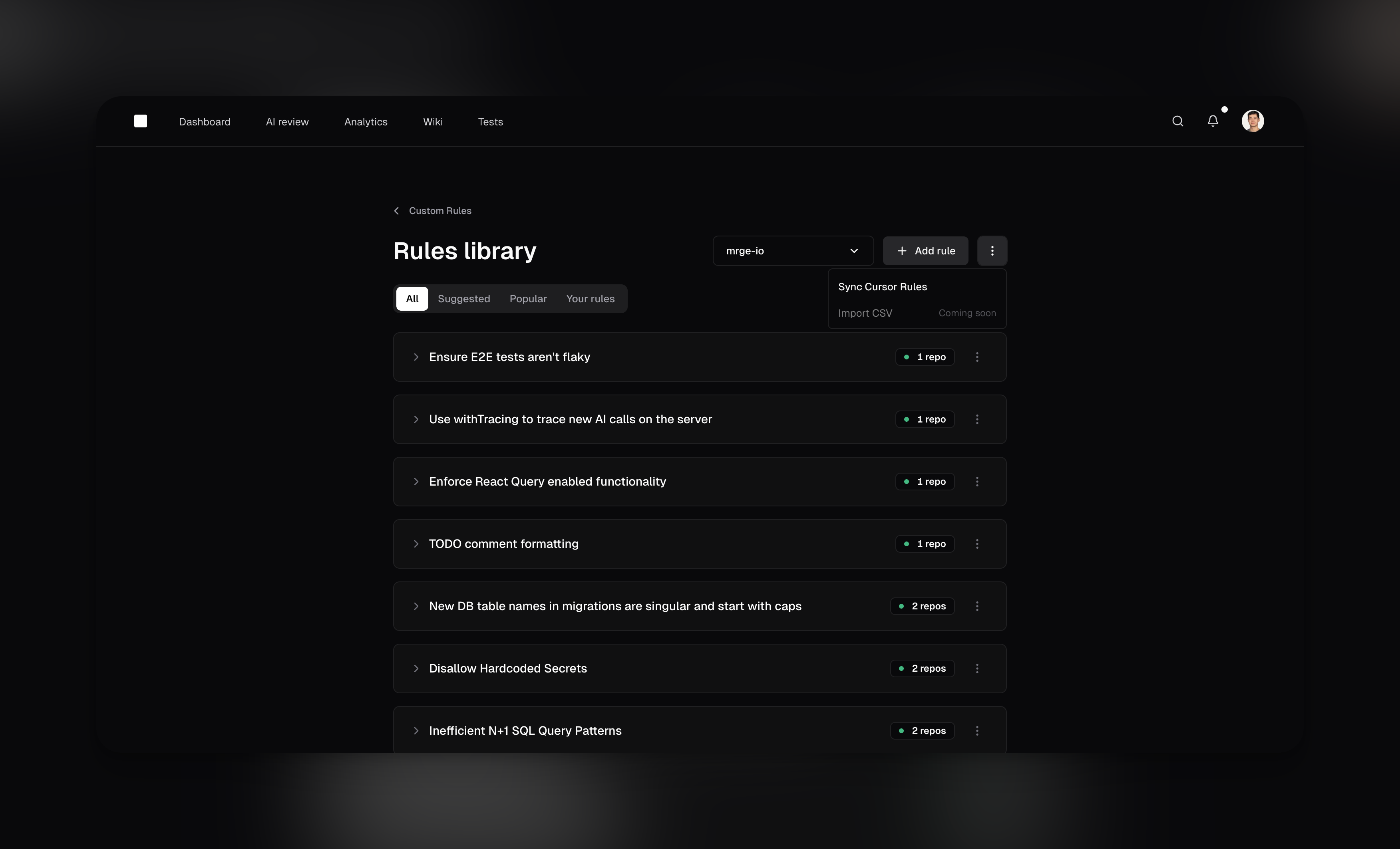
Rules library
Manage your agents from the rules library.Creating custom agents
To create a new agent, navigate to the Rules library in cubic and click “Add rule”. You can also adopt existing agents from the community library with a single click. Each custom agent includes:-
A Name
A concise title, like “Prevent N+1 Queries” or “Require Sentry Error Handling.” -
A Description
A clear, natural-language instruction the AI will use, such as “Flag code that may cause multiple database calls inside loops.” -
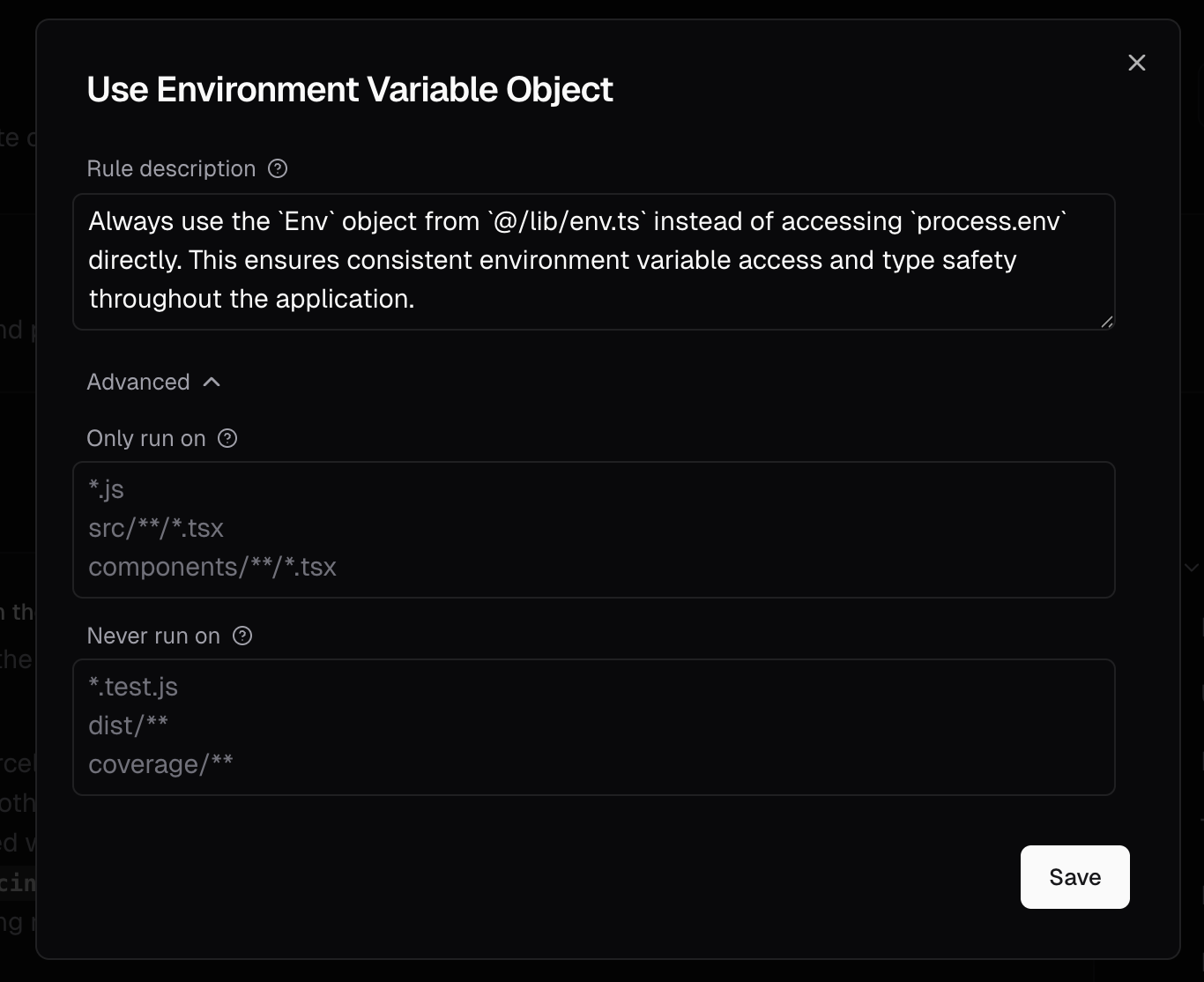
Linked instruction files
For repository-specific agents, open Advanced and enter one repo-relative path per line, such as
docs/style-guide.mdor.cubic/review-agent.md. You can use linked files together with text instructions. You can also define linked files incubic.yamlwith afile_pathslist. cubic reads those files from the pull request head commit when the review runs, so updates to the file apply to future reviews without editing the agent. CLI reviews readcubic.yamland linked files from the repository’s default branch, so changes apply to CLI reviews once they are merged. File-backed agents are best when your team already maintains detailed style, framework, or architecture rules in the repository. General context files help cubic understand the codebase, but custom agents are the right place for checks you want cubic to actively flag.The agent text and linked files share one 10,000 character limit. cubic uses the first 10,000 characters and ignores the rest. The multi-repository rules-library dialog still creates text-only agents; use repository-scoped agents orcubic.yamlfor linked files. -
Optional Path Filters
Use Glob patterns to limit where the agent applies (or exclude certain paths). This is especially helpful for monorepos, where different directories often require different agents. For example:
- Include:
backend/**to apply the agent only to files under abackendfolder. - Exclude:
!tests/**to ignore test files and focus on production code.
- Include:
Agent attribution in comments
When a custom agent flags an issue, the review comment will indicate which agent triggered it. This helps you understand which agents are working and allows you to iterate on your agent instructions over time.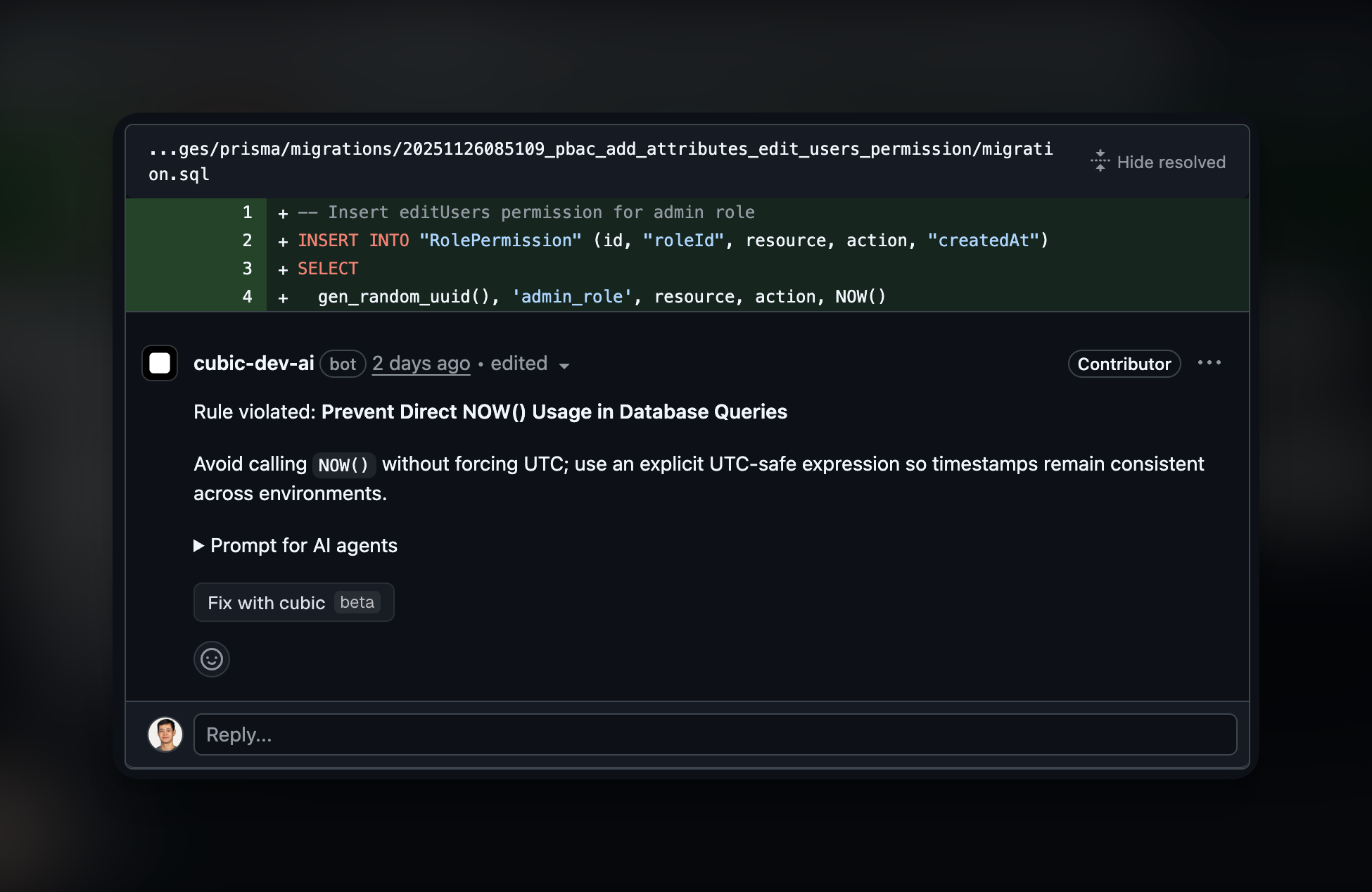
Managing agents across repositories
Create an agent once and select the repositories that use it. Updating the agent updates its instructions for all selected repositories. Enable or disable it for each repository independently.Limitations
- Agent limit: The standard limit is 5 enabled custom agents per repository, or 15 on plans that include codebase scans, such as Pro. Some organizations have a higher limit. The rules library allows you to define more agents, but only up to your limit can be active per repository.
- Instruction length: Text instructions and resolved file instructions use the same 10,000 character limit per custom agent. cubic concatenates the text and files in order and uses only the first 10,000 characters; the rest is not included in the review prompt. The dashboard shows how many characters are left or truncated before you save.
- File paths: File-backed agents accept repo-relative file paths only. Absolute paths, globs, parent-directory traversal, directories, binary files, and unreadable files are rejected or shown as warnings. Markdown and YAML files are read as plain text; cubic does not parse them as structured rule definitions.
- Potential false positives: Occasionally, the AI might incorrectly flag or overlook certain scenarios. Consider AI feedback as helpful guidance rather than definitive judgments.
Tips for effective custom agents
- Describe the code to flag and explain why it matters. Include examples when the rule is easy to misinterpret.
- Combine related checks when they share the same scope.
- Use path filters to keep rules relevant to the files being reviewed.
- Focus on checks that linters do not cover, such as business logic and team-specific conventions.
Next steps
- Rules library: Explore community agents and manage your custom agents across repositories.
- AI review settings: Configure AI review behavior for your repositories.
- Introduction: Understand how cubic reviews pull requests by default.