
Cross-repo reviews are available on every plan.
How it works
When cubic reviews a pull request in either linked repository, it:- Checks whether the link applies - Uses the changed files and your guidance to decide whether the linked repository matters for the PR.
- Reads the linked repository when needed - If the link applies, cubic inspects the shared code or contract being changed.
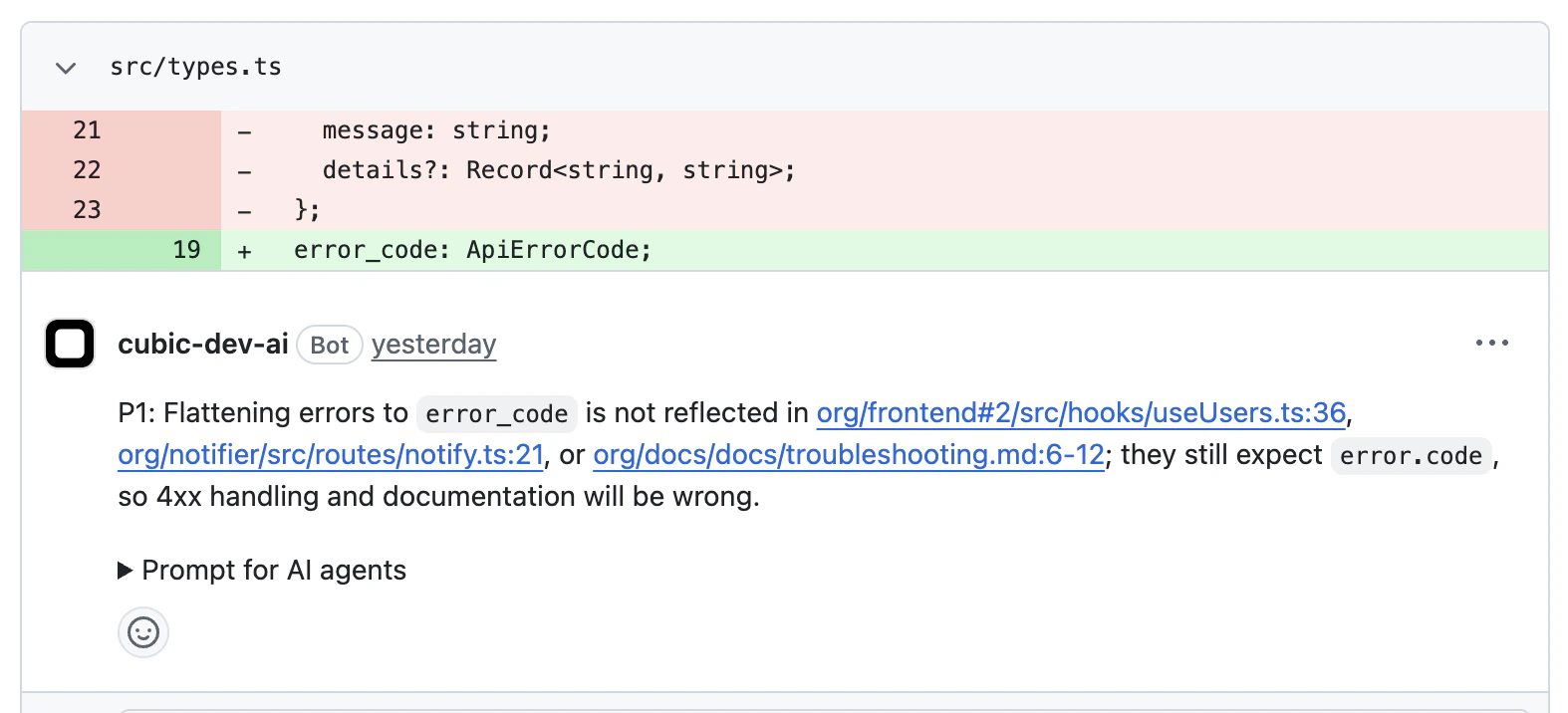
- Posts cross-repo findings - Adds comments to the reviewed PR with citations to affected files in the linked repository.
- Tracks companion fixes - If the reviewed PR description references a PR in the linked repository, cubic updates the finding when the companion PR addresses it.
Setting up cross-repo reviews
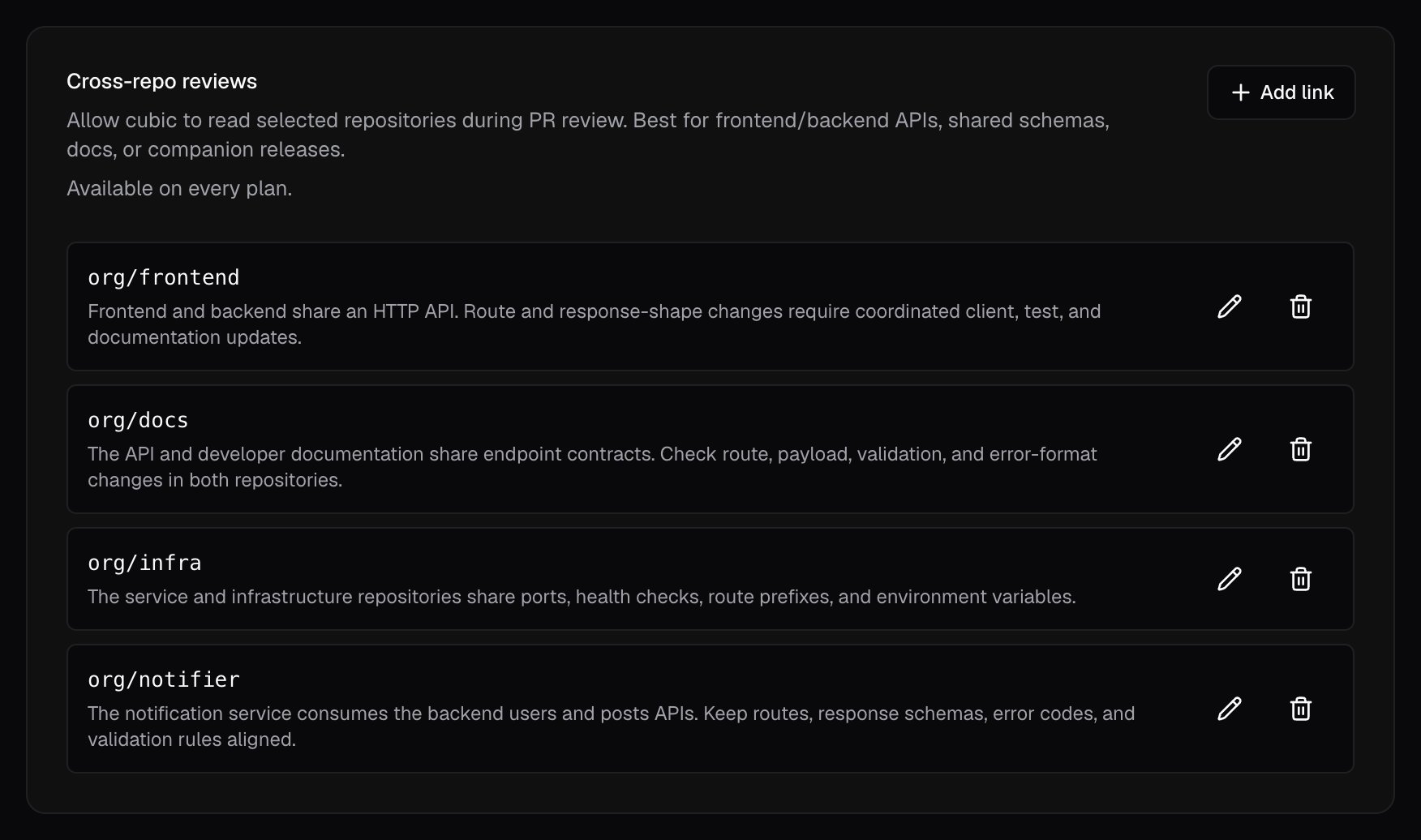
- Open AI review settings and select the repository you want to configure.
- Find the Cross-repo reviews card and select Add link.
- Choose the related repository from the picker. Only repositories in the same installation appear.
- Write one or two sentences describing what the repositories share and which changes need coordinated updates, then select Link repository.
Repository links work in both directions. Configure a pair once, and cubic can use the link when
reviewing either repository.
Managing repository links
Open the Cross-repo reviews card for either linked repository. Select the pencil icon to update the review guidance, or select the trash icon and confirm to remove the link. Because links work in both directions, editing or removing a link affects reviews in both repositories.Limits and access
- Each repository can link to up to 5 other repositories. To link more, contact us.
- Guidance is capped at 80 words. cubic reads it verbatim, so concise guidance works best.
- Both repositories must be in the same GitHub installation. Cross-installation links are not supported.
- Archived repositories, repositories cubic no longer has access to, and repositories that have moved installations show an inaccessible badge and are skipped during review.
Writing good guidance
Guidance tells code review agents when another repository matters. Name the shared surface and the kinds of changes that need coordination.Good examples
Frontend and backend share an HTTP API; route or response-shape changes need coordinated updates on both sides.
Both services read from the same Postgres database. Schema migrations and column renames require matching updates in both repositories.
The shared @acme/types package is consumed by both repositories. Breaking changes to exported types require updates wherever they’re imported.
What doesn’t work
They’re related.This is too vague to be useful. cubic may skip the linked repository or check it too often.
Referencing companion PRs
Companion PR references are optional. They let cubic track fixes across repositories, but cubic can find cross-repo issues without them. When your change spans two repositories, add the companion PR to the reviewed PR description. cubic recognizes two formats:- Full URL:
https://github.com/myorg/backend/pull/456 - Shorthand:
myorg/backend#456
#456 shorthand is intentionally not matched because same-repo references cannot be companions.
Editing the PR description re-runs discovery, so you can add or remove companion references at any time.
What you’ll see in reviews
Troubleshooting
Linked repository isn't being checked
Linked repository isn't being checked
cubic checks a linked repository only when the link applies to the PR. Confirm that your
guidance names the surface changing in the PR. For example, guidance that only mentions “API
routes” does not apply to a CSS-only change. If the guidance is already specific, the linked
repository may not be affected.
Companion PR isn't being tracked
Companion PR isn't being tracked
Confirm two things: the referenced PR is in a linked repository, and the
reference in the reviewed PR description uses one of the recognized formats (full GitHub URL or
owner/repo#number). Bare #number shorthand is ignored because it can’t point at another
repository.Can't add more links
Can't add more links
Each repository can link to up to 5 other repositories. Remove an unused link from the
Cross-repo reviews card to free a slot, or contact us.
Inaccessible badge on a link
Inaccessible badge on a link
The target repository is archived, has been removed from the installation, has moved to a
different installation, or cubic has lost access to it. Restore access or remove the link.