
Auto-fix is in alpha and available to selected teams. To try it, email
contact@cubic.dev.
How it works
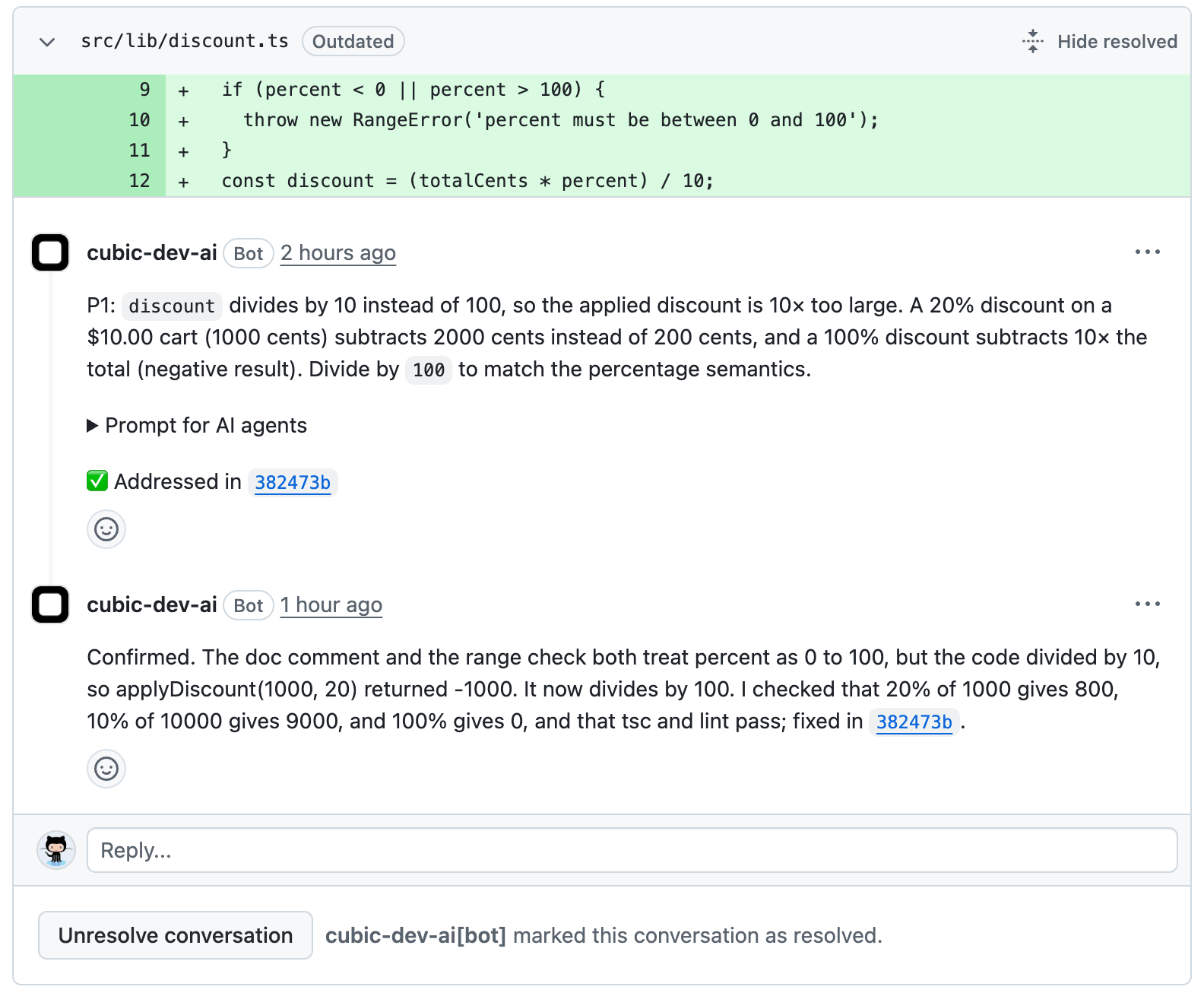
When cubic finishes reviewing your pull request, auto-fix:- Checks each issue - Reads the code to see if the issue is real
- Fixes the real ones - Makes the change and runs your lint, type-check, and tests where it can
- Pushes the fix - Commits to your PR branch
- Replies on each thread - Explains what it decided and resolves the thread when it’s done
cubic.yaml sets reviews.incremental_commits: false.
What cubic replies
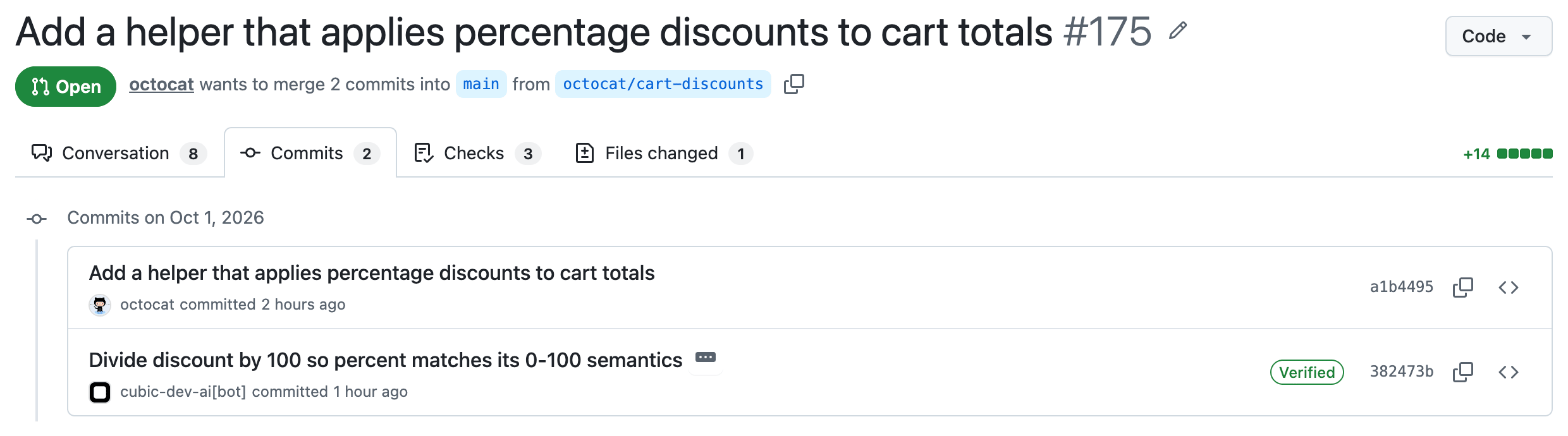
Each reply starts with cubic’s decision:
Want a say before it runs? Reply on the thread. If you have write access, cubic follows your reply. For example, “leave it” means cubic won’t change the code.
Turn on auto-fix for a pull request
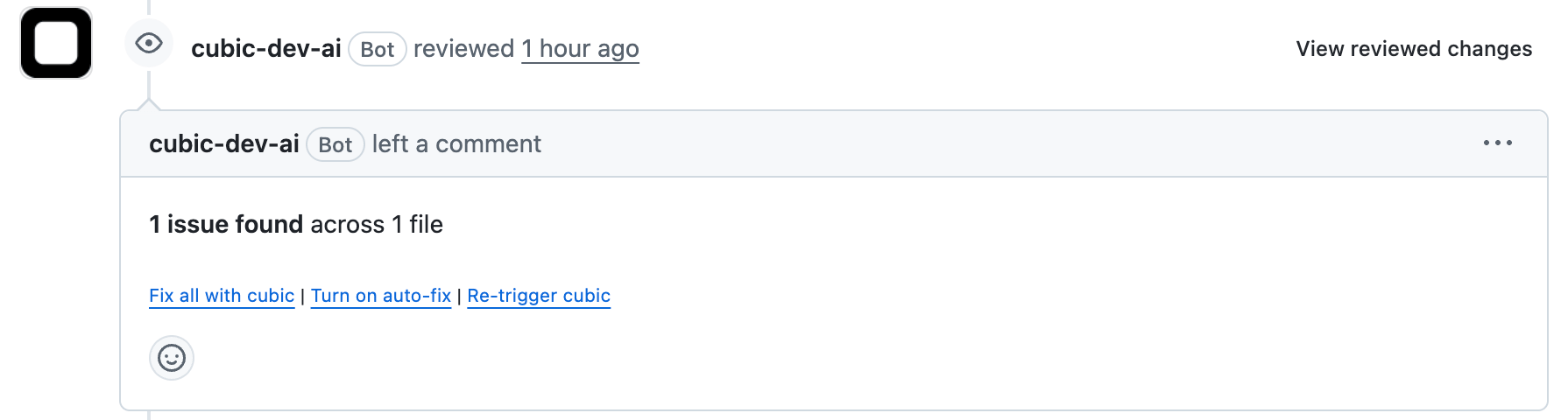
The PR author and anyone with write access can turn auto-fix on or off from:- GitHub - Click Turn on auto-fix in the footer of cubic’s review
- PR description - Click Turn on auto-fix next to Review in cubic
- cubic - Use the Auto-fix switch on the PR page
- Slack - Click Enable auto-fix on cubic’s review message
- MCP - Ask your coding agent to call
set_pr_auto_fixon the cubic MCP server
Turn on auto-fix for a repository
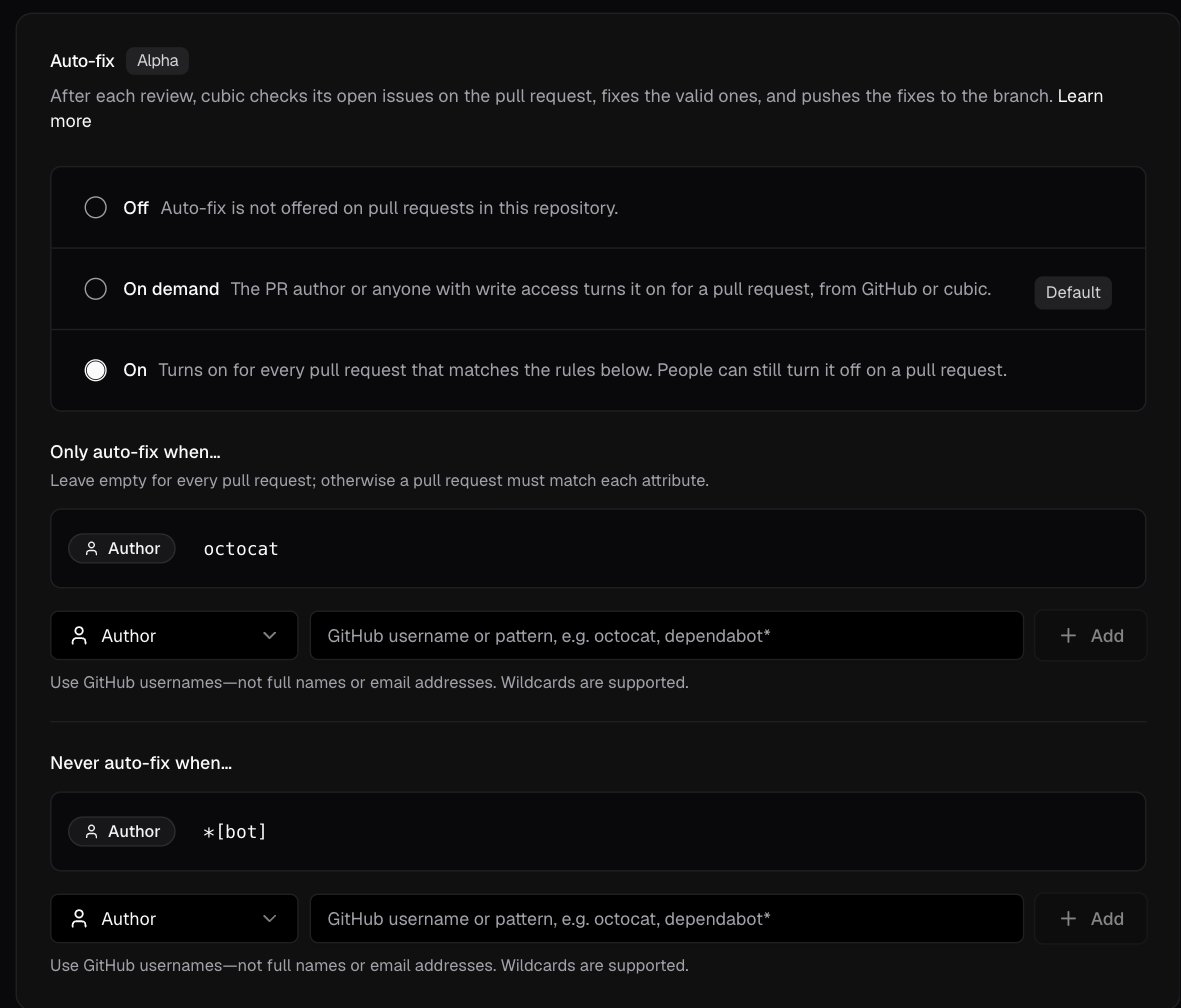
Admins and members can set auto-fix in AI review → Fix with cubic, under Auto-fix:- Off - Auto-fix isn’t available
- On demand (default) - Someone turns it on for each pull request
- On - Auto-fix turns on for every pull request that matches your rules. People can still turn it off on a pull request
Rules
When auto-fix is On, rules pick which pull requests get auto-fix:- Only auto-fix when… - A pull request must match each of these. For example, an Author rule with your GitHub username runs auto-fix on your pull requests only
- Never auto-fix when… - Any match skips the pull request. For example, skip
*[bot]authors or PRs with ano-auto-fixlabel
issues. auto_fix_rules takes the same PR keys as auto_approve_rules: only_ or exclude_ followed by authors, labels, titles, head_branches, or base_branches.
cubic.yaml has a blank value, a value longer than 256 characters, or an empty only_ list, cubic ignores all the rules and keeps auto-fix On demand until you fix them, or Off if the file sets auto_fix: off.
Follow a run
Each run opens as a fix session in Fix with cubic. You can watch the agent work and see what it fixed. You can’t send it messages.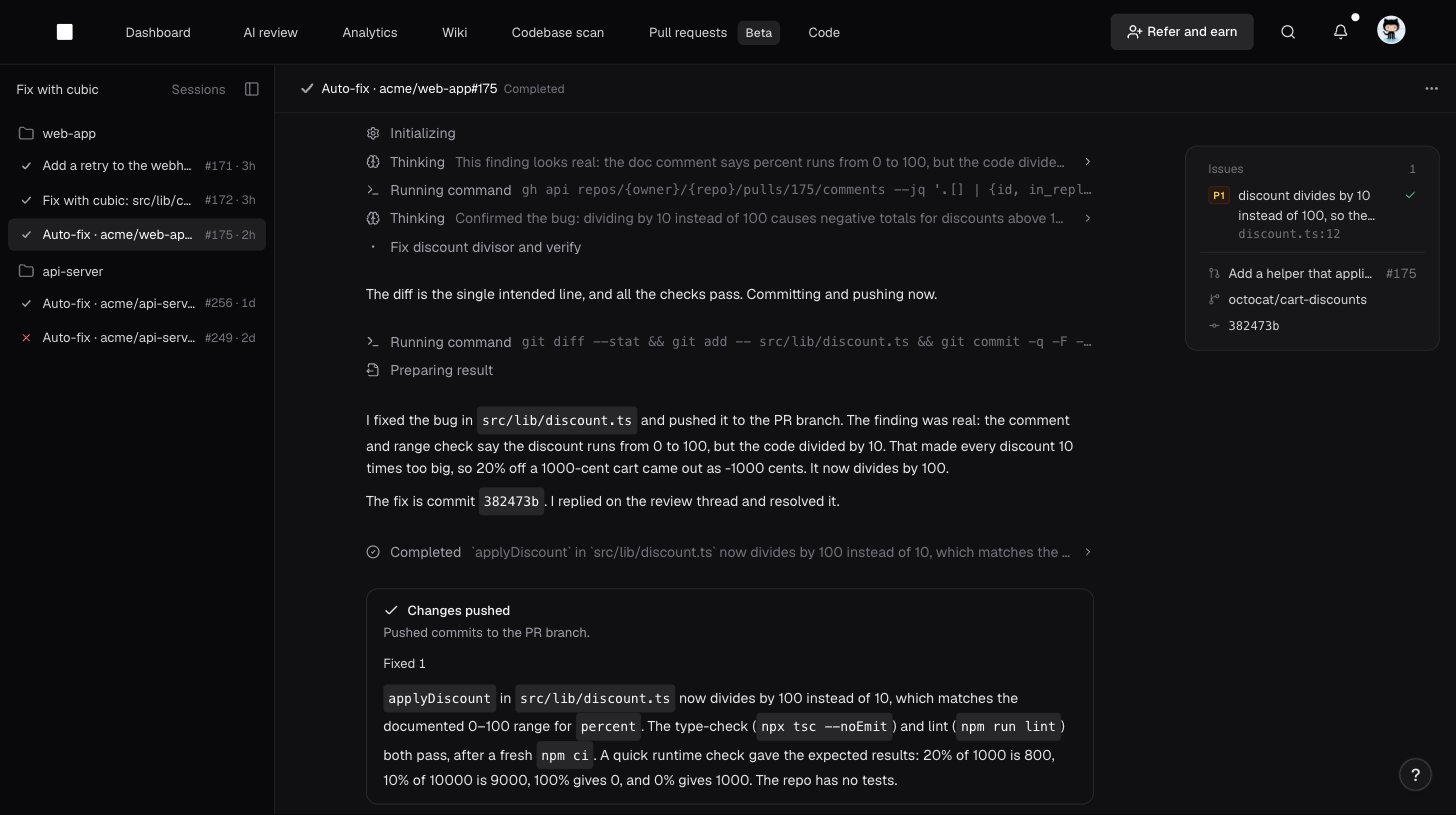
- The cubic · Auto-fix check on the pull request
- cubic’s comment on the pull request
- The cubic PR page
Stop auto-fix
- Turn it off - From any place you can turn it on. A run in progress finishes first
- Push your own commits - cubic stops the current run and picks up again after the next review
- Close or merge the pull request - Auto-fix turns off
Tell cubic how to fix
cubic reads your repository’sAGENTS.md. Keep general guidance for coding agents there.
For guidance just for cubic’s fixes, like which issues are worth fixing in your codebase, add coding agent instructions.
Troubleshooting
Not seeing Turn on auto-fix?
Not seeing Turn on auto-fix?
- In AI review → Fix with cubic, make sure the Fix with cubic button is on, cubic is the coding agent provider, and auto-fix isn’t Off
- Make sure you’re the PR author or have write access to the repository
- Pull requests from forks aren’t supported, because cubic can’t push to them
Auto-fix didn't turn on by itself?
Auto-fix didn't turn on by itself?
- Check that the repository is set to On and the pull request matches your rules
- If someone turned auto-fix off on the pull request, it stays off there. Turn it back on from the pull request
- With label rules, auto-fix turns on after the first review, not when the PR opens
Auto-fix stopped?
Auto-fix stopped?
- After three failed runs in a row, auto-fix stops. Click Retry fix in the fix session or push a commit
- If you pushed commits, auto-fix picks up again after cubic reviews them
Want cubic to change a decision?
Want cubic to change a decision?
- Auto-fix doesn’t revisit an issue it already decided, but you can still ask for a fix. Comment
@cubic fix thison the thread, and cubic starts a separate fix - For Needs your input., tag cubic with your answer, for example
@cubic keep three retries and fix this